


Sending of S/MIME message failed.

Hi All. New to Thunderbird but liking what I see. Am trying to install a new certificate but keep seeing the same error message when I attempt to send an email:
Sending of the message failed. You specified that this message should be digitally signed, but the application either failed to find the signing certificate specified in your Mail & Newsgroup Account Settings, or the certificate has expired.
So here is what we know:
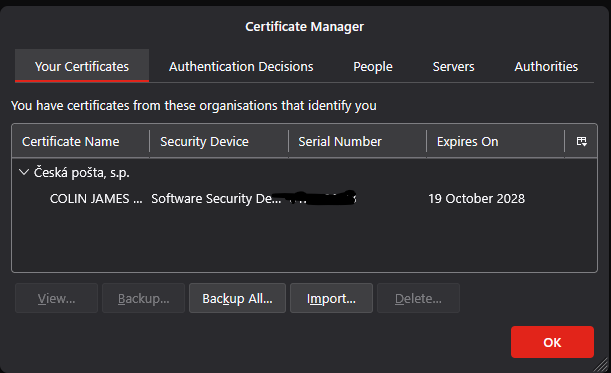
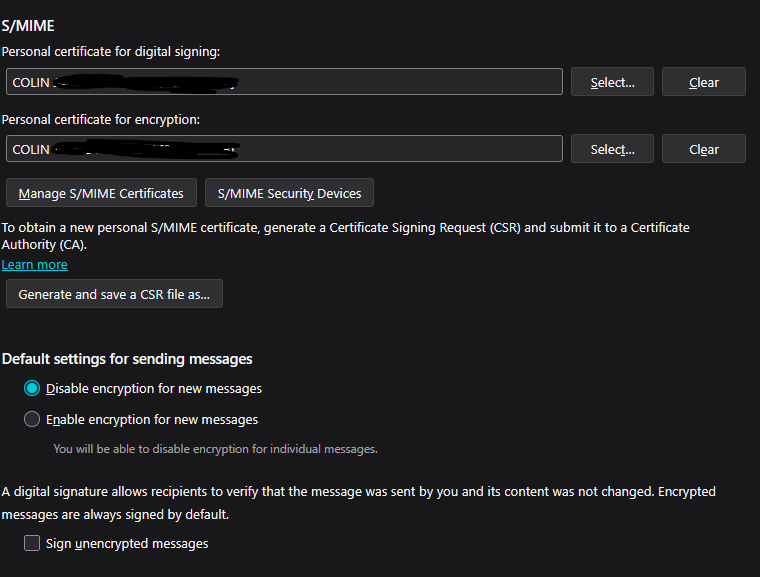
The certificate seems to work (I've sent test emails to a couple of test email accounts) when I use it in Outlook safe mode. Can't get it to work in normal Outlook mode because of add-ins, hence my switch to Thunderbird. They seem to appear fine in the S/MIME section for digital signing and encryption and I can even see the certificate when I go into Manage S/MIME Certificates.
Has anyone come across this before / got any ideas about how to resolve this? Thanks!!
所有回复 (5)
After importing the cert into the Thunderbird certificate store you'll also have to select the correct cert in your Account Settings - End-To-End Encryption.
I believe I have done both of these things (deleted and re-entered in both sections just to be sure) but the issue persists and the error message is the same. Any other suggestions?
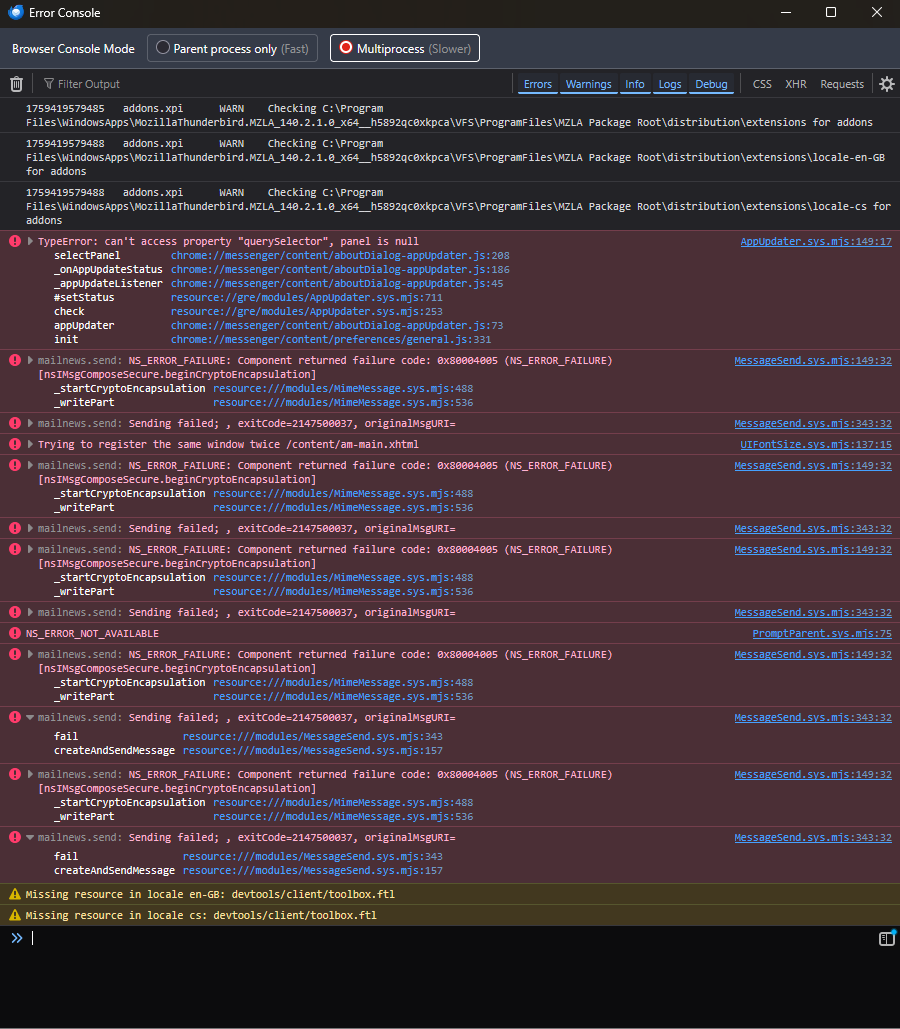
Check the Error Console (Ctrl-Shift-J) after attempting to send a signed message whether there is anything related.
Does this shed any light?
Similar problem here - see if this helps. https://support.mozilla.org/en-US/questions/1509268