Windows 10 reached EOS (end of support) on October 14, 2025. If you are on Windows 10, see this article.

搜索 | 用户支持

防范以用户支持为名的诈骗。我们绝对不会要求您拨打电话或发送短信,及提供任何个人信息。请使用“举报滥用”选项报告涉及违规的行为。

详细了解

Firefox buggy with Microsoft Swiftkey (grey bars)

  • 1 个回答
  • 2 人有此问题
  • 134 次查看
  • 最后回复者为 wvs

In the last few weeks I noticed weird things happening with the keyboard open. The problem is that my screen gets covered by massive grey bar, sometimes it leaves a tinly slit like in the first two screenshots, sometimes it's all grey and I can't see what I'm typing. Everything seems to work underneath because as soon as I hide the keyboard my text is there like nothing happened. Last screenshot shows the extra grey bar on the top of the screen that's not there in any other app but Firefox and it's probably related (it's the same grey that covers the entire screen when keyboard is on the display). One more thing I didn't catch on screenshot is the address bar - sometimes when I type what I want, press "go" keyboard goes down but the address bar doesn't, it stays in the middle leaving the infamous grey space below. All I need to do is tap on the address bar to show they keyboard, tap elsewhere and keyboard goes out, address bar goes down.

It happens only in Firefox for most webpages, never in any other app, it does happen in private tabs as well, with no addons. Everything is updated to their newest versions, I reintalled the app as well - no results. Am I the special one because I can't se anyone else complaining about it?
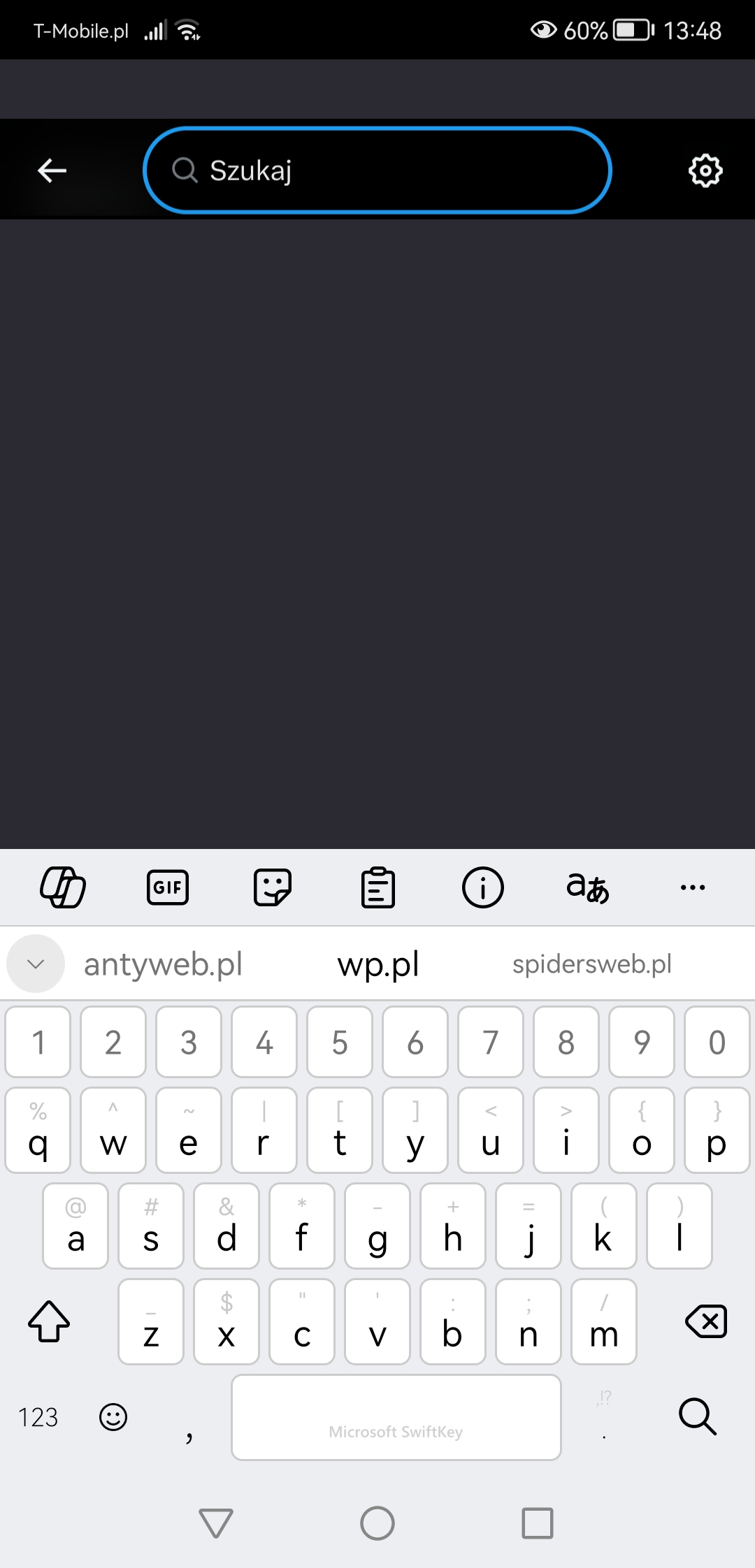
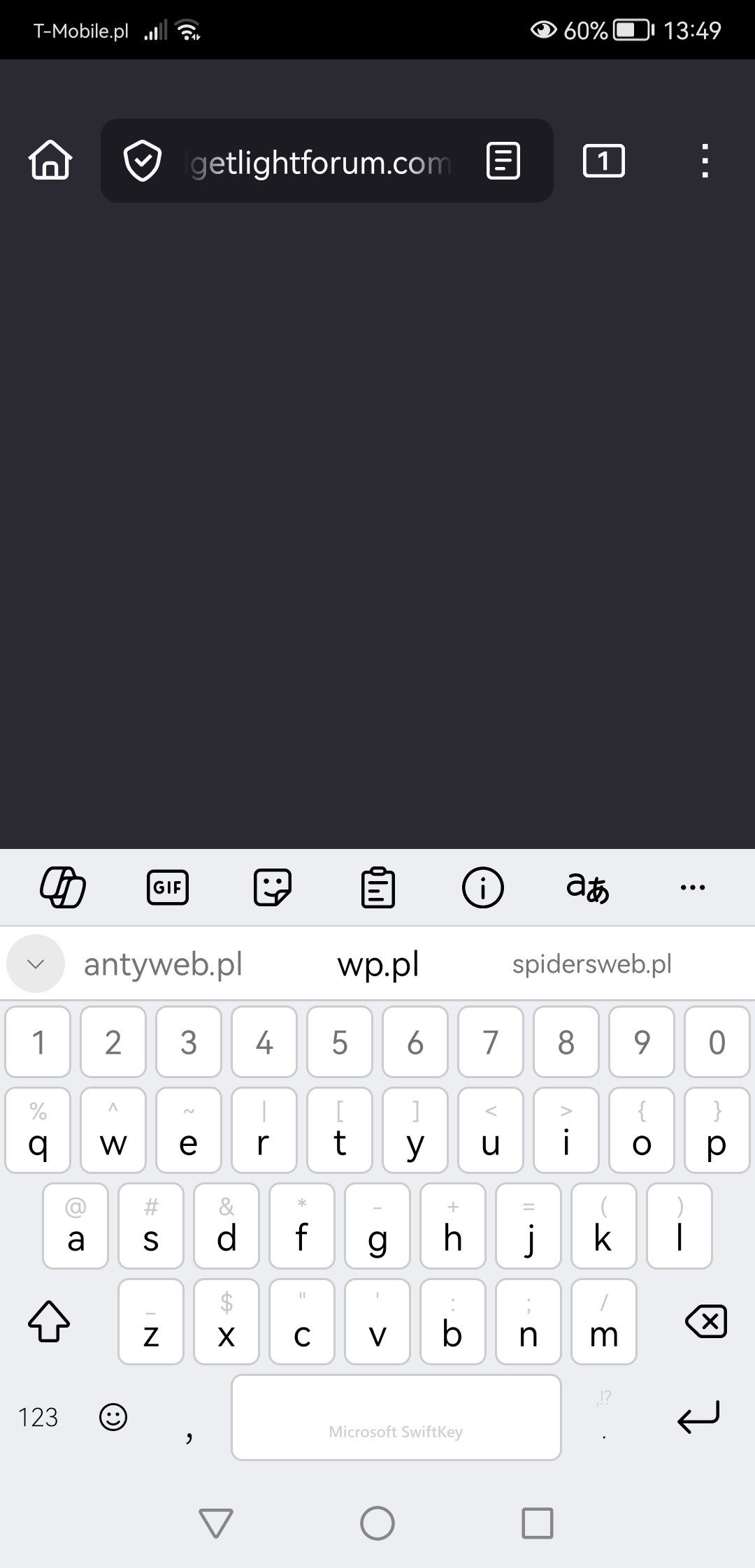
In the last few weeks I noticed weird things happening with the keyboard open. The problem is that my screen gets covered by massive grey bar, sometimes it leaves a tinly slit like in the first two screenshots, sometimes it's all grey and I can't see what I'm typing. Everything seems to work underneath because as soon as I hide the keyboard my text is there like nothing happened. Last screenshot shows the extra grey bar on the top of the screen that's not there in any other app but Firefox and it's probably related (it's the same grey that covers the entire screen when keyboard is on the display). One more thing I didn't catch on screenshot is the address bar - sometimes when I type what I want, press "go" keyboard goes down but the address bar doesn't, it stays in the middle leaving the infamous grey space below. All I need to do is tap on the address bar to show they keyboard, tap elsewhere and keyboard goes out, address bar goes down. It happens only in Firefox for most webpages, never in any other app, it does happen in private tabs as well, with no addons. Everything is updated to their newest versions, I reintalled the app as well - no results. Am I the special one because I can't se anyone else complaining about it?

已附加屏幕截图

所有回复 (1)

And that's the common address bar behaviour: