


Going to a new computer, want to take bookmarks and passwords
Getting ready to replace my computer. Is there a way to take my Firefox bookmarks and passwords along with me. I know there are 2 profiles in different directories.
c:\users\jer\appdata\roaming\mozilla\firefox\profiles AND c:\users\jer\appdata\local\mozilla\firefox\profiles
Don't really know difference between roaming and local, except roaming is a lot bigger.
I doubt I could copy the whole profiles as they would contain information that is about current computer and wouldn't work on new computer. However, it seems that I have read or seen there are files within these profiles that just contain my bookmarks and passwords and they can be moved to another profile.
I just need to know the name of the files that hold his information.
Any help would be appreciated.
所有回复 (4)
Hey Jer,
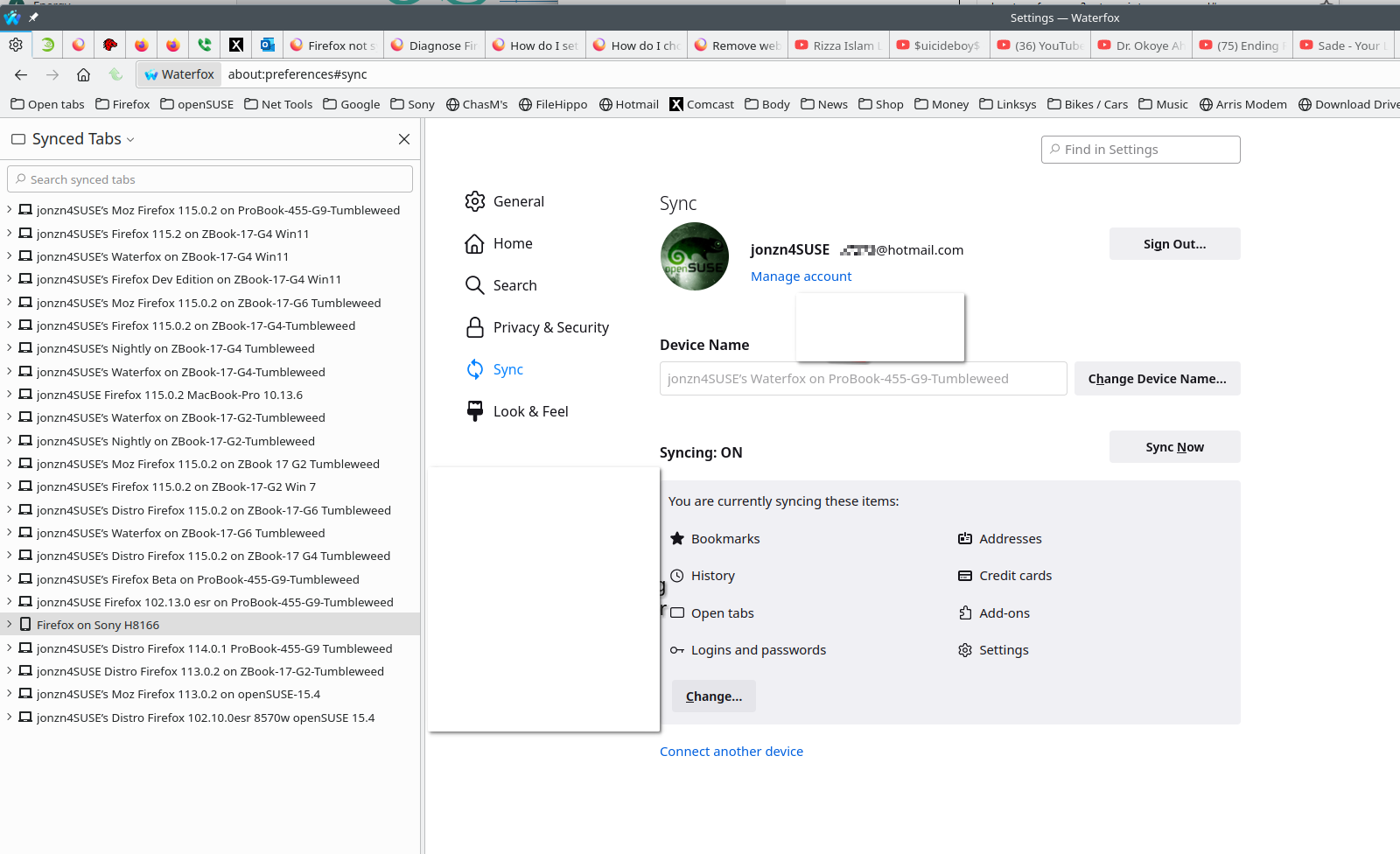
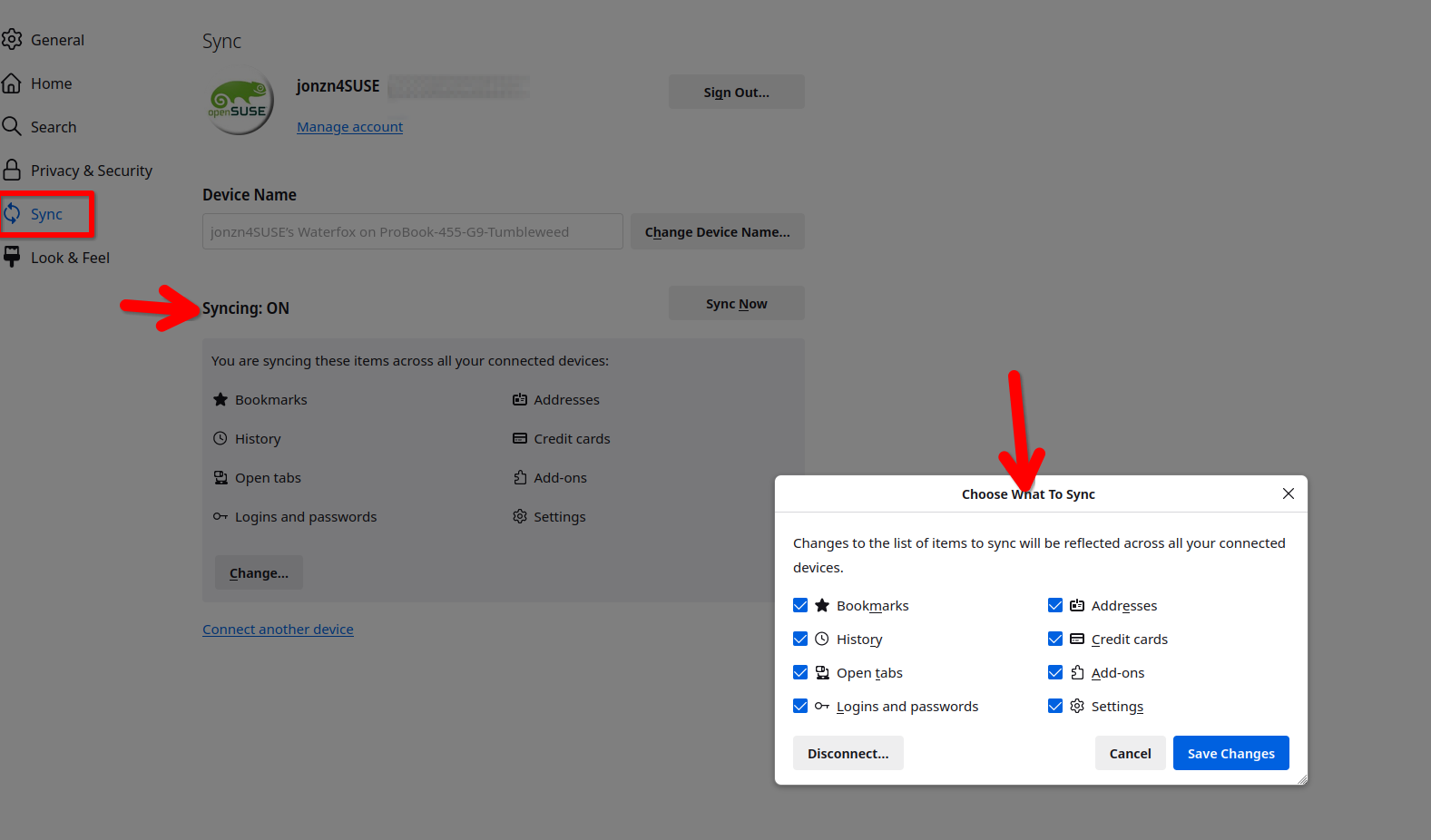
Let's first try a simpler and cleaner way. It's called Sync. see screenshots https://support.mozilla.org/en-US/kb/how-do-i-set-sync-my-computer https://support.mozilla.org/en-US/kb/how-do-i-choose-what-information-sync-firefox
由jonzn4SUSE于修改
I rather find the file names to copy, I just don't like moving my data up to Mozilla to sync back to devices. I think it comes from a long career in IT where I as a system software tech could get to anyone's data and the problems we had with hackers.
I know there are some file names, I did it many years ago just lost the instructions.
Thanks for the suggestions, appreciate the response.
Jerry
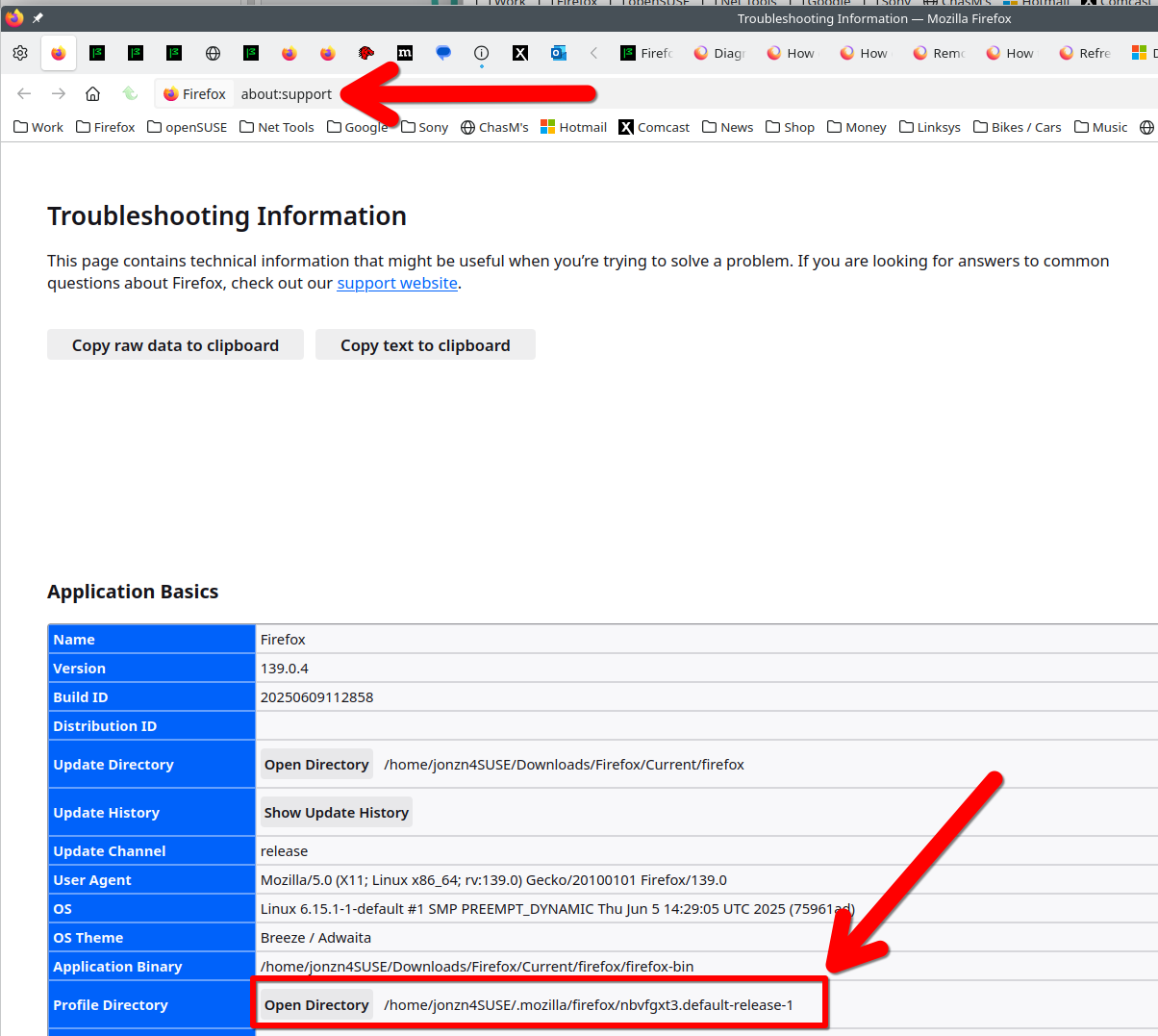
Gotcha. Your profile is here. see screenshot Here is the file info. https://support.mozilla.org/en-US/kb/profiles-where-firefox-stores-user-data

由jonzn4SUSE于修改
Thanks I got that location memorized, but that is a cool way to find it I didn't know.
Found old documentation, passwords are in that directory in key4.db and logins.json.
I think bookmarks are in bookmarkbackups directory, but when I look at that it doesn't look right.
I know all bookmarks in the profile directory file bookmarks.html and if I open it they are all there, but I don't think that is what is used for normal browsing- just don't know. Believe it may just be something to do a restore with?? My old notes said bookmarkbackups directory under the profile, but those files are only a few and I can't see what they look like.
Might do a test with my laptop which I hardly use and has few bookmarks and no passwords. Only used when traveling and don't keep anything on it as it could get lost or stolden.