


Thunderbird(141.0)Layout bug: email list footer scrollbar overlaps last row when Quick Filter is active

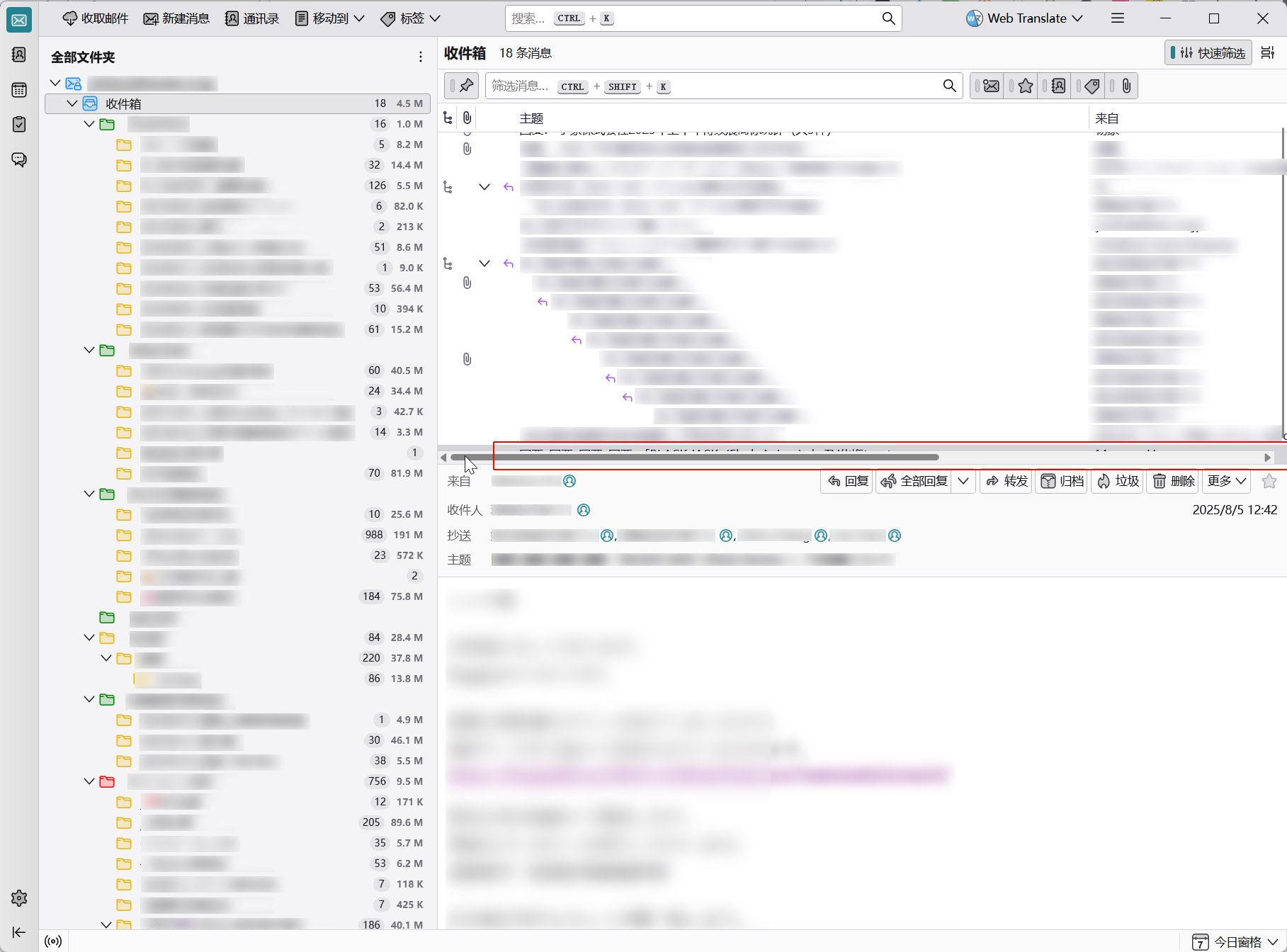
After upgrading to the latest version of Thunderbird ( release 141.0), I noticed an issue in the message list window: the horizontal scrollbar at the bottom appears very close to the last visible email in the list (which is usually the most recent message, depending on the sort order). In some cases, the scrollbar even overlaps the subject line of that last email. This often makes it difficult or even impossible to click on the email, as the scrollbar covers a large portion of its title. This issue occurs when the "Quick Filter" feature is enabled. If I disable "Quick Filter," a proper space appears between the last email's title and the scrollbar, and the issue no longer occurs.
所有回复 (2)
So only when quick filter bar is active.
If you can still reproduce pleae file a bug report at https://bugzilla.mozilla.org/enter_bug.cgi?product=thunderbird
Hi Wayne Mery,
Thank you very much for your reply.
After further testing, I found that the issue is not actually caused by the quick filter bar being active. I initially thought that was the reason, but after observing carefully, it turns out the quick filter bar itself is not the root cause.
The real problem seems to be related to the distance between the horizontal scrollbar at the bottom of the message list window and the last email in the list. When they are too close, the scrollbar ends up overlapping the subject line of the last email.
How to reproduce the issue:
- Switch to Compact View.
- Make sure the message list has enough emails and enough columns so that a horizontal scrollbar appears.
- Move the mouse near the bottom (close to the horizontal scrollbar). In this situation, it’s very easy to accidentally activate the scrollbar, which blocks part of the last email and makes it difficult — sometimes impossible — to select the last email.
I’ll prepare a more detailed report with screenshots and submit it through the bug report link you shared.
Thanks again for your help!
由shokun252606于修改