


in mozila thunderbird profile.ini has multiple profile with IsRelative=1 but how we know thunderbird using which one.

[Profile2] Name=default-release IsRelative=1 Path=Profiles/dzsmofpl.default-release [Profile1] Name=default IsRelative=1 Path=Profiles/g92ibtwu.default Default=1 [Profile0] Name=default-esr IsRelative=1 Path=Profiles/2i2jua4d.default-esr [General] StartWithLastProfile=1 Version=2 [Install712DAF5A23ABECDC] Default=Profiles/2i2jua4d.default-esr Locked=1 [InstallFEE05927A5AEB8AE] Default=Profiles/dzsmofpl.default-release Locked=1
所有回复 (3)
is it uses differnt in mac or windows machine?
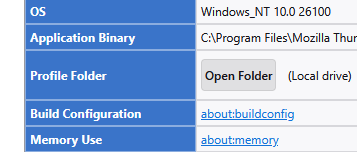
How about you let Thunderbird tell you what folder it is using.
Goto the troubleshooting information on the help menu and use the show the profile folder button.
IsRelative simply means the path to the profile shown is relative to the location of the profiles.ini file.

in mozila thunderbird profile.ini has multiple profile with IsRelative=1
IsRelative=1 refers to the 'PATH' line, i.e. whether the path to the profile location is relative or absolute.
how we know thunderbird using which one.
What is your problem in the first place?
is it uses differnt in mac or windows machine?
What are you talking about?