


"Trash" folder is being deleted every time I empty the trash
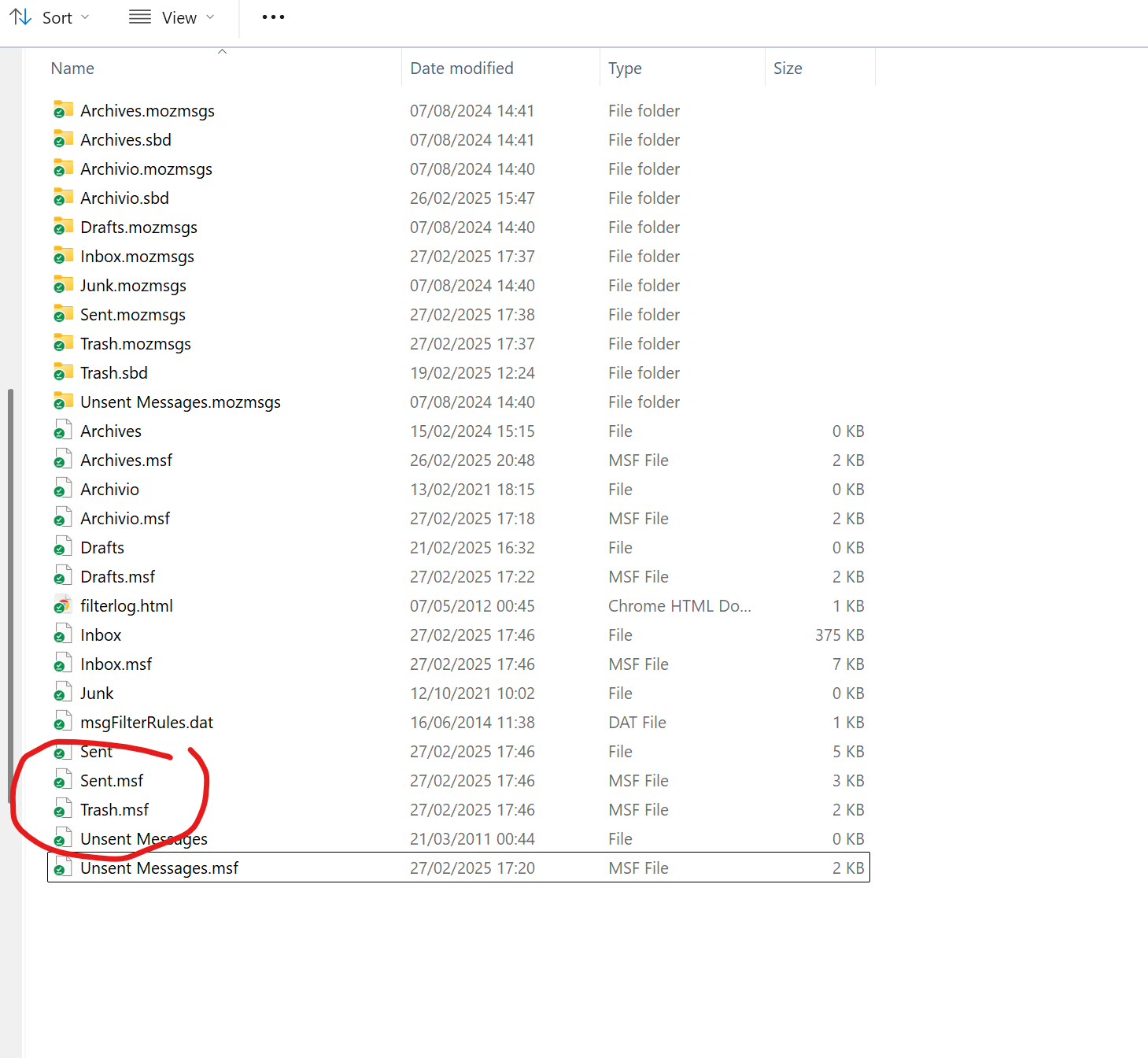
Hi, I'm talking about a POP account. Every time I empty the trash, either manually or by exiting Thunderbird, the "Trash" folder is being silently deleted, and from that moment on I cannot any longer delete messages, receiving a "not enough space" error. In my ThunderbirdProfile\Mail\Local Folders the file "Trash" of 0 byte, keep being silently deleted. To restore correct functionality, I just have to create a new "Trash" folder under "Local Folders" in Thunderbird. But the next time I empty the Trash, the problem reappears. I suspect something linked to Windows 11, computer was recently upgraded from Win 10 to Win 11. I tried with latest version 128.7, both 32 and 64 bit. As you can see from the screenshot, after emptying Trash, the 0 byte file "Trash" is missing. Thanks Antonello
由Antonello Aringhieri于修改
所有回复 (1)
Questa domanda non ha ricevuto risposte, probabilmente nessuno degli utenti di support.mozilla.org può darti una mano. Se vuoi, puoi chiedere una seconda opinione riportando la domanda anche su https://forum.mozillaitalia.org/