


Cannot remove labels from messages
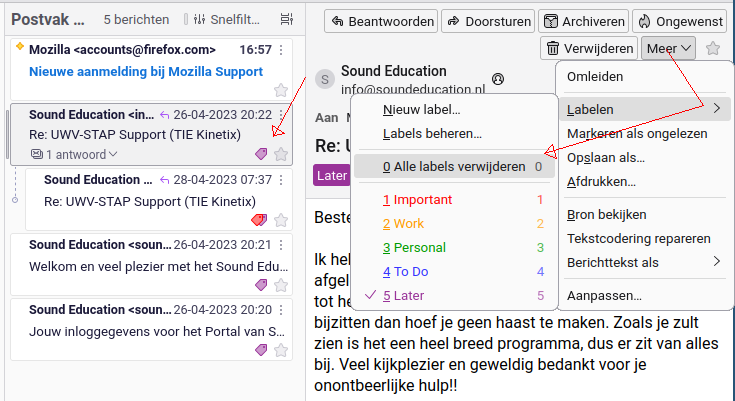
I have 4 messages in my inbox (IMAP not Gmail). They are all labelled "Later" and one of them has a second tag "Important". These labels just appeared after I started using Thunderbird as from last month (2025-01-01). I found out how they should be removed: "More"-"Labels"-"0 - Remove all labels" or just click to toggle.
Expected behavour: Click to toggle off, stay off. Choose "0 - Remove all labels", stay removed
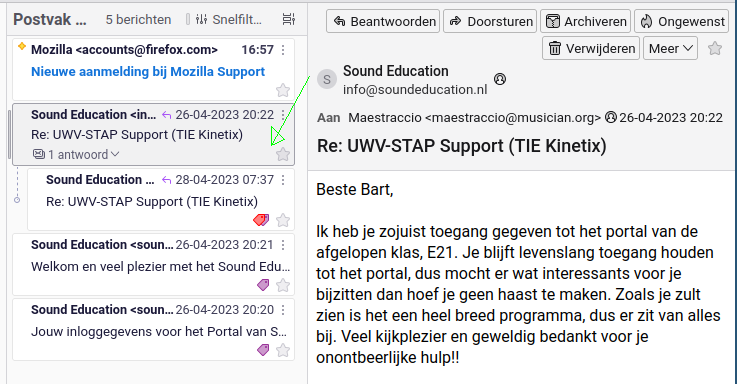
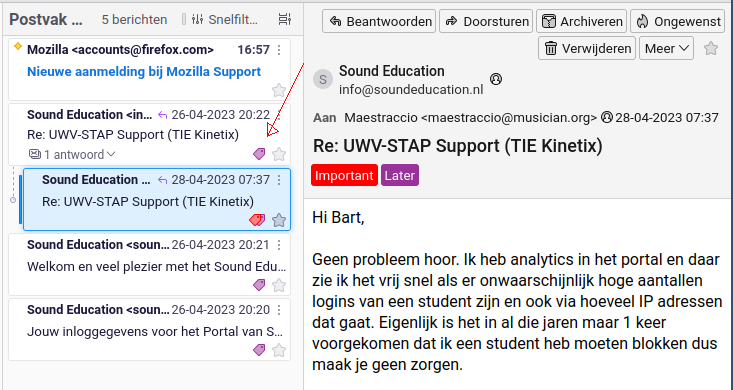
Actual behavour: With the pop up window open the label is gone, but when it's closed or another message selected, the label is back again.
Please help
Attached images: 1: Message is selected, go to "More"-"Labels"-"0 - Remove all labels" 2: Label is removed - for now 3: click on another message, the label is back
所有回复 (2)
Disable the addition of the labels in your gmail account on gmail using your web browser. At the moment you are taking them off and google is putting them back on.

He said this is not a Gmail account, but even if it was, these are Thunderbird labels (tags), not Gmail labels. A Gmail label would make the message appear in a folder with the name of the label, not as a Thunderbird label.
I don't know what could be causing this, but I'd try re-creating the folder index: right-click on the folder, choose Properties, then click Repair Folder.
由DavidGG于修改