


Отсутствует режим инкогнито

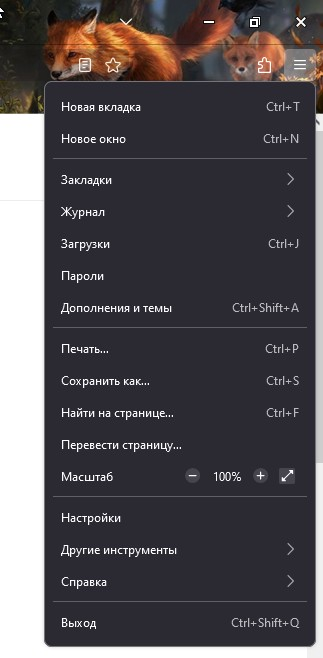
Не могу включить режим инкогнито, не получается открыть приватное окно. Комбинация клавиш Shift+Ctrl+P не работает
所有回复 (5)
Hi Ivan, could you check the Enterprise Policies page:
Type or paste about:policies in the address bar and press Enter to load it.
The "Active" list usually says "The Enterprise Policies service is inactive."
Does your Active list have anything related to private browsing?
jscher2000 - Support Volunteer сказал(а)
Hi Ivan, could you check the Enterprise Policies page: Type or paste about:policies in the address bar and press Enter to load it. The "Active" list usually says "The Enterprise Policies service is inactive." Does your Active list have anything related to private browsing?
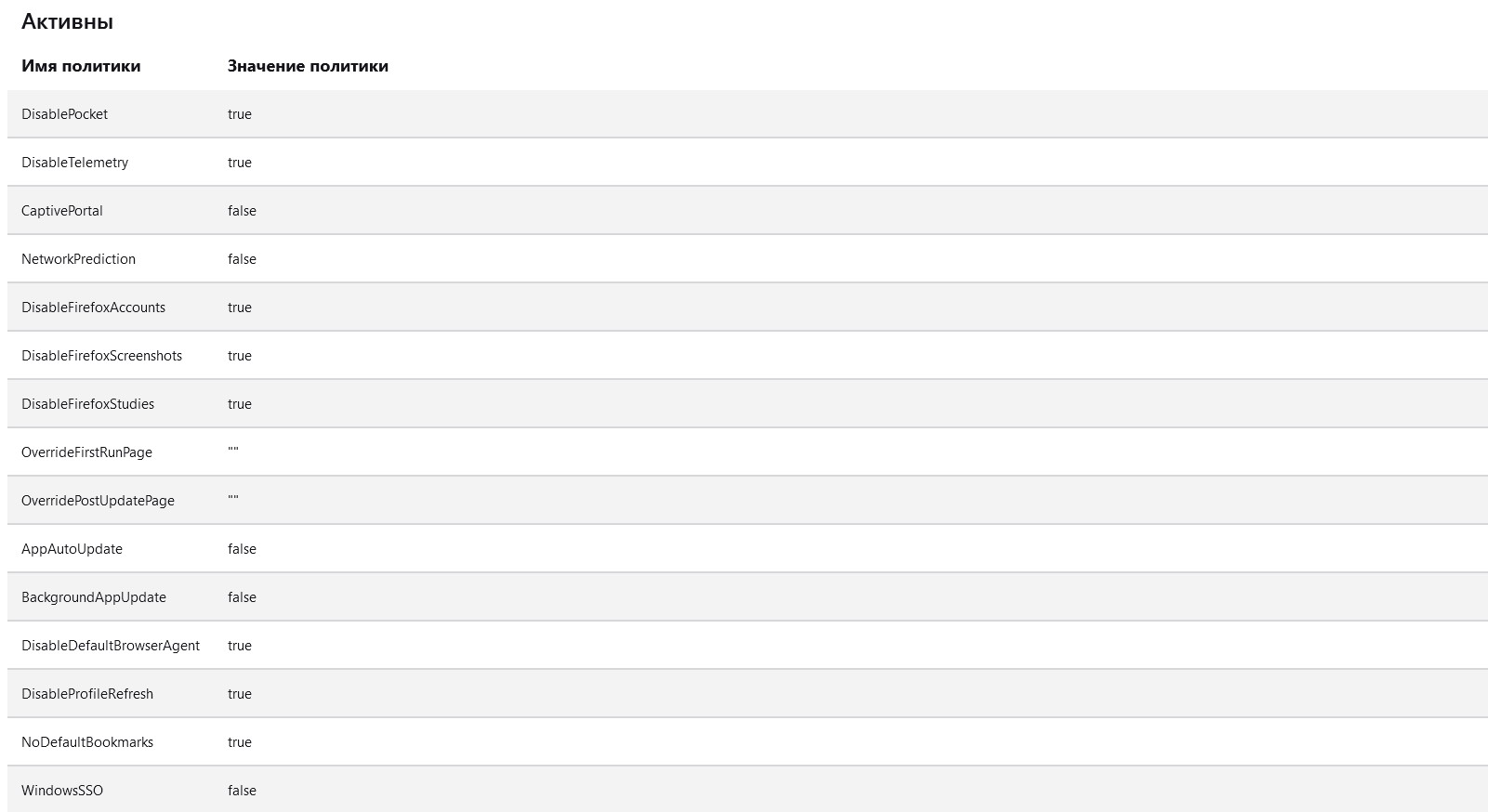
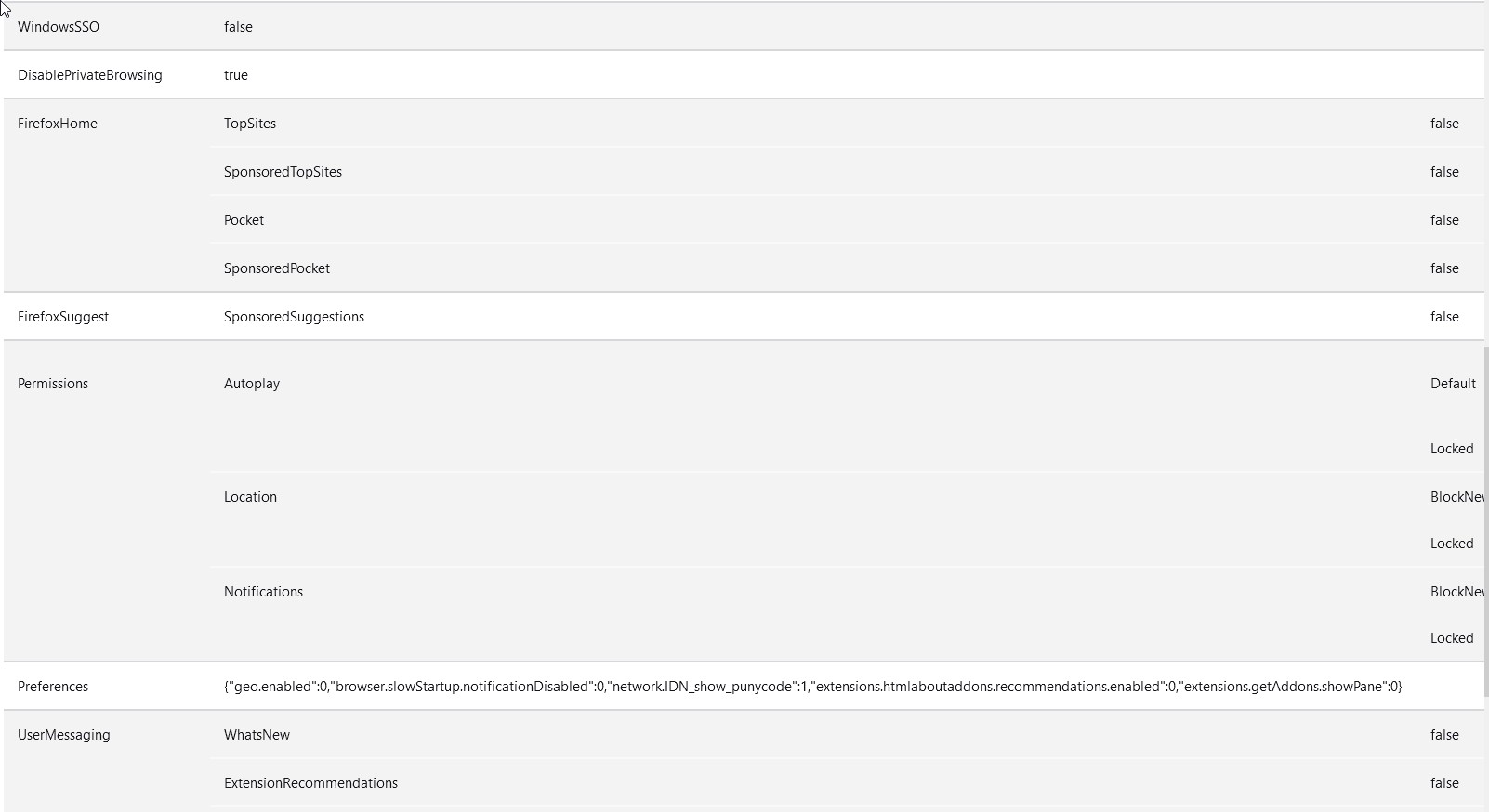
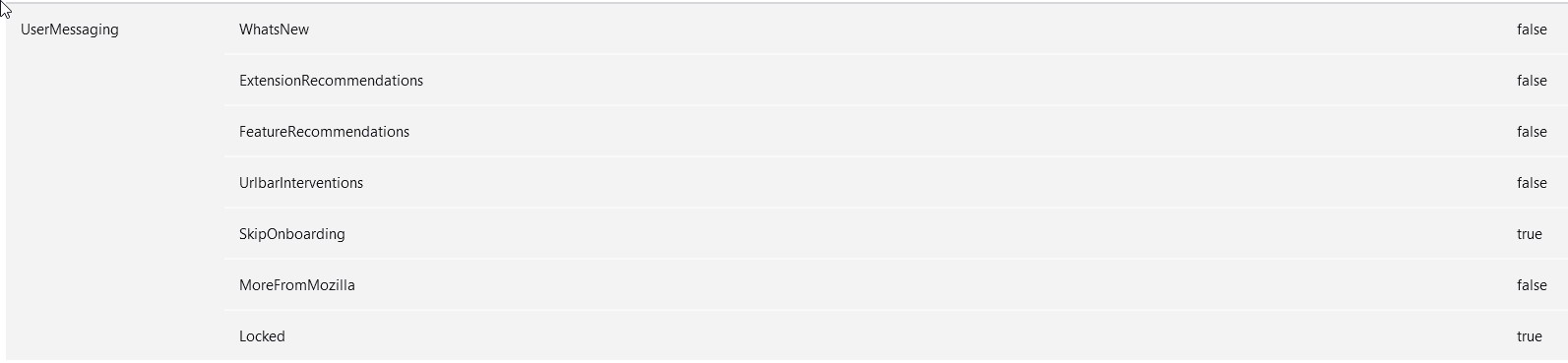
Wow, you have a lot of policies, including DisablePrivateBrowsing. Is this an installation managed by a company with a strict IT department?
jscher2000 - Support Volunteer сказал(а)
Is this an installation managed by a company with a strict IT department? нет, это обычный, домашний пк)) </blockquote>
Policies can be installed in two different ways, so there are two possible places to "clean":
(1) A policies.json file
This would be in a distribution folder, for example:
C:\Program Files\Mozilla Firefox\distribution\policies.json
Note: The distribution folder does not exist in normal installations of Firefox.
For more information, see: Customize Firefox using policies.json
(2) The Windows Registry
It would be under one of these keys -- I'm not sure which:
- HKEY_CURRENT_USER\Software\Policies\Mozilla\Firefox
- HKEY_LOCAL_MACHINE\SOFTWARE\Policies\Mozilla\Firefox
You can use the built-in regedit.exe program to check the Registry.
For more information, see:
- Customize Firefox using Group Policy (Windows)
- https://support.microsoft.com/en-us/windows/system-configuration-tools-in-windows-f8a49657-b038-43b8-82d3-28bea0c5666b
One question is where this came from. Whether someone else with access to the computer might have installed it, or some other program on the system made the modifications.