


Download button in Firefox desktop

My Download arrow is missing from the toolbar, how do I get it back?
My Download arrow is missing from the toolbar, how do I get it back?
所有回复 (2)
Right-click one of the icons that is there, for instance the jigsaw puzzle piece, choose Customise Toolbar and drag it to where you want it.
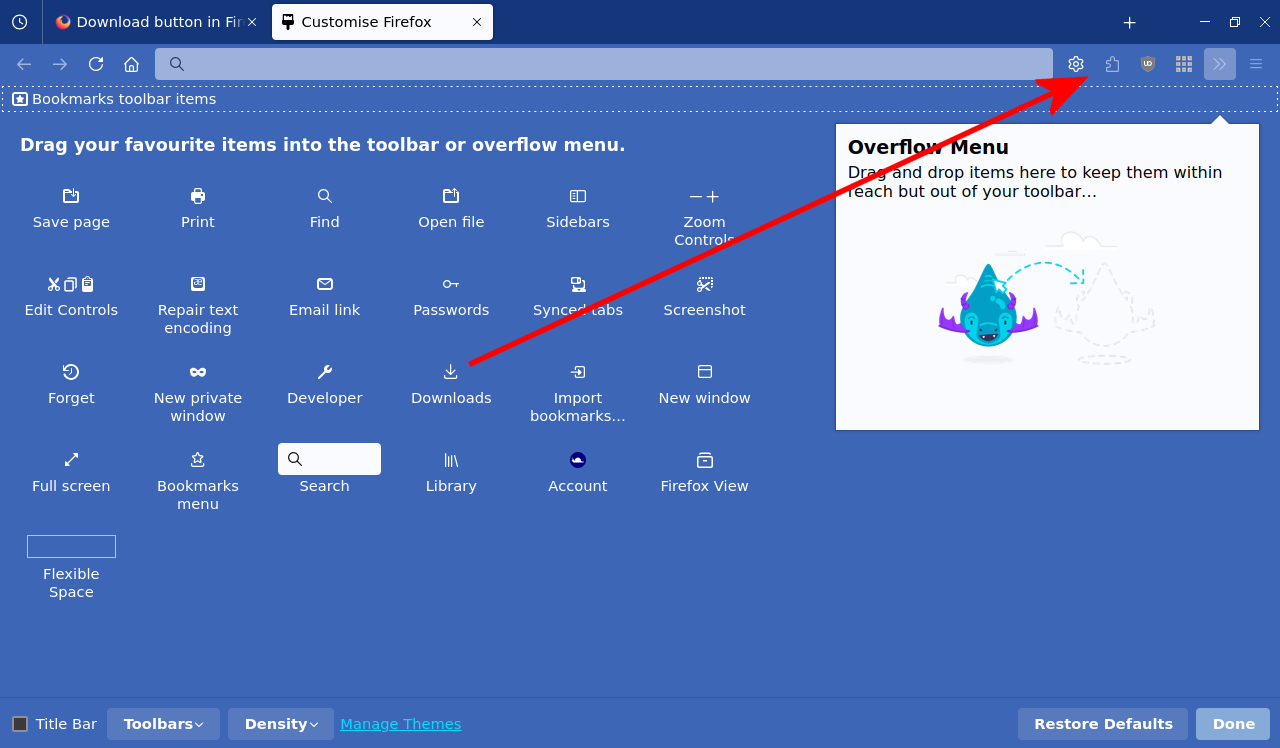
由ThePillenwerfer于修改
Firefox auto-hides the Downloads button on the Navigation Toolbar by default. The Download button should appear on the Navigation Toolbar once you open the Customize window. If you do not see the Download icon then click the Restore Defaults button to reset the layout in case you previously have moved this button. Once you see the Download button in customize mode then left-click this button to see the current auto-hide state and toggle its setting.