


Account settings alert message on incoming email

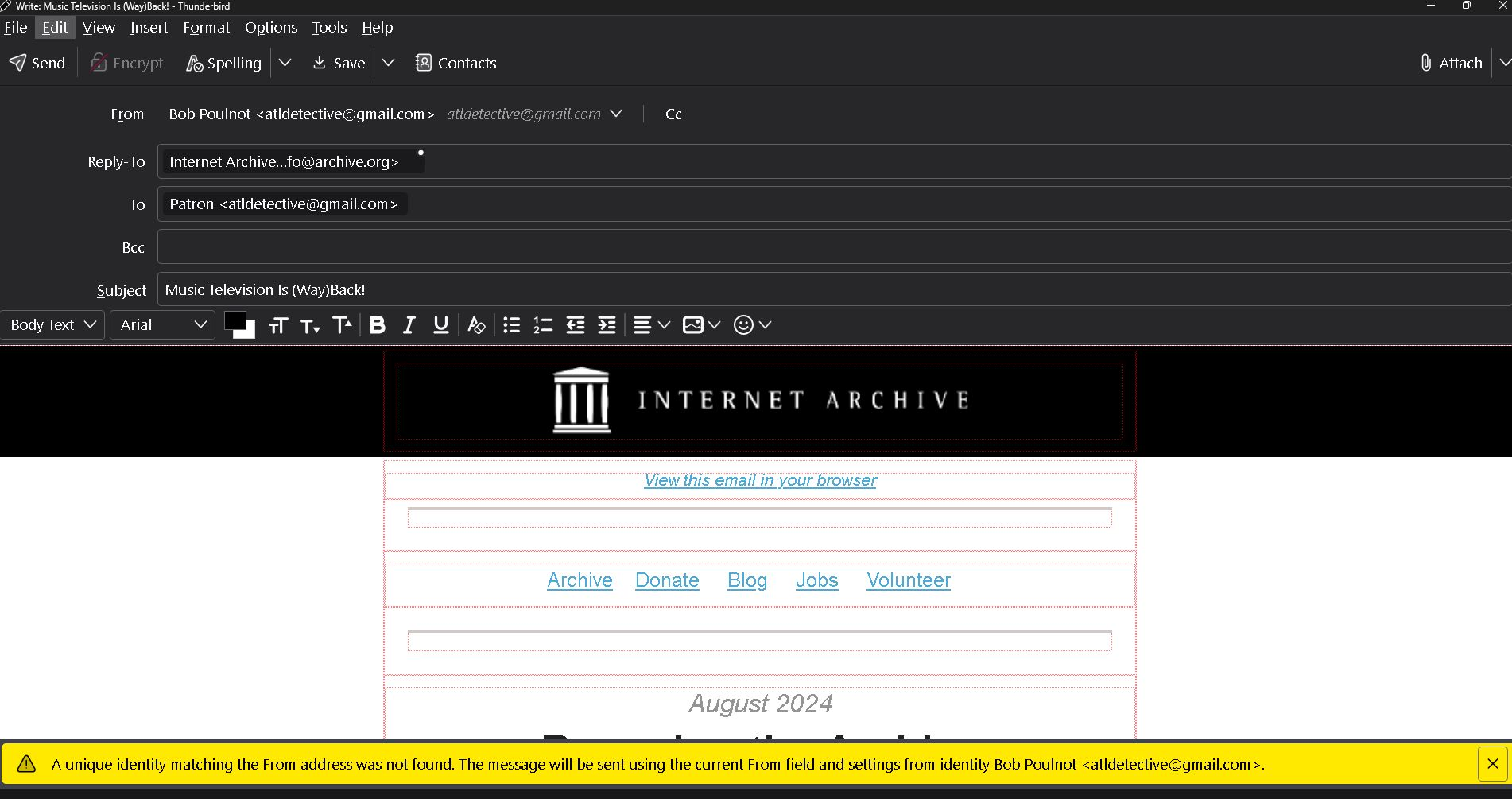
Apparently I have changed the Thunderbird account settings causing an alert message on all incoming emails. As shown in the bottom of the example attachment it reads, " The unique identity matching the prom address was not found. The message will be sent using the current from field and settings from identity Bob Poulnot <atldetective@gmail.com>.
Also by opening this incoming email it is showing at the top that it is "From" Bob Poulnot <atldetective@gmail.com> as a reply. I did not click on reply.
Please help. Thank you
所有回复 (2)
See if you can fix it with FolderFlags:
https://addons.thunderbird.net/en-us/thunderbird/addon/folderflags/versions/
Folderflags did not solve the problem. Also, I am having to reply to your email via google gmail instead of Thunderbird. The links in your message won't open.