话题已存档。
如果需要帮助请提出新问题。

Solved
已存档
Downloading attachment in Outlook doesn't ask me where to store it
Regular download works fine, but when I try to download attachment in outlook.live.com website, it didn't ask me where to store it, but simply places it in my default location, while at the same time opening the attachment even though I only want to download the file.
Regular download works fine, but when I try to download attachment in outlook.live.com website, it didn't ask me where to store it, but simply places it in my default location, while at the same time opening the attachment even though I only want to download the file.
所有回复 (3)
选择的解决方案
Never mind, I know why this happens now. Default action in Applications section was set to Open in Firefox instead of Save File. This is resolved now.
由WaReMoN于修改

You need to mark it resolved.

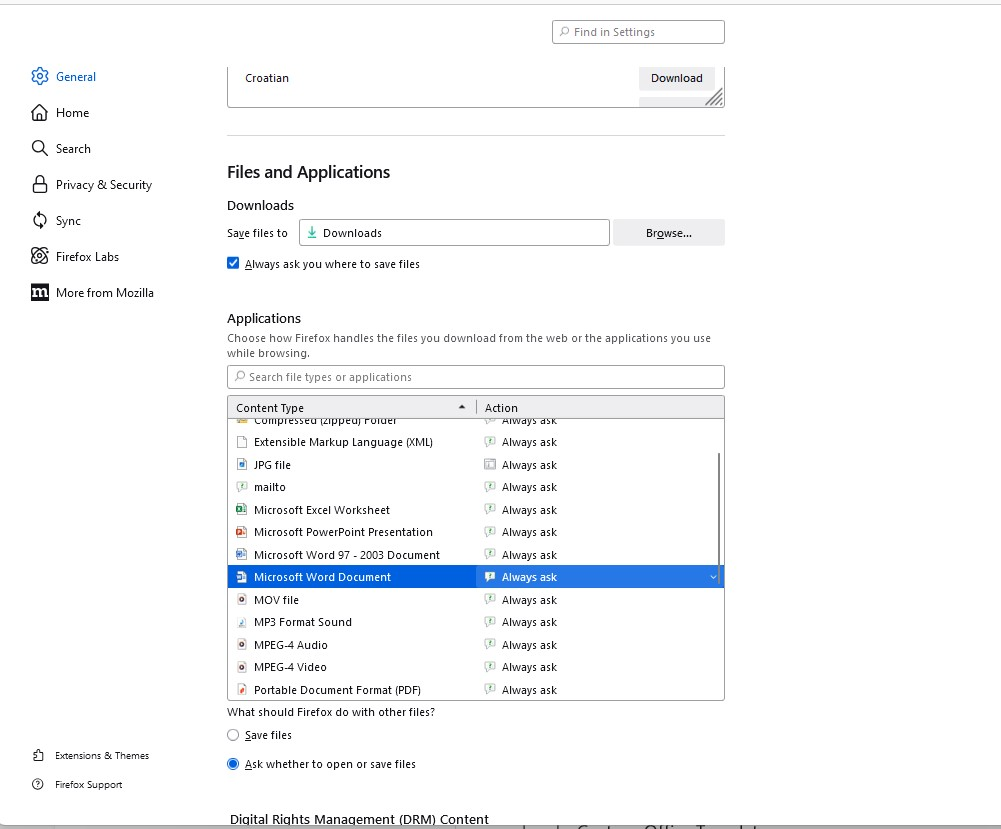
I have the SAME problem - and I have EVERYTHING set to ALWAYS ASK - (See Screen grab) - it just doesn't work!