Want to change or disable developer tool shortcut

I am attempting to copy values from one google sheet to another and am unable to do so effectively as whenever I press crtl +shift + c I open the the developer tools. All my efforts on looking for a solution have lead me to unsupported extensions so I'm stuck wondering what to do.
被采纳的解决方案
If you have no intention for using the developer tools then you can set this pref to true in about:config
- about:config => devtools.policy.disabled => true
所有回复 (2)
选择的解决方案
If you have no intention for using the developer tools then you can set this pref to true in about:config
- about:config => devtools.policy.disabled => true

I had similar issue. when using drop down terminals like guake or xfce4-drop down, F12 key may use to open and close terminal so same firefox shortcut will mess with terminal shortcut.
Here is the way to disable F12 in firefox.
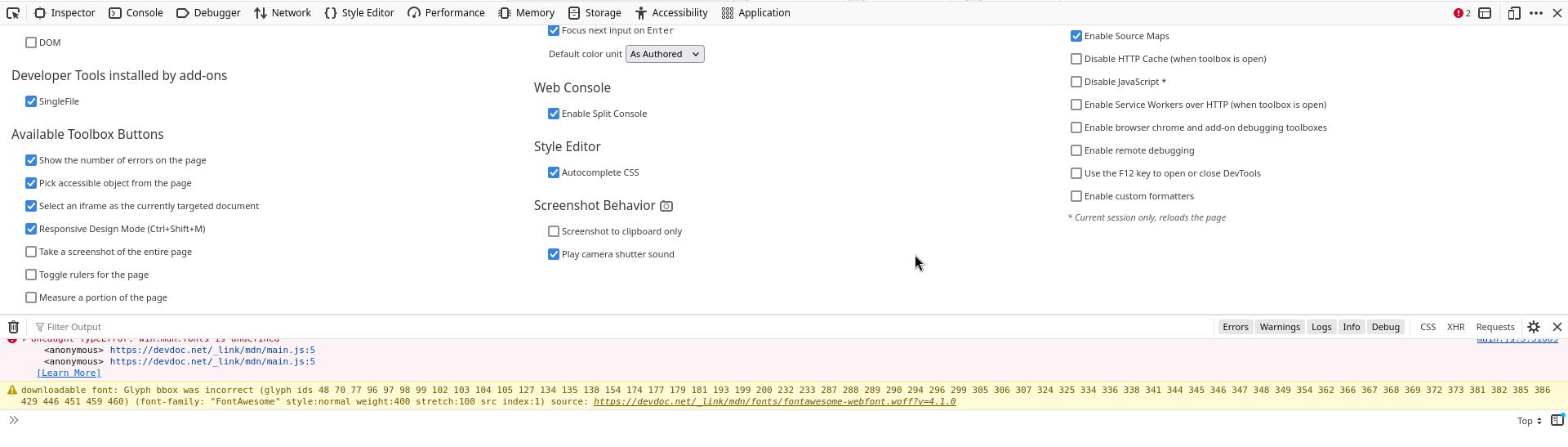
Open Firefox developer then press F1 to open settings. Now uncheck Use the F12 key to open/close Developer option.
https://paste.c-net.org/PreserveHiggins
After that we can open/close firefox developer with shitf+F12 and F12 key is released for other purposes. personally I use ctrl + F12 for terminal shortcut.