


Bookmark toolbar disappears after typing in the website search bar or clicking on link

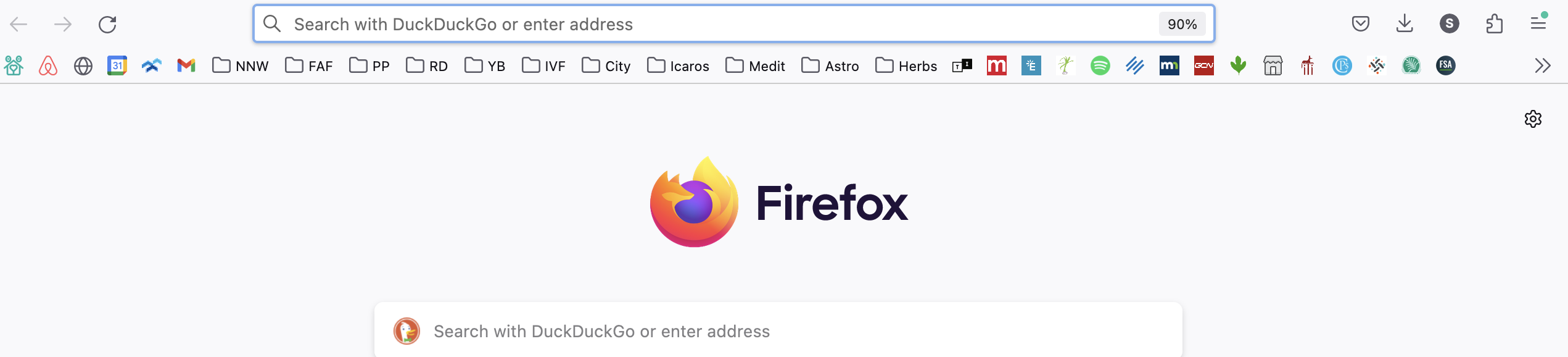
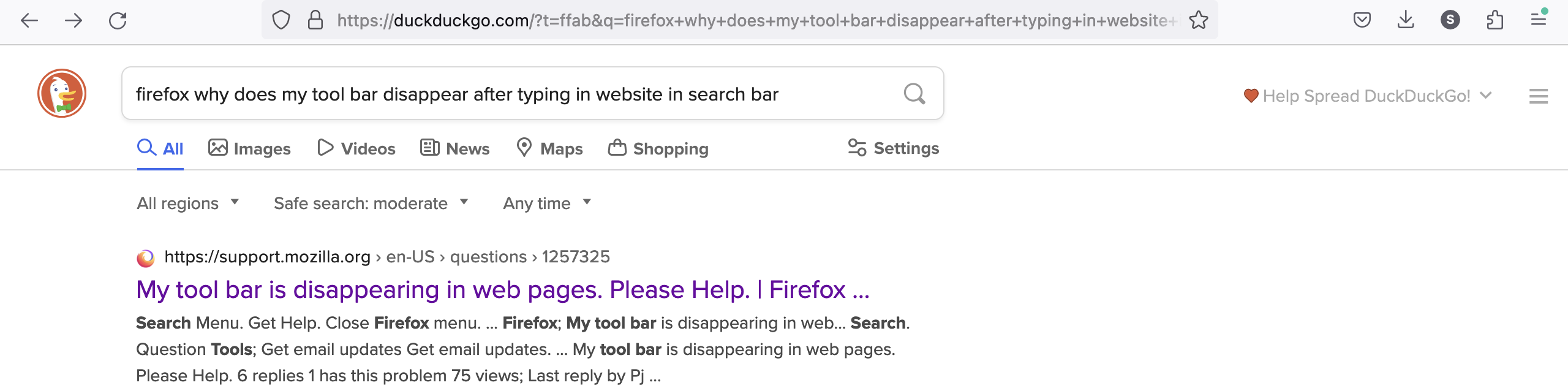
Why does my tool bar disappear after typing in website in search bar? Book marks appear when I open a new window, however as soon as I type something in the search bar or click on a website the book marks disappear. I have to open a new window for them to reappear again. I didn't change any settings, it happened on it's own. I've added a screen shot for when I open a new window (book marks appear) and a screen shot for when I've typed something in the search bar (book marks disappear). Thank you!
所有回复 (1)
There are several choices for showing the Bookmarks Toolbar, the previously used checkbox for showing the Bookmarks Toolbar is a sub menu with three choices:
- "Always Show", "Only Show on New Tab", "Never Show"
"Only Show on New Tab" applies only to the Firefox Home page (about:newtab and about:home) and won't work if the new tab page is not set to the default Firefox Home screen.