


Screen sharing in Google meets doesn't work

Hi, By accident I changed a setting somewhare and now I can't share screen when using Google meets. I use a MacBook Air M2 2022 and run version Ventura 13.4 and Firefox version 113.0.2. I have googled the problem and had help from Apple support so I have already; - checked settings in my Mac - checked settings in Google Meet - deleted cash memory in Firefox - rebooting my computor - run Google Meet in Safari and screen sharing works
I don't dare to reinstall Firefox because then I will lose lots of data. What have I not done that this community could help me understand.
Thanks in advance.
Best, Fredrik
/moved thread from Firefox for iOS (for iPhone/iPad) to Firefox section as you have macOS.
由James于修改
所有回复 (4)

You will need to show us what you're seeing. I see the option. see screenshot Let me also check on my older mac running 10.13.6.
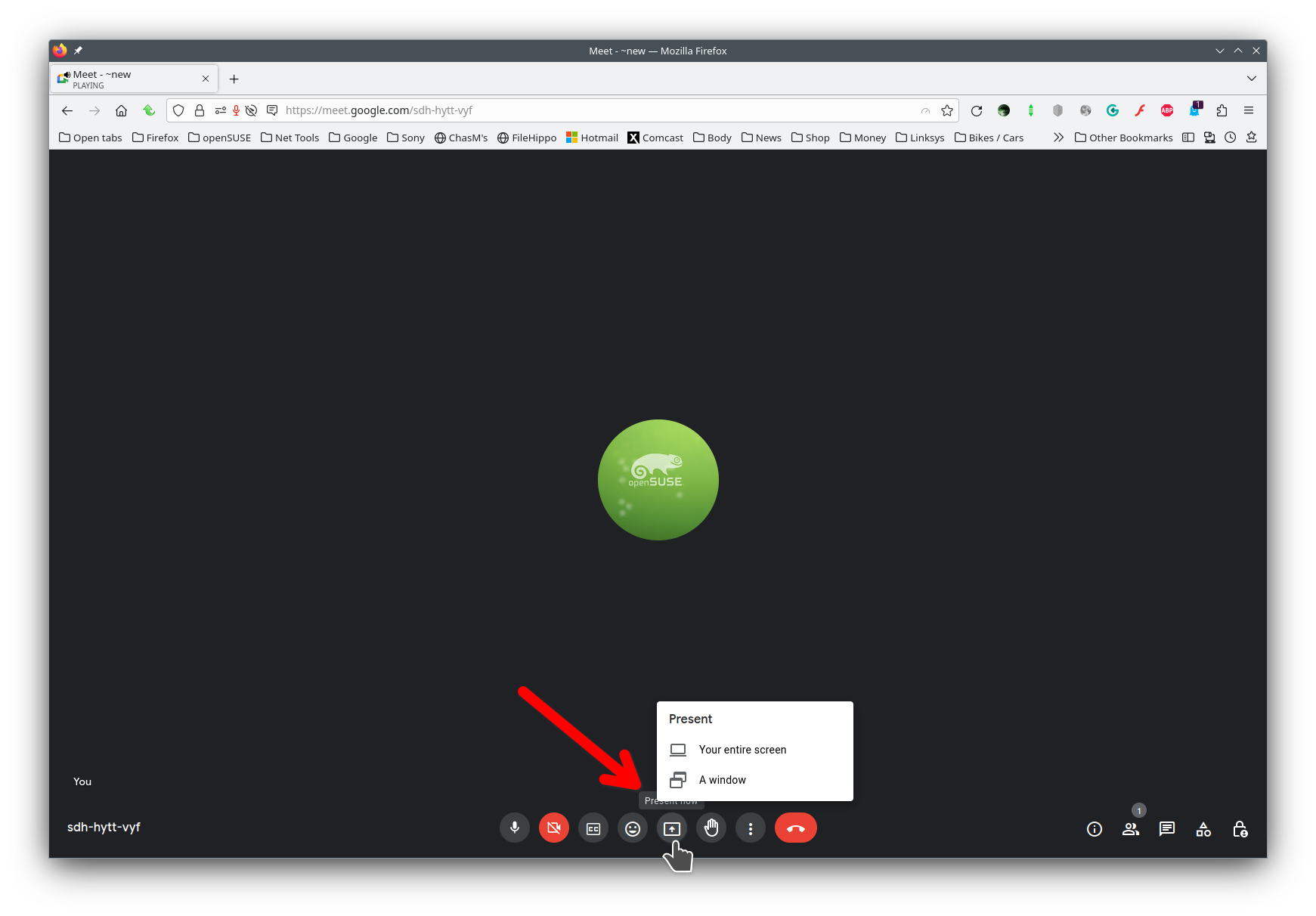
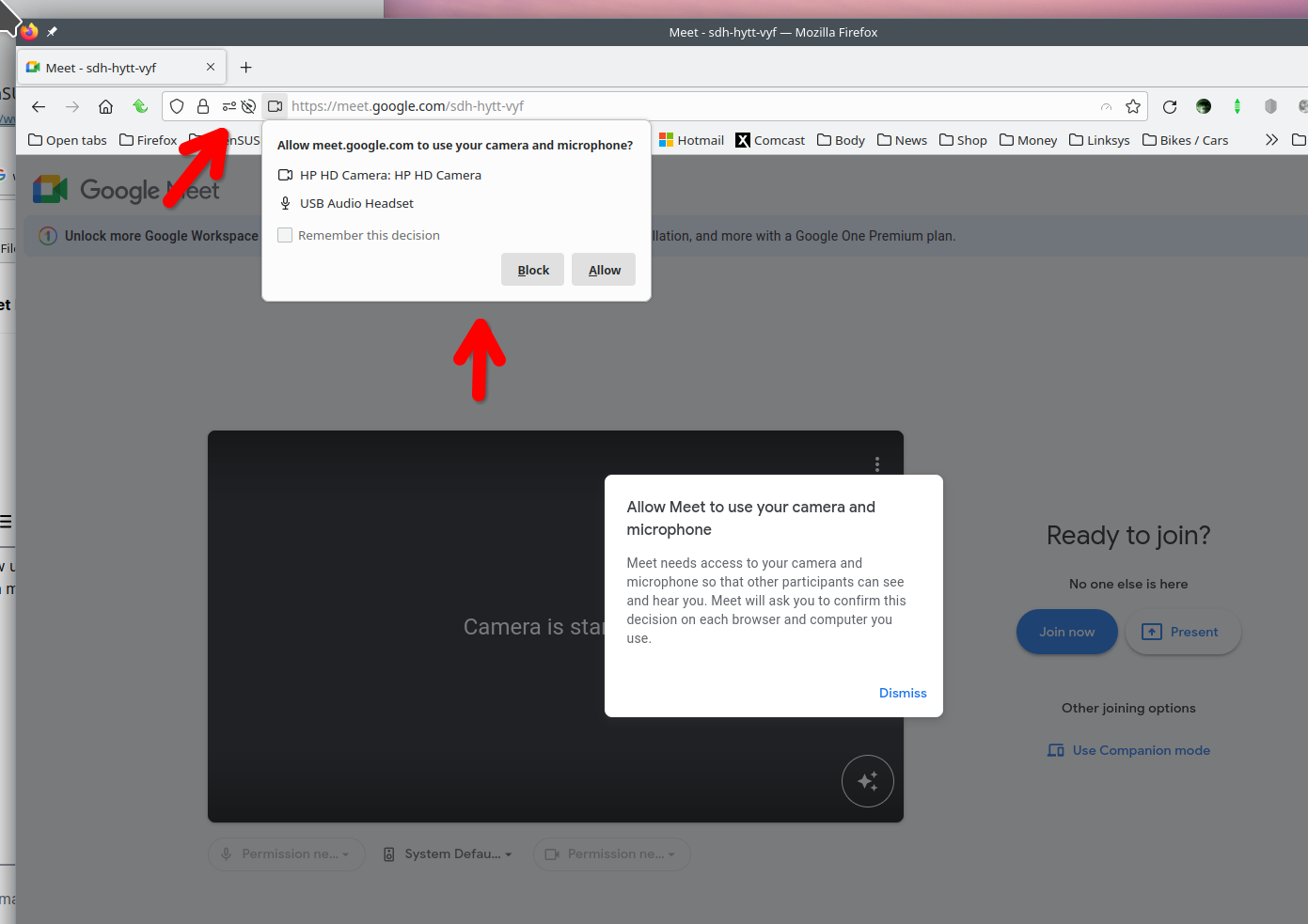
Wow! Great to have such a quick response and guidance. You second picture soled my problem. It was a setting (allow screensharing - yes/no) at the top of my screen next to the URL that was set as no.
THANK YOU sooo much
Best, Fredrik
Glad to hear, just mark it as resolved and have a nice day.
Done. But I don't get a confirmation so I trust you know. Best, Fredrik