


Sync and save data

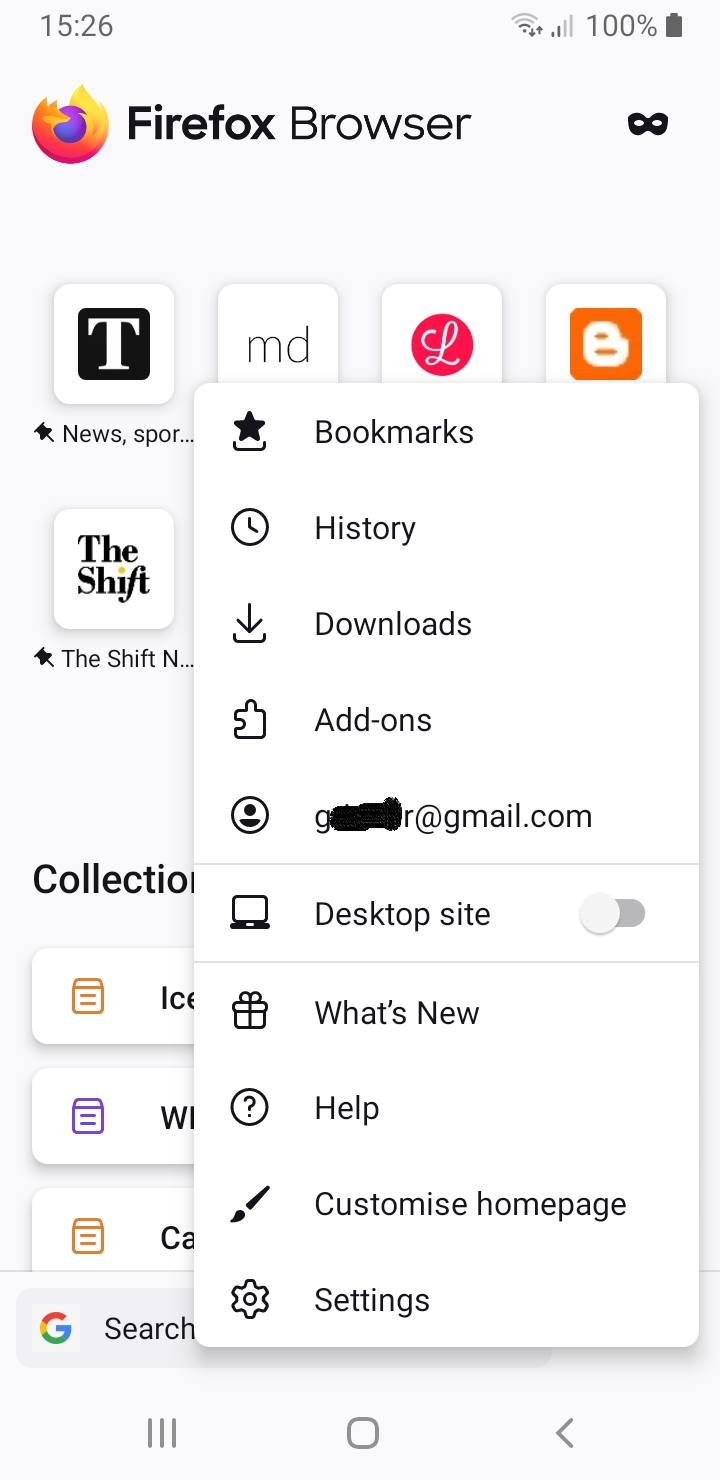
Hi. The option to "sync and save your data" no longer appears in the main menu, nor under settings on my Firefox Android phone. What can I do to get back this option? Your support is greatly appreciated. Thanks in advance.
被采纳的解决方案
No problem, happy to help.
Firefox Sync will run the background, keeping bookmarks in sync between your devices. I have been using it for years with it quite happily running in the background.
定位到答案原位置 👍 1所有回复 (3)
Hi
When you have signed into your Firefox Account in Firefox for Android, that option is replaced by your email address. Select your email address from that menu to see the Firefox Sync options.
Hi Paul.
Thanks for your prompt reply. Bookmarks are now in sync, thanks to you. Will the synchronization be done automatically or does it have to be done manually? Once again, your support is greatly appreciated.
选择的解决方案
No problem, happy to help.
Firefox Sync will run the background, keeping bookmarks in sync between your devices. I have been using it for years with it quite happily running in the background.