


Address bar does not resolve local DNS (on Desktop and Android)
I try to configure DNS server on Synology NAS. NAS has static ip address(192.168.0.30) on local network. I installed DNS server and added zone(nas with A record my.nas - 192.168.0.30). DNS server also added to router.
I am sure that DNS server configured properly because when I do in command line: curl my.nas and curl 192.168.0.30 provide same successful response and dig my.nas also show expected response.
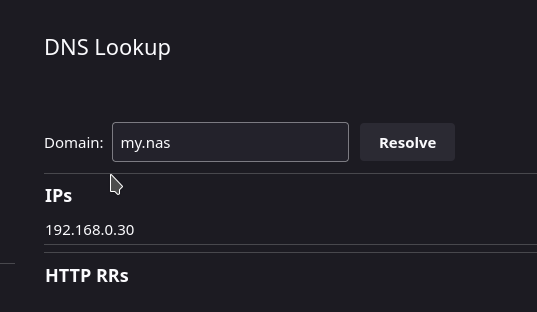
Proxy options and DoH **are disabled** in my Firefox. Futhermore, on page `about:networking#dnslookuptool` browser resolves `my.nas` correctly.(scrrenshot)
However when i enter `my.nas` into address bar in Firefox(Desktop and mobile) it can not resolve it (in my case forward me to NAS login page)
所有回复 (3)
Try updating your local host file (/etc/hosts) with something like this...
192.168.0.30 my.nas
由jonzn4SUSE于修改
I like to block Facebook. My host file has 127.0.0.1 facebook and when I enter facebook in the address bar I get nothing.
由jonzn4SUSE于修改
jonzn4SUSE said
Try updating your local host file (/etc/hosts) with something like this... 192.168.0.30 my.nas
That not desired solution even if it works.
Current workaround is to disable google-search from address bar. Because, apparently, if zone is not publicly available(like com, net, dev etc) Firefox does not try to resolve it and redirects query to search engine.
由Archirk于修改