


Default Search

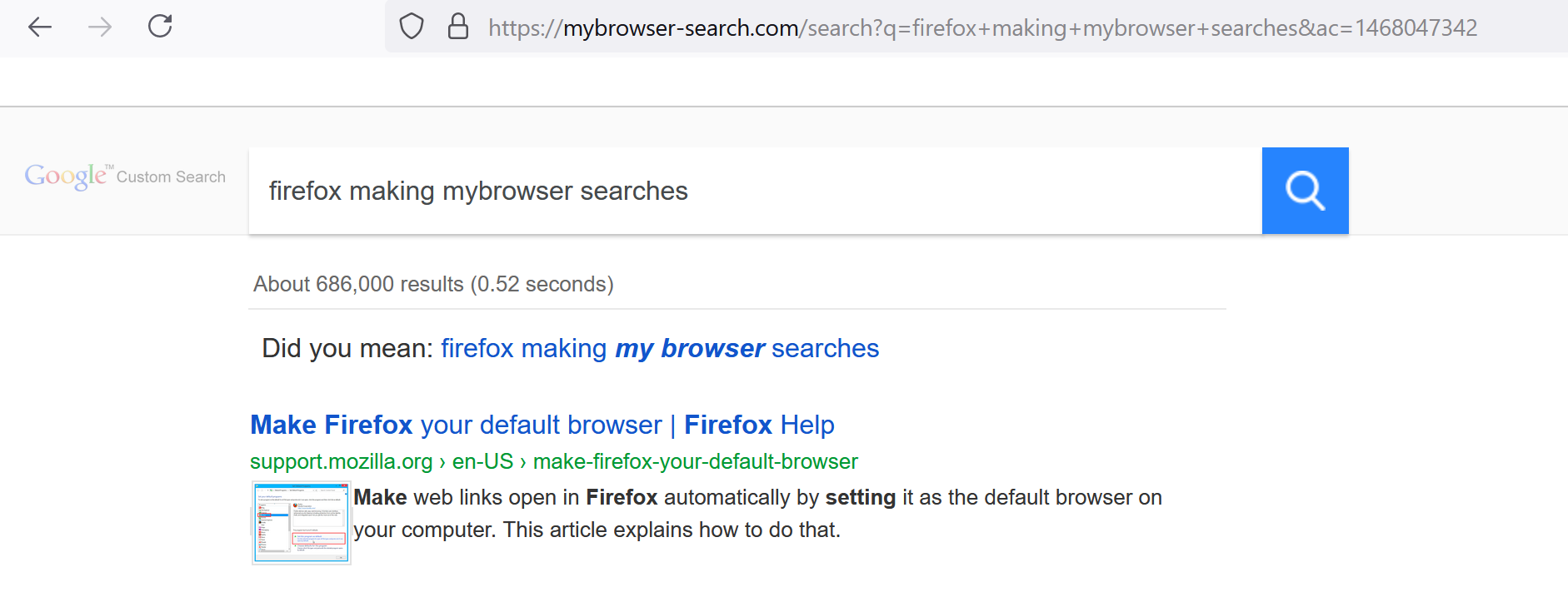
Google is my default search engine but when I make a search in the address bar it gives me results from https://mybrowser-search.com/search, which is labeled as ' Google Custom Search' on the results page.
This started after updating the browser. Changing my default search engine to Bing gives me normal results on the Bing page. Changing it back had no effect on the Google outcome.
所有回复 (2)
选择的解决方案
Changing it back to the real Google or to the Google custom search?
Try removing Google custom search. If it doesn't go away, suspect an extension. You can view, disable, and often remove unwanted or unknown extensions on the Add-ons page. Either:
- Ctrl+Shift+a (Mac: Command+Shift+a)
- "3-bar" menu button (or Tools menu) > Add-ons
- type or paste about:addons in the address bar and press Enter/Return
In the left column of the Add-ons page, click Extensions. On the right side, find the "Manage Your Extensions" heading.
If there is at least one extension before the next heading -- "Recommended Extensions" -- please continue:
Then cast a critical eye over the list below that heading. Any extensions Firefox installs for built-in features are hidden from this page, so everything listed here is your choice (and your responsibility) to manage. Anything related to My Browser or mentioning search? Anything suspicious or that you just do not remember installing or why? If in doubt, disable (or remove). For your privacy and security, don't let mystery programs linger here.
Any improvement?
Thank you! There was a mysterious add-on I don't have any memory of installing. Described itself as a highlighter for tik-tok related searches, which was strange. Removing it has solved the problem.