


Can't download images from Google
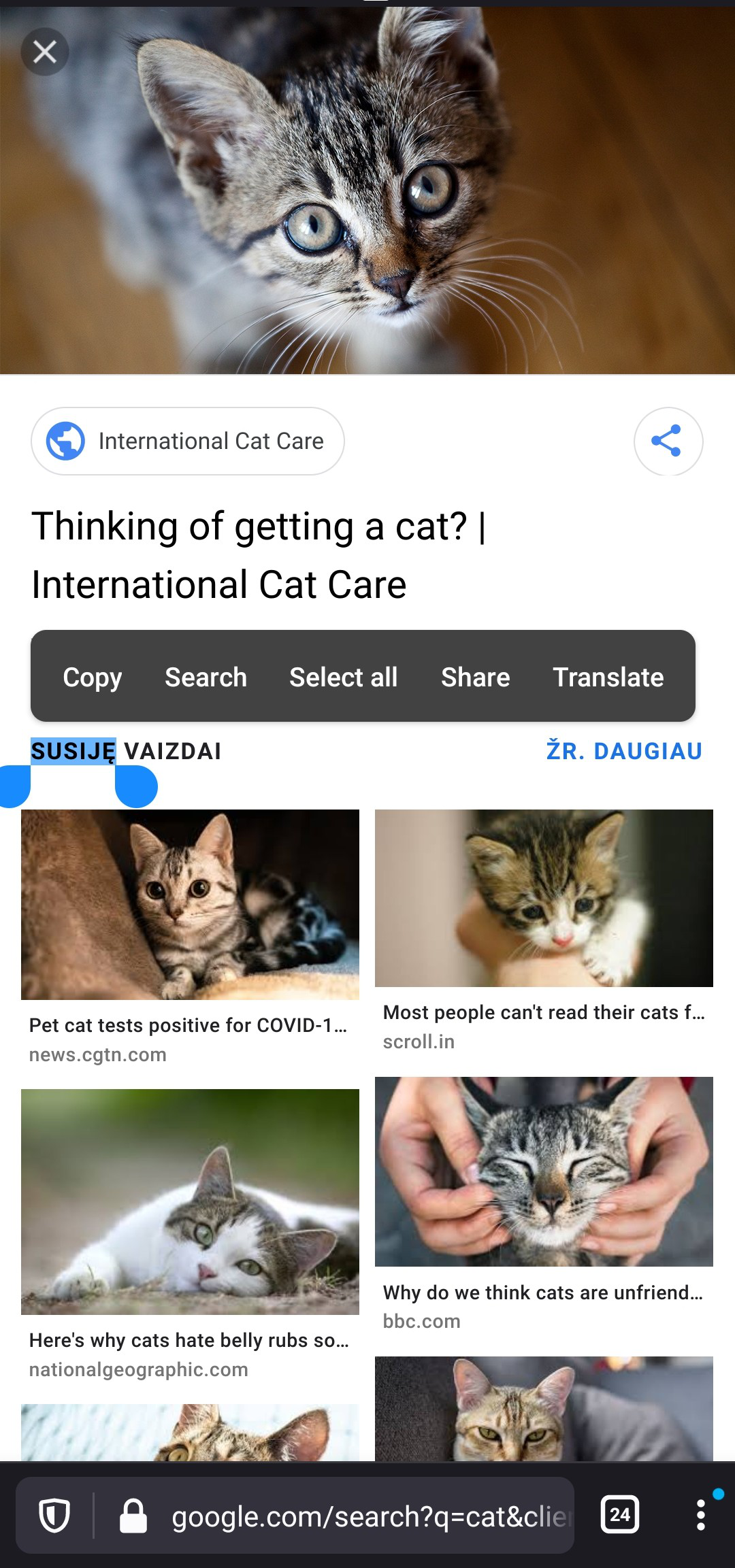
Every time I try to look up an image on Google and download it by long pressing on the image, it just tries to select the text below it. This doesn't happen in other browsers
Every time I try to look up an image on Google and download it by long pressing on the image, it just tries to select the text below it. This doesn't happen in other browsers
被采纳的解决方案
You can try adding the "Google Search Fixer" add-on from the menu -- either:
- menu > Add-ons, find it in the list, tap the + next to it
- menu > Add-ons > Add-ons Manager, find it in the list, tap the + next to it
所有回复 (3)
Hi
Can you share the link to the Google results screen and explain which image you were trying to download?
This will help me to replicate the issue here.
This happens with every photo, but Imma still give you a screenshot. This is what happens when I hold on the picture. I googled "Cat" btw. I also forgot to mention that I use a oneplus 8t
选择的解决方案
You can try adding the "Google Search Fixer" add-on from the menu -- either:
- menu > Add-ons, find it in the list, tap the + next to it
- menu > Add-ons > Add-ons Manager, find it in the list, tap the + next to it