


Can't find persdict.dat file to edit Dictionaries
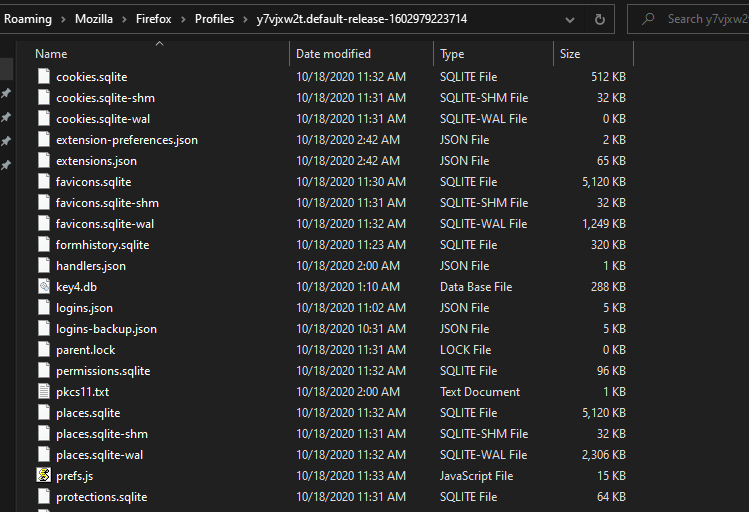
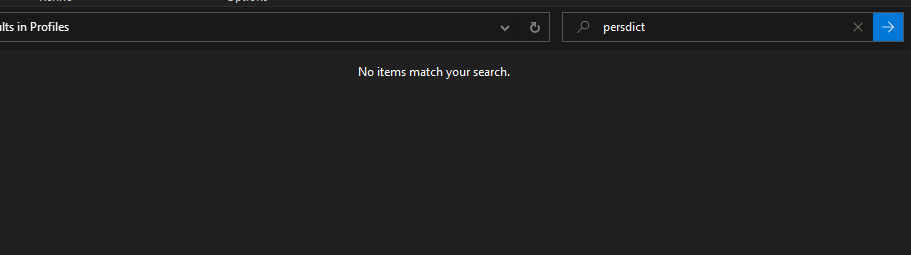
Hello there! I want to add a few words to my dictionary spell check, and I've looked up many sites where everyone says I have to edit the persdict.dat in the Profiles folder. The only problem is the persdict.dat file doesn't exists on my end. And I can't find it anywhere on my system. NOWHERE. I've tried turning on Hidden Items, even searching it, no luck. All i have is the XPI files that count as dictionary files. Can someone please help me how to get the file? Thanks in advance
所有回复 (2)

persdict.dat : custom dictionary - words you added to the dictionary
This should be located in your profile folder.
Did you open the correct profile?
Did you add any words to your dictionary?
The persdict.dat file may not present by default if you have never used "Add to Dictionary" in the context menu on a flagged word. You can create a new persdict.dat if the file doesn't exist.
You can use the button on the "Help -> Troubleshooting Information" (about:support) page to go to the current Firefox profile folder or use the about:profiles page.
- Help -> Troubleshooting Information -> Profile Folder/Directory:
Windows: Open Folder; Linux: Open Directory; Mac: Show in Finder - https://support.mozilla.org/en-US/kb/profiles-where-firefox-stores-user-data