


Import bookmarks, cannot find "profile" from my library

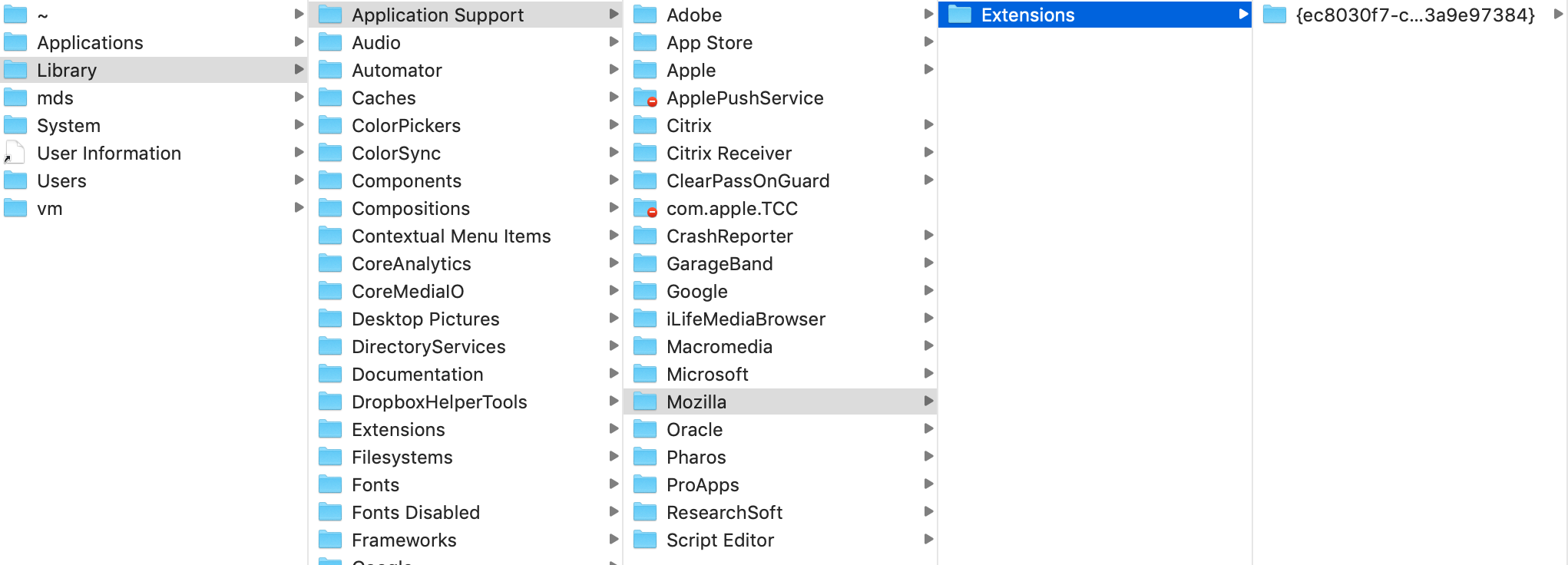
My old macbook air crashed but thankfully the hard drive was salvaged. I am trying to transfer bookmarks from the old hard drive onto my new computer. Unfortunately I never created an account through Mozilla so I didn't have a profile. Is there any way to find these bookmarks from the old hard drive? I've taken the steps to try to find them, but I don't even have a folder called "profile" where it seems the bookmarks should be saved. I have posted a screen shot of what is in my Mozilla folder.
选择的解决方案
Thank you all immensely for your help, this worked and I was able to find my most recent .jsonlz4 file by search in Finder!
所有回复 (5)
Screen shot
Hi! It is a pity that you did not create an account in firefox sync. Try to find the places file.sqlite. Once found, import the found file into firefox
Sync is an optional feature. Upon installation Firefox automatically creates a profile.
The library path shown in your screenshot isn't correct, the profile wouldn't be in a folder named "Extensions.
See if this support article helps you find your profile: https://support.mozilla.org/en-US/kb/profiles-where-firefox-stores-user-data#firefox:mac:fx65
Firefox uses two locations for the Firefox profile folder, so make sure to look in the correct location.
You can use the button on the "Help -> Troubleshooting Information" (about:support) page to go to the current Firefox profile folder or use the about:preferences page.
- Help -> Troubleshooting Information -> Profile Directory:
Windows: Show Folder; Linux: Open Directory; Mac: Show in Finder - http://kb.mozillazine.org/Profile_folder_-_Firefox
Location used for the main profile that keeps your personal data (Root Directory on about:profiles).
- ~/Library/Application Support/Firefox/Profiles/<profile>/
Location used for the disk cache and other temporary files (Local Directory on about:profiles).
- ~/Library/Caches/Firefox/Profiles/
See also:
If you use the Time Machine or other backup then try to restore file(s) from this backup.
选择的解决方案
Thank you all immensely for your help, this worked and I was able to find my most recent .jsonlz4 file by search in Finder!