


Can't remove English US
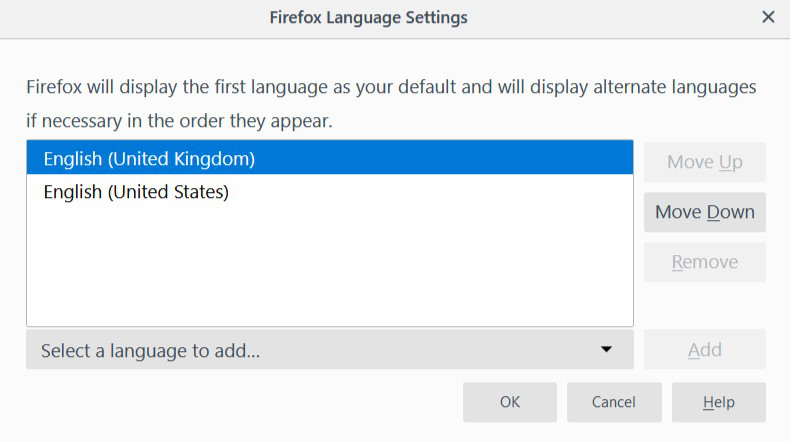
Hey, I have en-GB version of Firefox installed, but when I look at Language Settings, there's English (United States) under the default UK one. It seems like the US one can't be removed since the remove button is greyed out for it. I specifically installed the en-GB version of Firefox, just to be clear. Why is Mozilla forcing US English like this?
Thank you.
所有回复 (20)

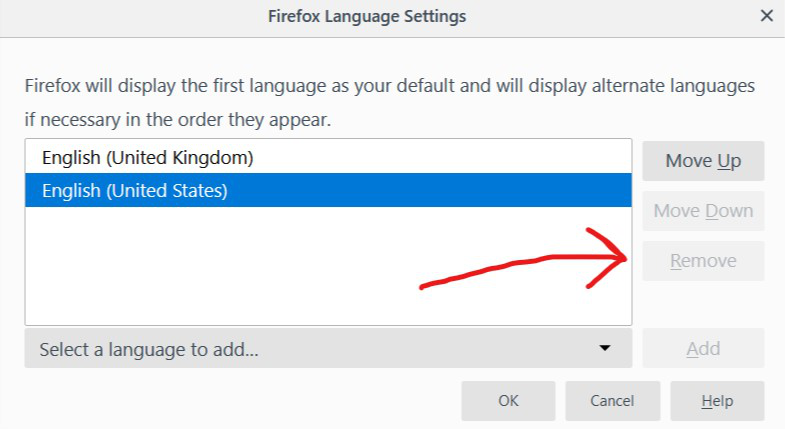
First, you need to select the US, then the remove should show.
Obviously, I selected US before trying to remove it. That's why I specifically said "the US one can't be removed since the remove button is greyed out for it".

Did you restart firefox to see if that option is not grey out.
Yes, I did.
Something doesn't sound right here. So how was your firefox updated? And did it update with the correct language browser version?
I have not updated it yet since I've just installed the latest version (65.0) like yesterday. It came like this.
So where did you download it from? Link to the site?
From the official site, of course: https://www.mozilla.org/en-GB/firefox/all/
It appears that you clicked the first language selection.
- Choose the languages used to display menus, messages, and notifications from Firefox.
This choice is for the Firefox user interface and is about installed language packs. You can't remove language packs that way as those are managed via "Options/Preferences -> Languages". See also the "Internationalization & Localization" section on the "Help -> Troubleshooting Information" (about:support) page.
For web page you need the second setting.
- Choose your preferred language for displaying pages
You can add and remove and reorder languages in this menu.
So, US English is non-removable in Firefox Language Settings unlike Web Page Language Settings? May I ask why?
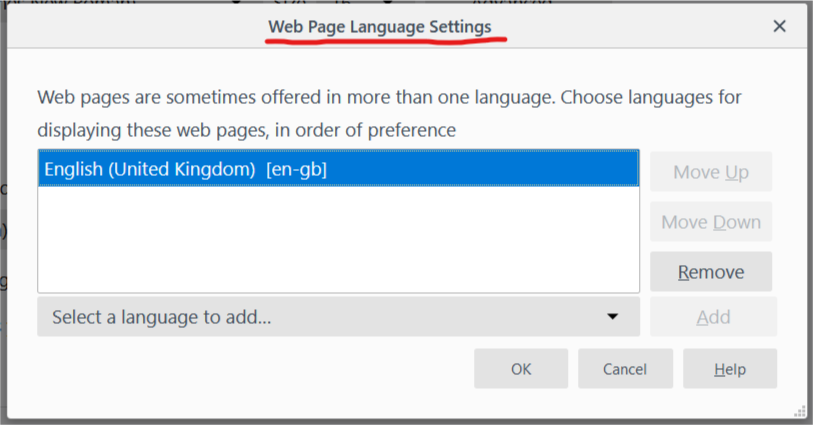
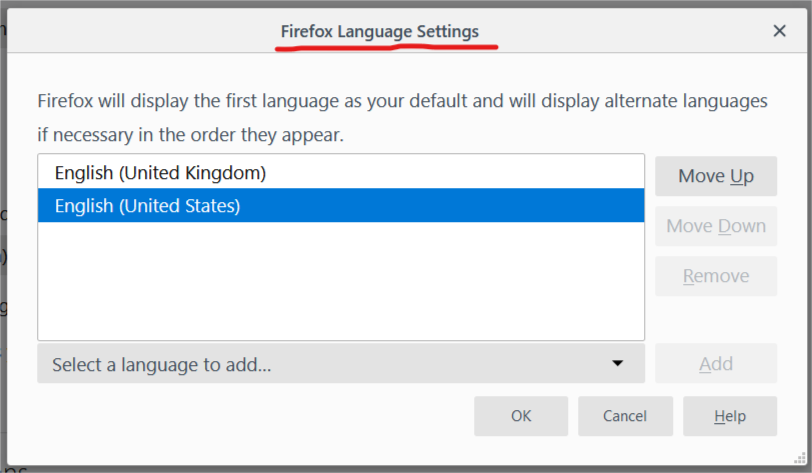
Like I wrote above, language packs for the Firefox user interface are managed via "Options/Preferences -> Languages".
Do you have a Language tab on the Options/Preferences page (about:preferences)?
What do you see on the "Help -> Troubleshooting Information" (about:support) page under "Internationalization & Localization" ?
Yes, I have it. Have you looked at my screenshots? You have to reach the place you mentioned before opening the menus I showed in this thread. I've attached the "Internationalisation & Localisation" section from "Troubleshooting Information", as you can see en-US locale is there and apparently it can't be removed via the "Languages" tab.
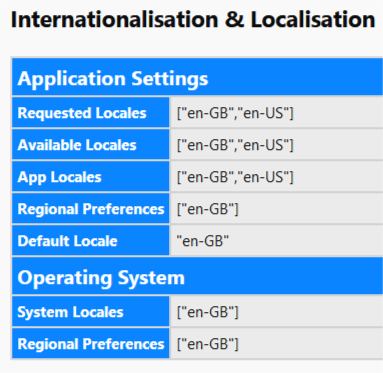
Do you have additional language packs installed in "Options/Preferences - Languages"?
See also the intl.locale.requested pref on the about:config page.
You can open the about:config page via the location/address bar. You can accept the warning and click "I accept the risk!" to continue.
No, I have not installed any languages. US English was there at the beginning, below the UK English even though I installed the en-GB version of Firefox and nothing else.
Yes, it's also the same for about:config like in about:support. There are both en-GB and en-US, side by side.

You can try to reset the intl.locale.requested pref on the about:config page via the right-click context menu to the default value. That should remove other locales and only keep en-GB.
Well, I did that, it did nothing, US English is still in the list and still is non-removable. But "intl.locale.requested" got removed from about:config.
Did you close and restart Firefox?
There is also this pref this pref that is false by default.
- intl.regional_prefs.use_os_locales
Yeah, that did not help as well. I tried re-installing Firefox and it also came with both the UK and US English, so it's how Firefox behaves and not caused by anything on my end. That's a relief, really. Do anyone know how to contact devs directly? And thank you for bothering with this not-so-much-of-an-issue.
Try to set the pref explicitly to "en-US" (without quotes).
- intl.locale.requested = "en-GB"
- https://dxr.mozilla.org/mozilla-release/source/intl/locale/LocaleService.cpp#94
Nope, that did nothing, it's still non-removable.