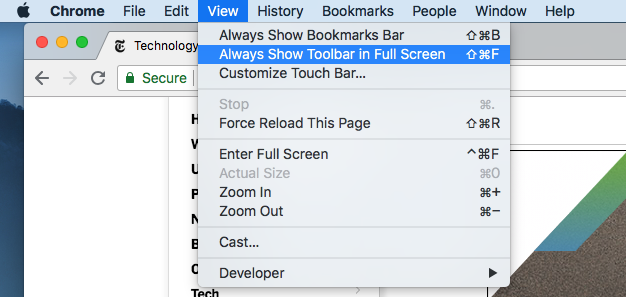
Browser full screen (kiosk mode) on MacOS
Why I can't get full screen (kiosk mode) on Firefox? When I make full screen address bar, tabs and bookmarks still on top. But I want full screen like in other browsers. Please make this feature available.
所有回复 (4)

Hi, i'm SickVittorio. Firefox have the full screen do this if you have a HP computer fn+f10 If you have an ASUS do f10
@SickVittorio my device is MacBook and OS is MacOS. I don't know maybe it's possible on Windows. But with MacOS you can't use firefox with kiosk mode. I think this feature isn't available on Firefox.
at the top right of your browser you should have three cleats, click on them, scroll until you see the word "zoom". On the right there are two frecciette that go in two opposite directions, crush on them
SickVittorio said
at the top right of your browser you should have three cleats, click on them, scroll until you see the word "zoom". On the right there are two frecciette that go in two opposite directions, crush on them
Unfortunately this button make a full screen but address bar and other buttons are still on top. I need kiosk mode like in Chrome. MacOS user can understand me what I want.