


After an automatic update to Firefox Quantum 60.0 (32-bit), when I open a new tab, the 2 rows of "Top Sites" no longer appear... how can I get them back?

After an automatic update to Firefox Quantum 60.0 (32-bit), when I open a new tab, the 2 rows of "Top Sites" no longer appear... how can I get them back?
Under "Tabs" options, there is nothing related to "Top Sites" like in the previous version of Firefox that I had...
Why the hell do they keep changing the appearance of this browser?! AAAAARRRRRRRRRRRRGH!
选择的解决方案
Yep, in about:config set browser.newtabpage.enabled to true and set browser.newtabpage.enhanced to true, and problem solved.
I even have 8 tabs in each of the 2 rows now (it was 6 tabs in each row before)
Thanks a lot for the help.
所有回复 (7)
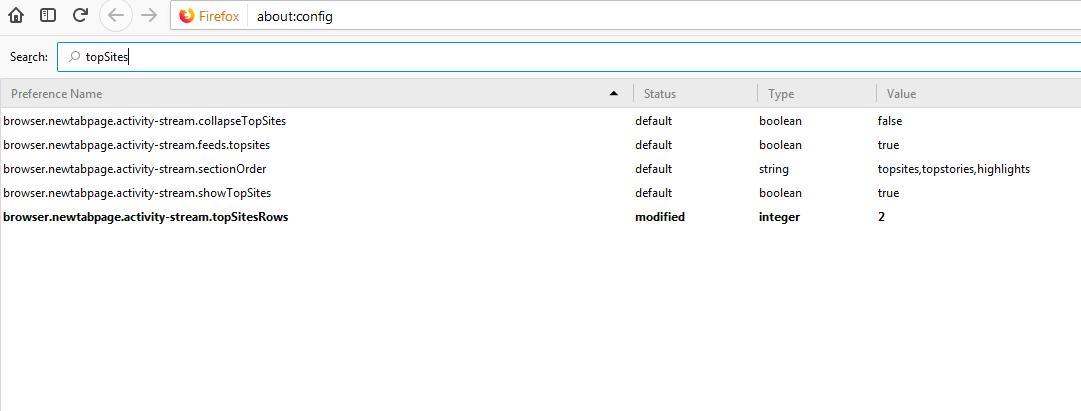
hi, could you enter about:config into the firefox address bar (confirm the info message in case it shows up) & search for the preference named browser.newtabpage.activity-stream.feeds.topsites. please check that it is set to "true"...
Philipp, the value is set to "true"...
And here are the other values relating to "TopSites" (as displayed in the attached PNG image file)
I wanna reemphasize: there is nothing in the "Tabs" options section relating to "Top Sites" after this new update from Firefox 59 to 60!
ok thanks, can you produce a screenshot of how the new tab page looks for you as well?
do you have the same issue when you launch firefox in safe mode once for testing purposes? Troubleshoot extensions, themes and hardware acceleration issues to solve common Firefox problems
Launching Firefox in safe mode doesn't change a thing...
And here's how the "New Tab" looks like for me (blank)
perhaps similar to https://old.reddit.com/r/firefox/comments/8ief7p/new_tab_is_suddenly_entirely_blank/ where a user has found a solution for this?
选择的解决方案
Yep, in about:config set browser.newtabpage.enabled to true and set browser.newtabpage.enhanced to true, and problem solved.
I even have 8 tabs in each of the 2 rows now (it was 6 tabs in each row before)
Thanks a lot for the help.

I had this problem and browser.newtabpage.enhanced didn't appear in the list. I solved the problem by doing the following. Go to about:config, set the value of browser.newtabpage.enabled to false and then close Firefox. Reopen Firefox and set the value of browser.newtabpage.enabled to true and the top sites should come back.