


Issue with telugu font

I recently upgraded to windows 10 and since then when i try to launch sakshi.com, the fonts are not displaying correctly. I am using Firefox 42. This website appears correctly in all other browsers. Can someone help?
所有回复 (12)
Can you give more details what is wrong on that website and possibly attach a screenshot?
I can't read the Telugu script, so that makes it harder to notice issues.
I see font rules with font-family: Arial,Helvetica,sans-serif; if I check that in the Inspector.
So it is possible that these fonts aren't working properly in your case.
The problem is, the font in 'sakshi.com' is appearing gibberish and not readable in Firefox. In other browsers (ex; Chrome), it is working fine. I am attaching two screen shots , one from firefox and the other from chrome. I would like to know how can i read this website in firefox as well.
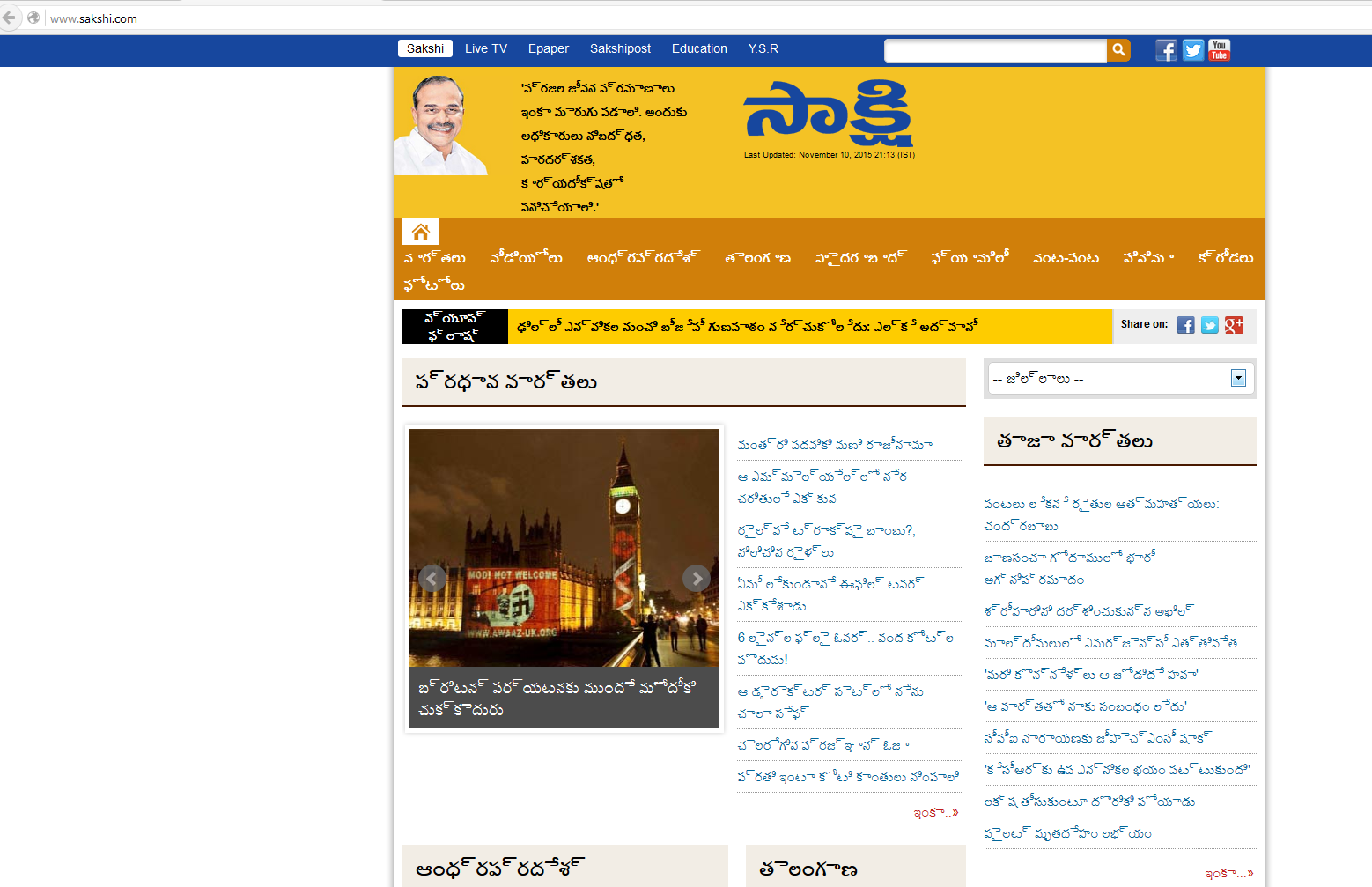
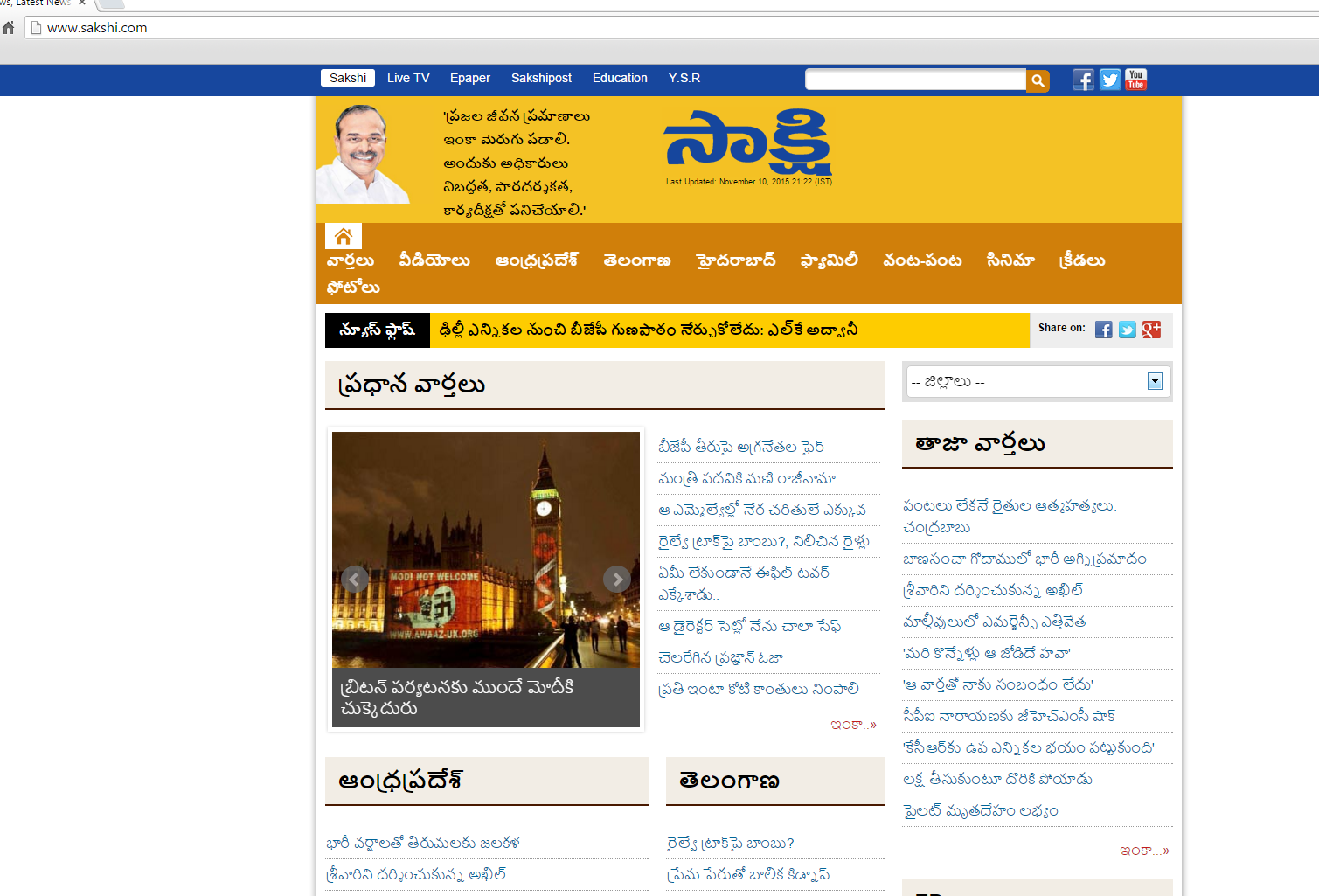
Yes, that looks weird.
You can try to disable hardware acceleration in Firefox.
- Tools > Options > Advanced > General > Browsing: "Use hardware acceleration when available"
You need to close and restart Firefox after toggling this setting.
You can check if there is an update for your graphics display driver and check for hardware acceleration related issues.
cor-el,
I tried all suggested solutions by you and still the problem exist. Perhaps, is this a bug in Firefox?
Thanks much for your quick responses though.
Did you check what font Firefox is using on that page for the Telugu text?
Does this happen on all Telugu web pages?
How do I check what font is firefox is using? This issue is happening with only this website (sakshi.com). All other telugu websites are working fine. (eenadu.net) (Andhrajyothy.com) .
I wrote about that in my first reply.
You can right-click some text and click the Inspect Element item in the right-click context menu. That will open the Inspector in a frame at the bottom of the browsing window. There are some tabs above the right pane including a Font tab. If you click the Font tab then Firefox shows what font(s) are used for currently selected text.
Attached screen shot shows the fonts being used.
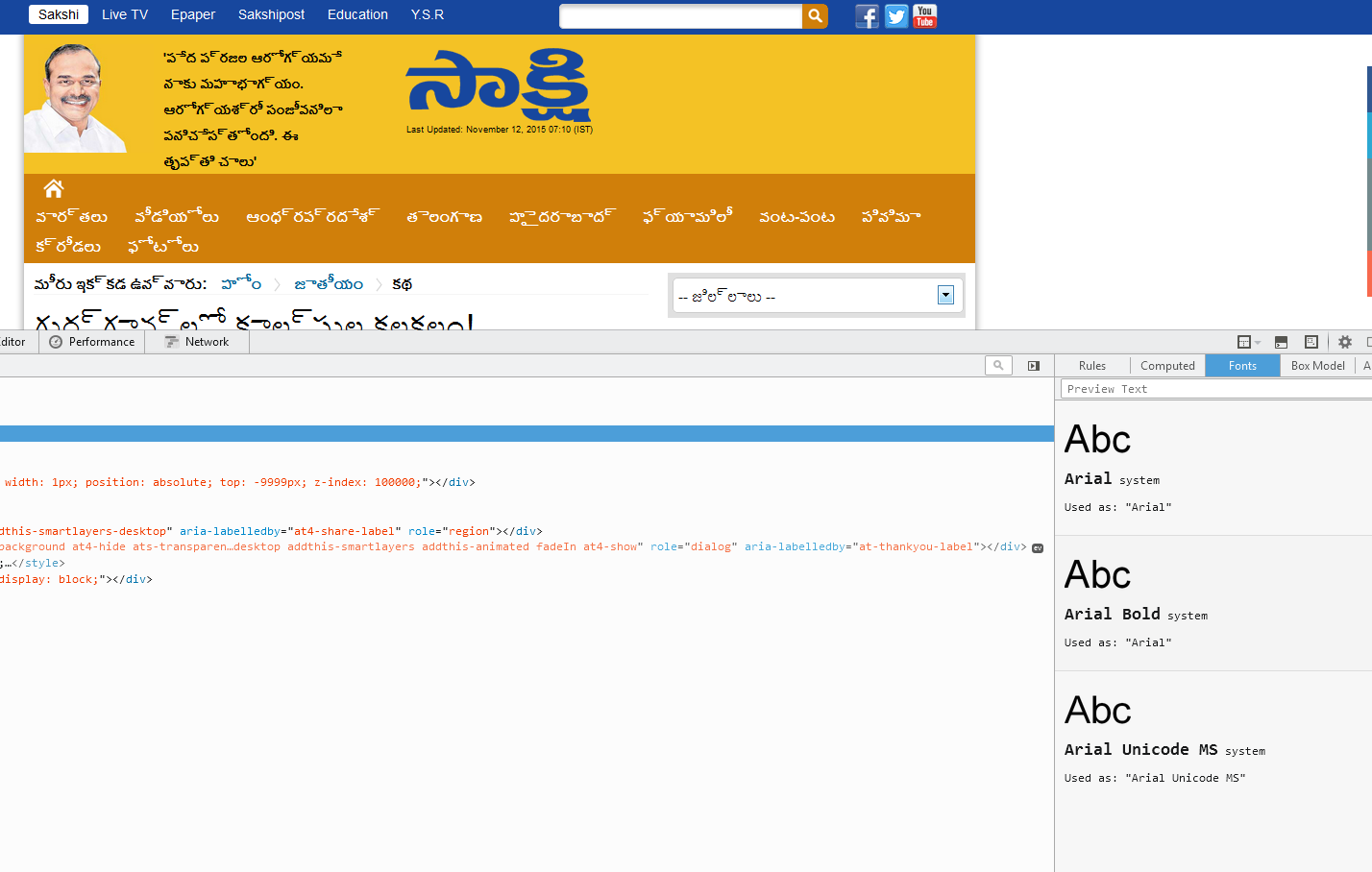
You can try a few different default fonts and temporarily disable website fonts to test the selected default font.
- Firefox > Preferences > Content : Fonts & Colors > Advanced
- [ ] "Allow pages to choose their own fonts, instead of my selections above"
Make sure to restore the default setting and allow pages to choose their own fonts when you are done with testing.
Tried the solution as suggested and still the issue exist.
You did verify that Firefox is using a different font?
What fonts did you try?
You can try the font that works on other Telugu pages.
Finally I found the solution to this problem on microsoft.com.
This issue is now resolved for me. Thanks much cor-el for your support.