


How to remove context menu icons except flyout menus

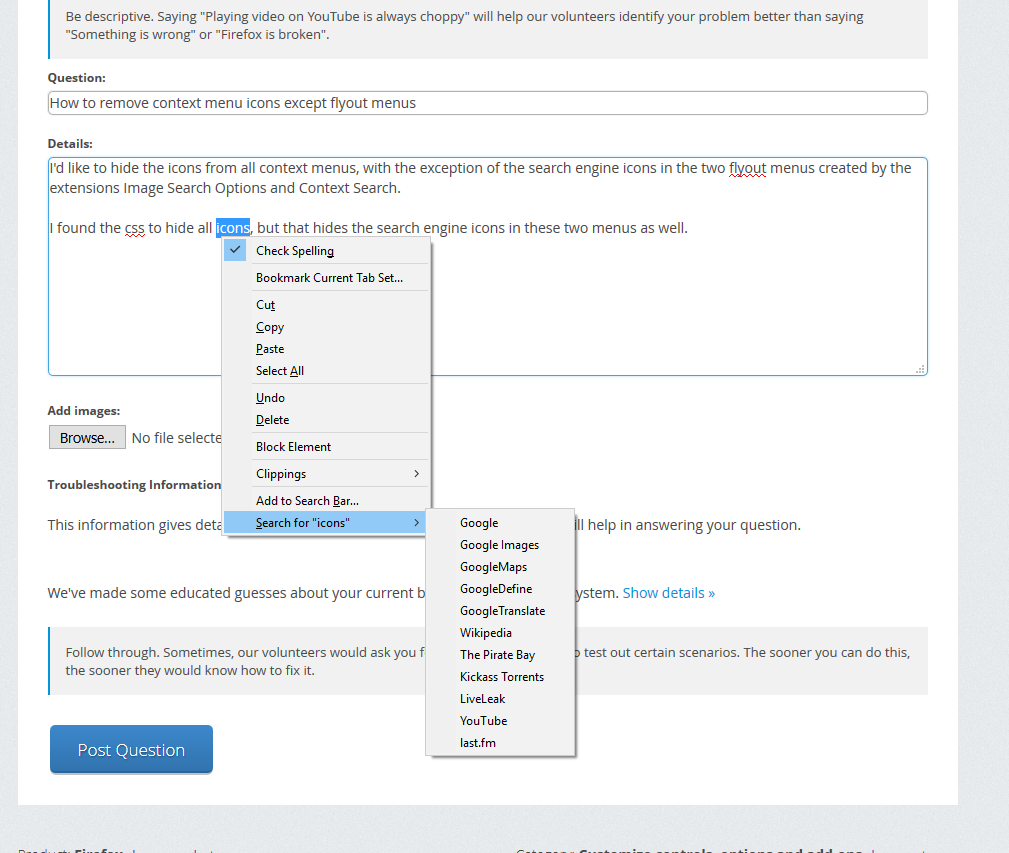
I'd like to hide the icons from all context menus, with the exception of the search engine icons in the two flyout menus created by the extensions Image Search Options and Context Search.
I found the css to hide all icons, but that hides the search engine icons in these two menus as well.
选择的解决方案
What rule do you currently use?
Maybe you only need to add a '>'.
Does this work for you? I do not have such items in the right-click context menu that have an icon, so I can't test it.
#contentAreaContextMenu > :-moz-any(menuitem,menu) > .menu-iconic-left {visibility:hidden!important;}
所有回复 (7)
Maybe add a :not(<id>) to the selector in your style rule to exclude this sub menu. I assume that this menu is added by an extension as this doesn't seem to be a standard item.
How do I find the id of a context menu item? Having a hard time inspecting the menu itself instead of the page. I may have no idea how to properly use the inspector.
选择的解决方案
What rule do you currently use?
Maybe you only need to add a '>'.
Does this work for you? I do not have such items in the right-click context menu that have an icon, so I can't test it.
#contentAreaContextMenu > :-moz-any(menuitem,menu) > .menu-iconic-left {visibility:hidden!important;}
This is what I was using, which strips all the icons from all menus:
menuitem .menu-iconic-icon {display:none !important}
Your code works! Now how about removing the icons from the tab context menu? I have a single trash can icon, which I believe was added by Tab Mix Plus, on the "Closed Tabs List" entry.
You can add more selectors:
:-moz-any(#contentAreaContextMenu,#tabContextMenu) > :-moz-any(menuitem,menu) > .menu-iconic-left {visibility:hidden!important;}
Now my menu is exactly how I like it to be. Thank you very much.