


Default settings for new calendar event

Dear Madam, dear Sir, Two things make me mad and make me loose a lot of time each time I create a new event in Lightning Thunderbird calendar. - how to set all new event as "All day event" by default ? (Activate the check box All day event by default, above the dates and hours of the event) - how to set the "Reminder" choice list/field to" No reminder" by default instead of "Default reminder" by default ??? Many thanks, it would really be the best news of the summer for me if you could tell me how to change that. Thank you for your great work, best regards
所有回复 (2)
Screen capture
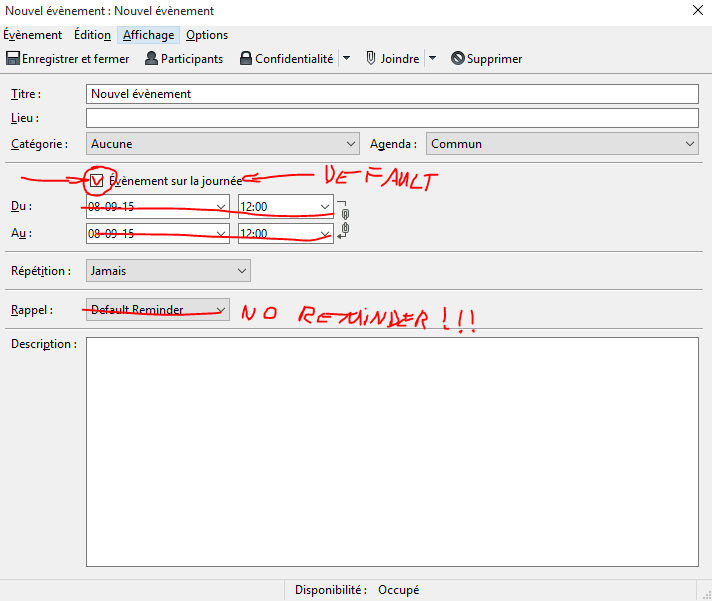
Philipp Kewisch told me :
1 : Unfortunately there is no way to make “all day” the default at the moment.
2 : Regarding the “Default Reminder”, this is a setting for the Provider for Google Calendar. If you’ve set your Google Calendar to have no default reminders in the web settings, then even though “default reminder” is selected, no reminders will be added.
由Ratatoskk于修改