


При загрузке некоторых сайтов сбивается кодировка.

Во время загрузки сайта весь текст отображается корректно. Но как только он загрузился - часть текста превращается в прямоугольники. И так на нескольких сайтах. Пробовал в других браузерах - работает корректно. А с Фаерфокса слезать не хочется, так как он самый удобный в использовании, за что спасибо разрабам :)
所有回复 (11)

Type about:preferences#content<enter> in the address bar. Across from fonts and colors, press the Advanced button. On the bottom, turn on Allow Web Sites To Choose Their Own.
It's already on. Seems like the problem is not there. P. S. While loading everything is OK. This starts after full load of the page
Can you attach a screenshot?
- http://en.wikipedia.org/wiki/Screenshot
- https://support.mozilla.org/kb/how-do-i-create-screenshot-my-problem
- Use a compressed image type like PNG or JPG to save the screenshot
- Make sure that you do not exceed the maximum size of 1 MB
Hmm, I thought I've already uploaded it
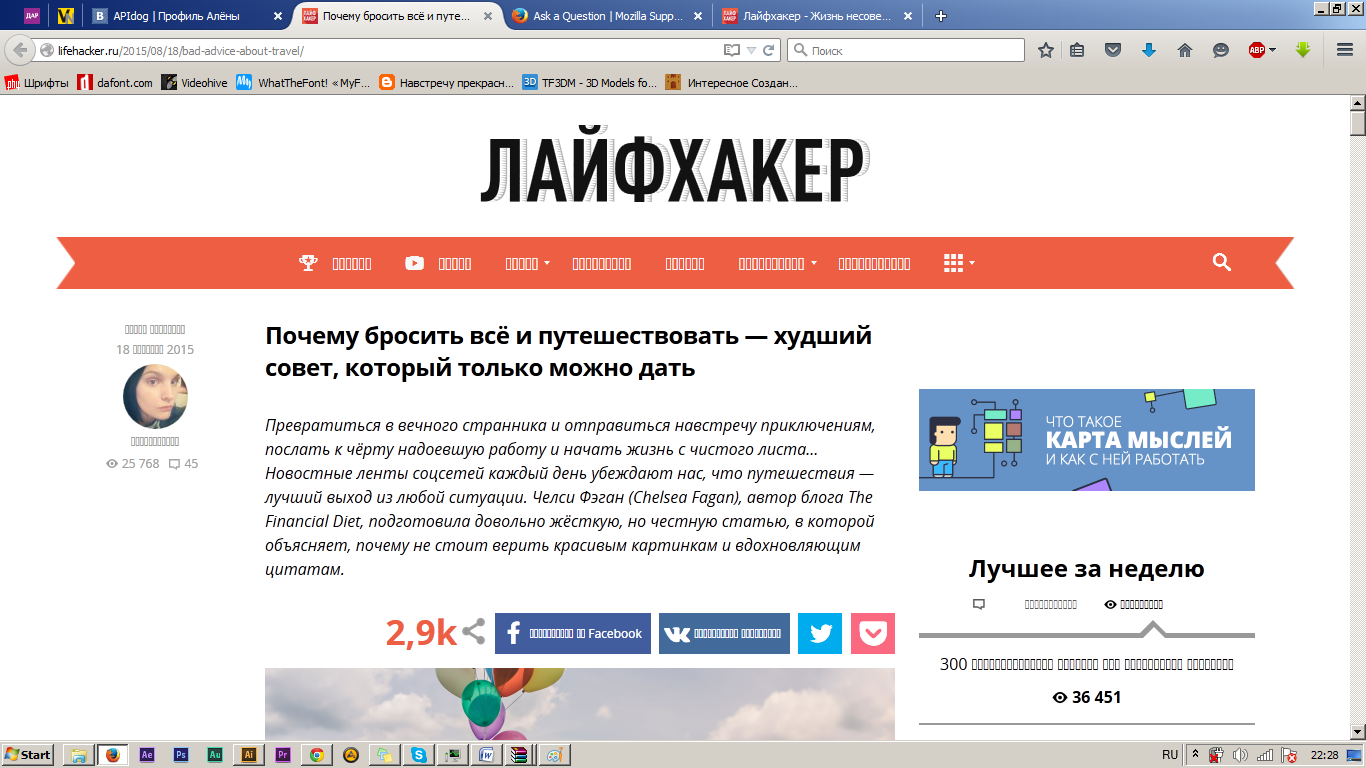
That looks like a font problem.
Any error messages about fonts in the Web Console (Firefox/Tools > Web Developer)?
You can right-click and select "Inspect Element" to open the Inspector (Firefox/Tools > Web Developer) with this element selected. You can check the font used for selected text in the Font tab in the right pane of the Inspector.
No, there's no errors. Strange, but everything works fine on the main page and while page is loading.
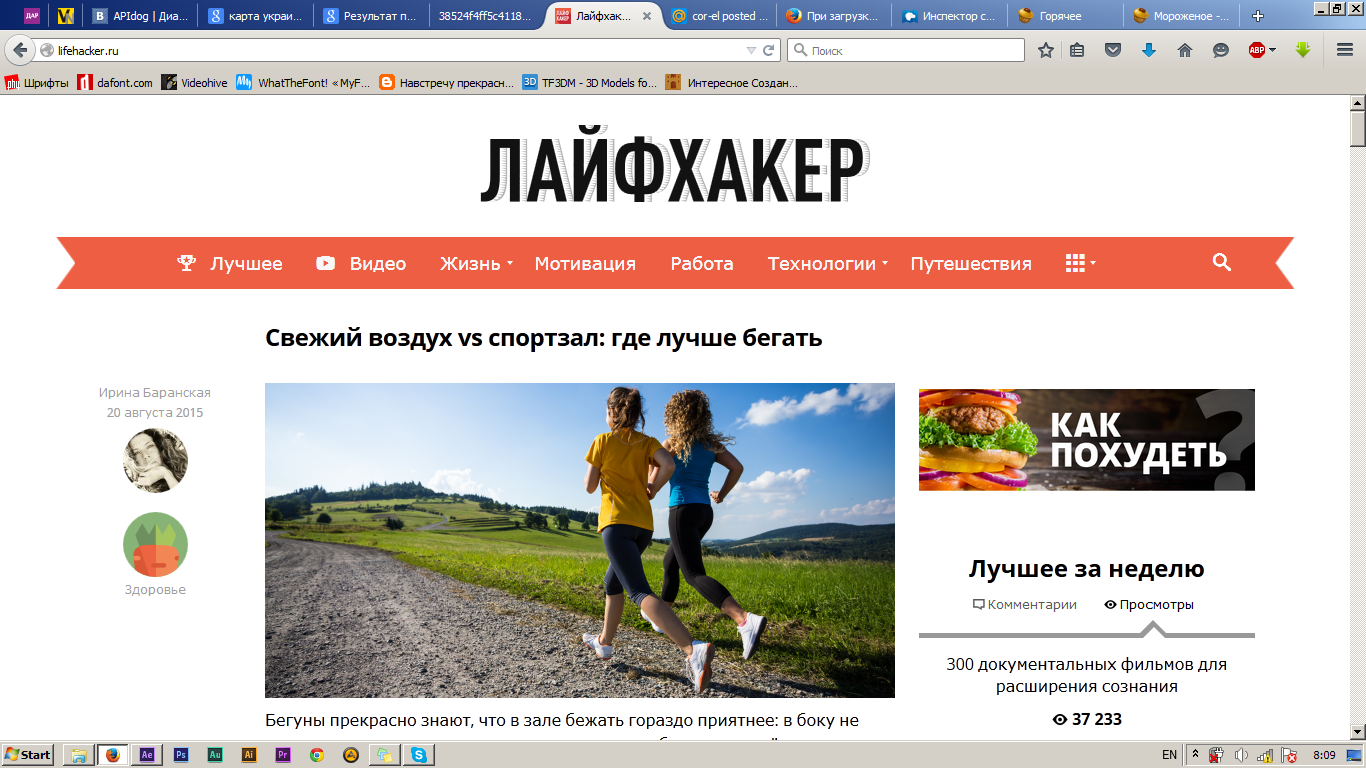
What font is used for the missing text and what encoding is selected?
I see the Open Sans Regular font downloaded as woff2 font.
- http://lifehacker.ru/2015/08/18/bad-advice-about-travel/
That font may not be displaying properly if you see empty blocks instead.
Does it has effect if you zoom the page? Reset the page zoom on pages that cause problems.
- View > Zoom > Reset (Ctrl/Command+0 (zero))
This can be a problem with the font that is used to display the text.
You can try to disable website fonts as a test and temporarily toggle the gfx.downloadable_fonts.enabled pref on the about:config page.
Make sure to reset the pref to true because this will prevent downloaded icon fonts from working and seeing little boxes with the hex code instead.
由cor-el于修改
Disabling downloadable_fonts helped. But will other sites work well if this option is disabled?
Sorry, i missed a thing. When i disable this option icons are disappearing (first two words on red background)
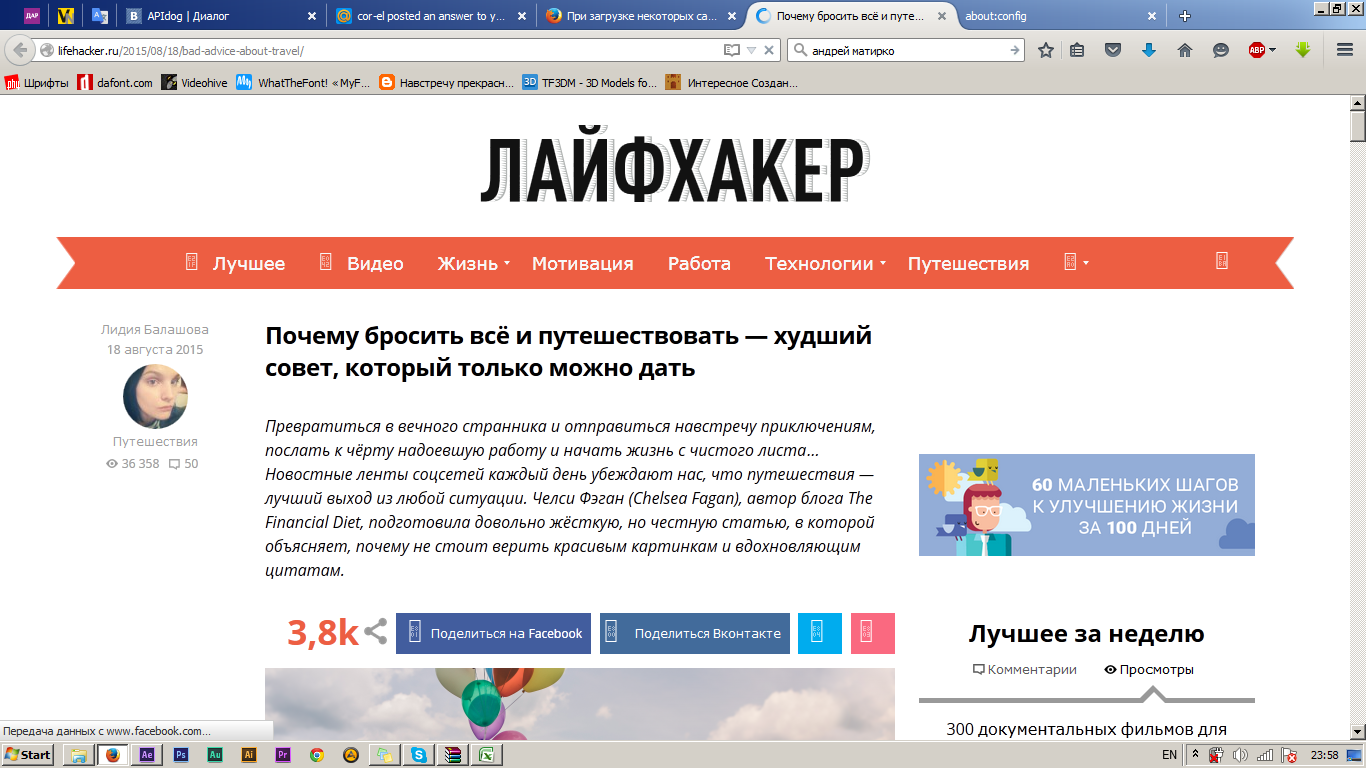
由Theyeehaaa于修改
Yes, that is the disadvantage as it will make icon fonts disappear like I wrote above. Disabling this setting was only meant as a test for the Open Sans Regular font and not for a permanent solution, so you need to reset this pref.
Try to set the gfx.downloadable_fonts.woff2.enabled to false instead and leave gfx.downloadable_fonts.enabled set to true.
Sorry, didn't notice you've already said this. Tried to disable woff2 and enable previous thing. Didn't work at all