


How to disable window scaling when zooming?

when I load a mapping webpage a window inside of the page begins to reformat and overlap on itself when I use the Ctrl+- zoom options (its like the window's width and height are changing in a different ratio than the zoom or it is going from a panoramic layout to a portrate layout) this does not occur on the website when loaded in IE and Ctrl +- are used in IE the window changes in sync with the entire screen.
所有回复 (5)
1 = pre zoom 2= post zoom
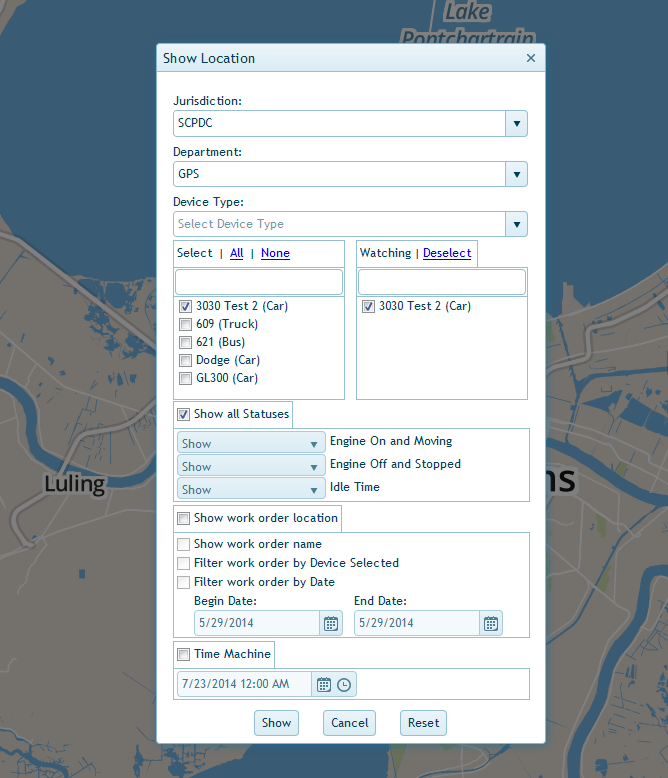
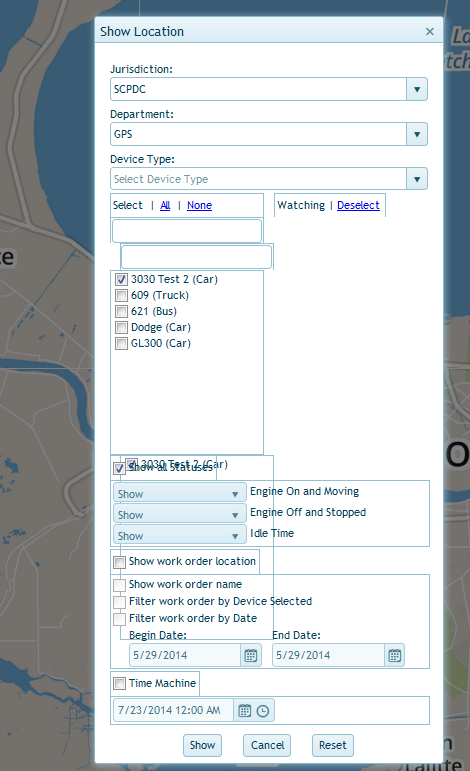
Make sure that you have disabled "Zoom Text Only" to zoom that full page.
- Zoom > Zoom Text Only
- Tap the Alt key or press F10 to show the Menu Bar
No luck on Text only, the boarders of the window inside of the webpage change with Ctrl+- but do not change with Text only Ctrl Shift +-
Did you check for possible issues with the NoSquint extension by temporarily disabling this add-on?
Nosquint was not yet installed, I have installed it but found no options that offer improvement.
The only work around that I have found is to increase the computer's video resolution to max it out however this only resolves the issue for one or two zoom levels then it overlaps again.