


synchronization

i enter a false e mail for synchronization and i want to enter a new one .but i am in fear to loose my bookmarks and info
所有回复 (5)

You shouldn't lose anything just by changing your email address if your data is still on the device. You may also want to update to the latest version of Firefox for the best performance.
ok ,thank you but how to change e mail many thanks and also for update we ll lose nothing
ok thank u but how to change email and update(also with update we ll lose nothing)

- Open Firefox for Android
- Press the phone's menu button or the 3 dot button near the address bar
- Select settings from the menu
- Select Sync
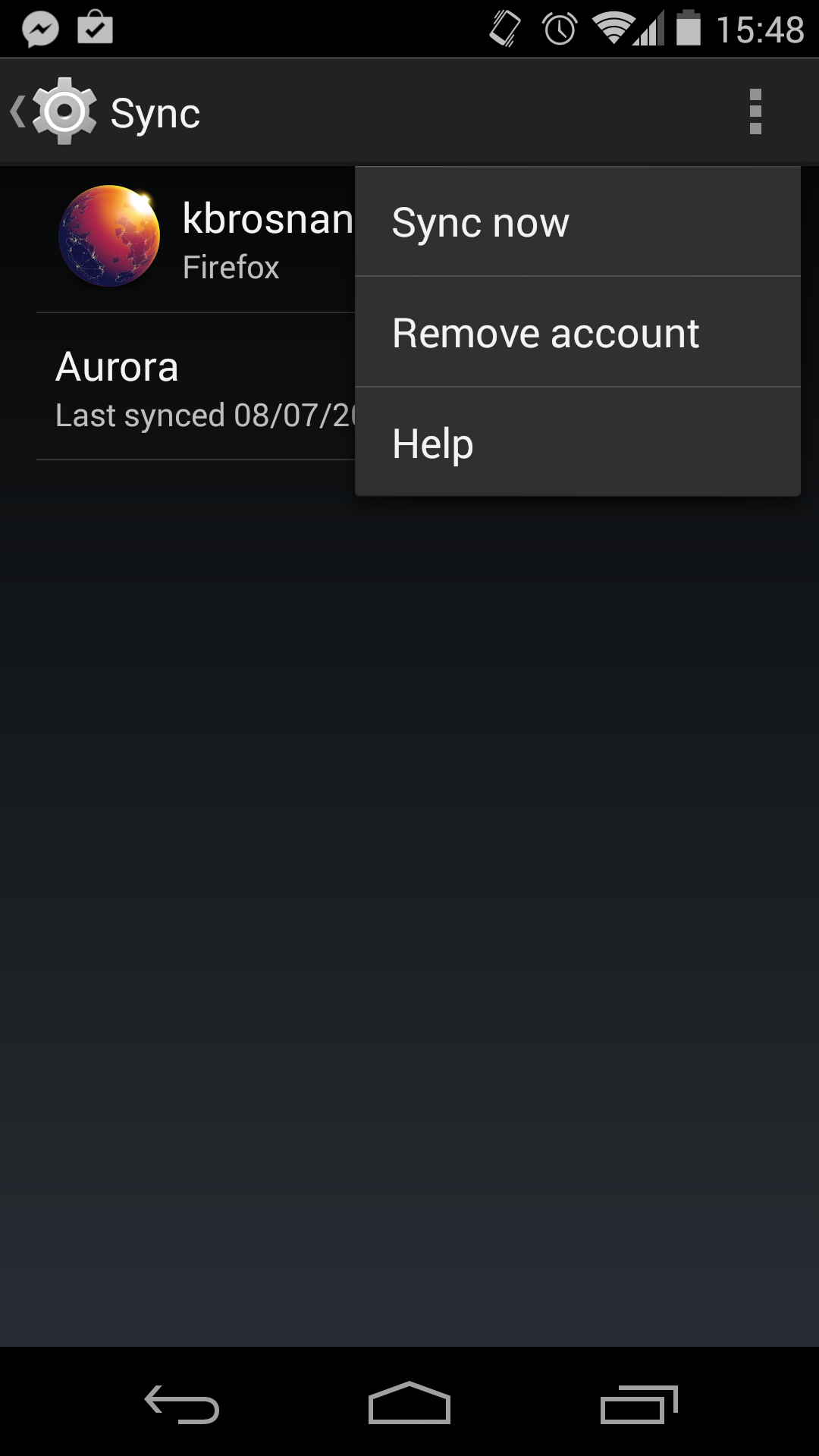
- Select the Firefox entry
- press your phone's menu button or the three dot button in the upper right
- select remove account
Then you should be able re-setup Sync to use a correct email address.
thank you very much for your reply. i send you a reply via yahoo mail but when i read i found that reply via e mail didnt reach you and i must reply you via the site here. ok the problem is that under "sync " there is no option called "firefox entry" do you think i must update to new version. my version is 29.0.1