


fonts are displayed as foreign or symbols

On a few websites fonts aren't displayed correctly, they are displayed as symbols or foreign fonts. I have tried clearing font cache and then restarting the pc, this works initially but when i turn off pc and i turn it back on, the same font issues are back. I don't want to have to keep clearing font cache and restarting pc every time. Fonts seem to display when i untick let the websites chose font. These are the font settings as they stand now: Fonts for western serif times new roman arial courier new allow websites to use own fonts is ticked western iso-8859-1
any help would be appreciated.
Seçilen çözüm
Does a font test confirm a problem with the "Helvetica Neue" font?
Does it help if you uninstall the "Helvetica Neue" font?
Tüm Yanıtlar (10)
here is an image of what i'm talking about.
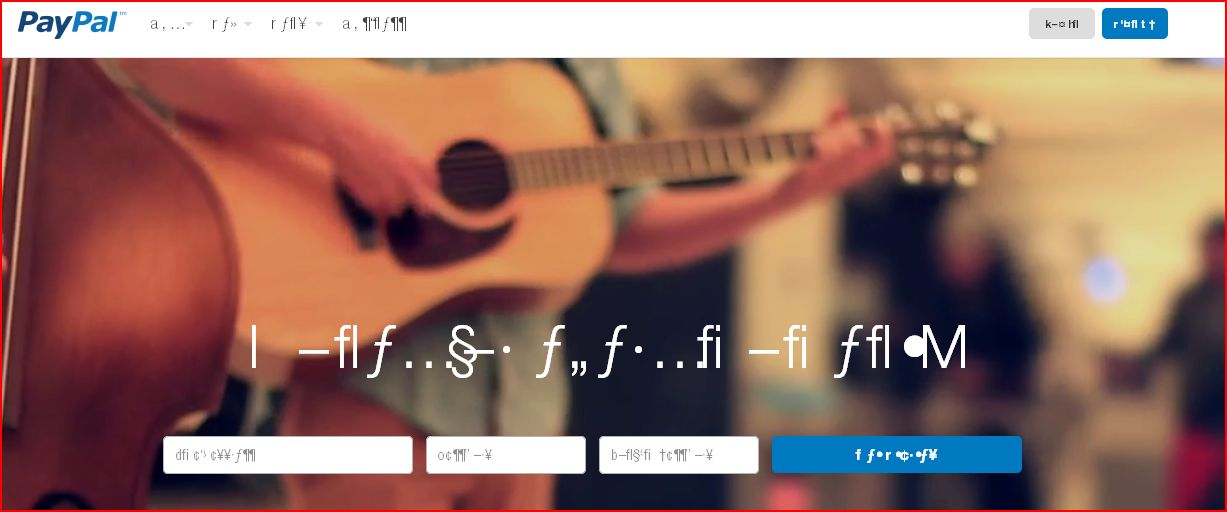
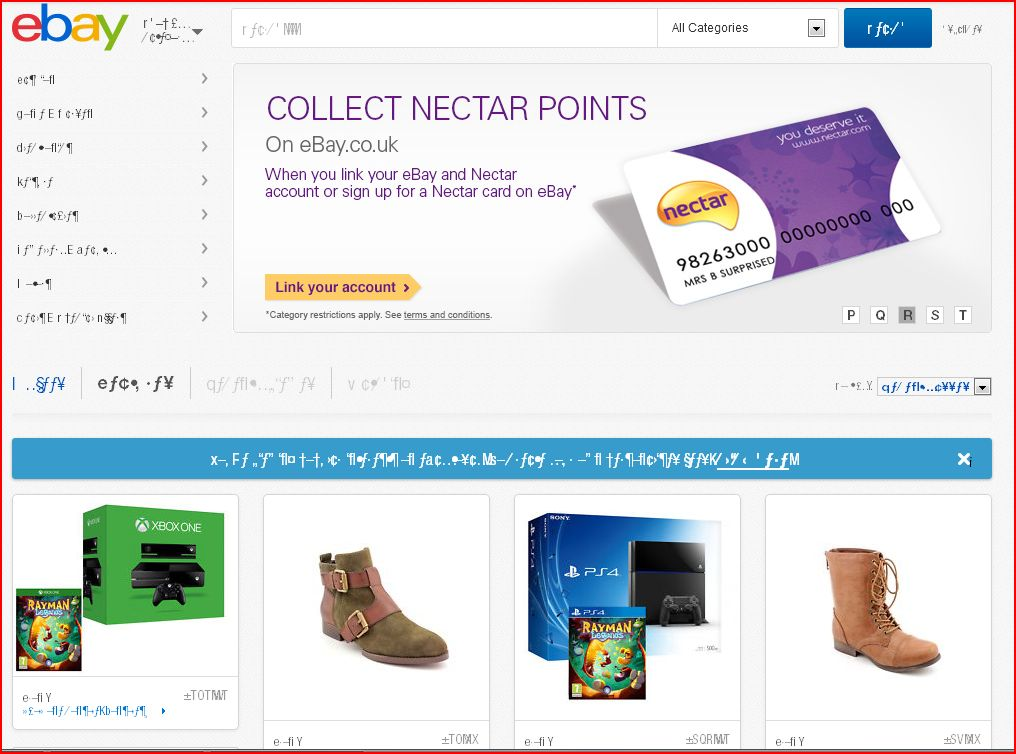
What font is used if you right-click such text to open the Inspector (Firefox/Tools > Web Developer;Ctrl+Shift+I) and check the Font tab?
This is what it says - HelveticaNeue-Condensed
                                  system
                                  used as "Helvetica Neue"
It would appear that all the font on the ebay page that is displayed correctly is Arial, and all font that's displayed incorrectly is Helvetica Neue of one style or another
Seçilen çözüm
Does a font test confirm a problem with the "Helvetica Neue" font?
Does it help if you uninstall the "Helvetica Neue" font?
It does show a problem with many of the helvetica fonts, i'm going to try uninstalling them and i'll let you know what happens.
I've ininstalled the helvetica fonts and it does seem to have done the trick, the websites that weren't displaying correctly all seem fine now. Do you think the helvetica fonts were corrupted and would the problem be likely to reoccur if i reinstalled the helvetica fonts at a later date?
Thanks for your help though, really appreciate it.
It is likely that this issue returns if you would reinstall the same font.
Is this a bit map font or a true type version of this font?
This will probably only work properly with a vector variant of the font and not with a bit map version.
Ok, thanks for the info and your help.
Very much appreciated.
You're welcome