


setting proxies on mac

Hello, I installed the brand new firefox. When I try to go to any webpage I get this error message: Firefox is configured to use a proxy server that is refusing connections.
   Check the proxy settings to make sure that they are correct.
   Contact your network administrator to make sure the proxy server is working.
I configured my network and set Auto Proxy Discovery but that does not help. This is on Mac OSX 10.7.5. Would appreciate help. thanks, MArk
Seçilen çözüm
Also select the HTTP and FTP proxy.
or go to the below link [http://mzl.la/MOwhjD]
Tüm Yanıtlar (7)
Hello,
In order to better assist you with your issue please provide us with a screenshot. If you need help to create a screenshot, please see How do I create a screenshot of my problem?
Once you've done this, attach the saved screenshot file to your forum post by clicking the Browse... button below the Post your reply box. This will help us to visualize the problem.
Thank you!
Hello mzpp, see : Server Not Found - Troubleshoot connection problems
thank you
attached are two shots, thanks, MArk
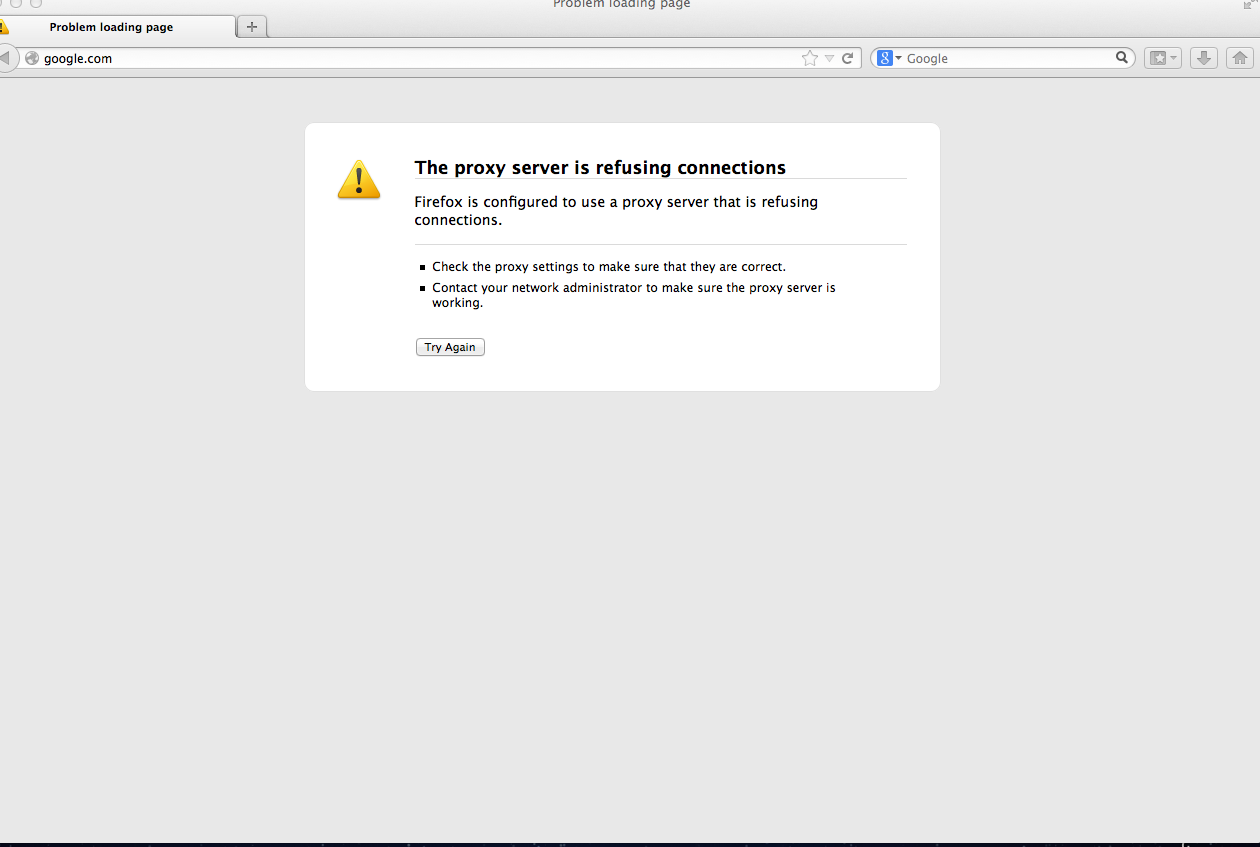
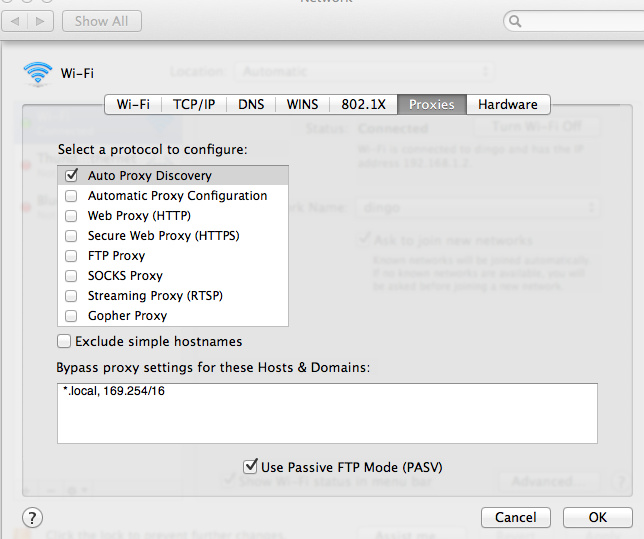
no problem accessing web from chrome
Seçilen çözüm
Also select the HTTP and FTP proxy.
or go to the below link [http://mzl.la/MOwhjD]
what do I enter for ftp/http servers?
in firefox preferences I set up No proxy. that works