


unlike IE after searching for something and choosing something there is no arrow to go back to original search list.

when you want to see other listings that were offered for the search you can't go back a page like IE has the back arrow. With Firefox seems you have to start search from scratch.
Seçilen çözüm
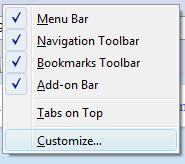
First, right click on the controls near the address bar/search bar, etc. and choose Customize (image 1).
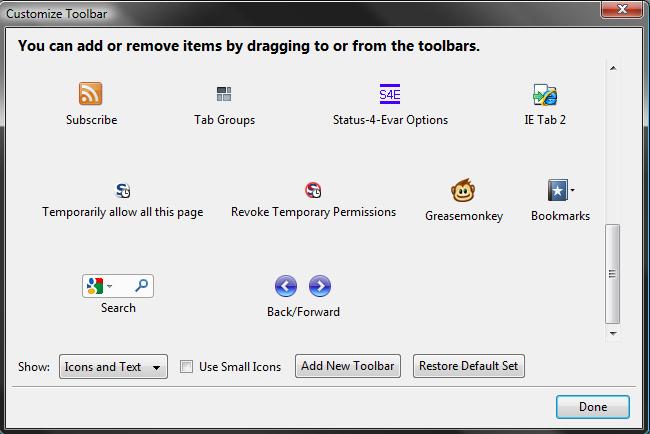
You should be able to find a Back/Forward button combination inside the window that pops up (image 2). You can drag that into a spot beside the Address bar/search bar, or anywhere you like.
Does that help?
Tüm Yanıtlar (4)

upgrade your browser to Firefox 8 and check
I did get the 8 download but couldn't see where * getfirefox.com did anything to change my situation. Still looking how to get back a screen.
Seçilen çözüm
First, right click on the controls near the address bar/search bar, etc. and choose Customize (image 1).
You should be able to find a Back/Forward button combination inside the window that pops up (image 2). You can drag that into a spot beside the Address bar/search bar, or anywhere you like.
Does that help?
Thanks didn't find it on that page but was able to find it on another and dragged it off onto my page and it worked. Thanks