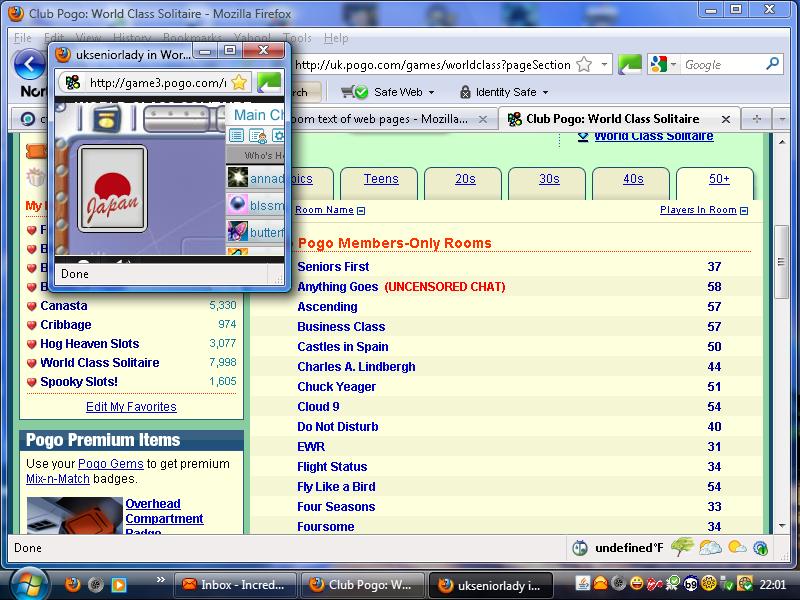
ctrl+ wheel mouse has made pogo game table very small. How can I reset it

this was pogo tech sujjestion to make the game table in one of the games a bit shorter. Now its made all the game tables into 2 inch squares and I dont know how to get it back to normal
this was pogo tech sujjestion to make the game table in one of the games a bit shorter. Now its made all the game tables into 2 inch squares and I dont know how to get it back to normal
Tüm Yanıtlar (3)
Reset the page zoom on pages that cause problems: View > Zoom > Reset (Ctrl+0 (zero); Cmd+0 on Mac)
This did not work, maybe because the pages that are shrunk so little are the game tables in pogo and they do not have controls along the top.