


Windows 10 reached EOS (end of support) on October 14, 2025. If you are on Windows 10, see this article.

Mozilla Destek’te Ara

Destek dolandırıcılığından kaçının. Mozilla sizden asla bir telefon numarasını aramanızı, mesaj göndermenizi veya kişisel bilgilerinizi paylaşmanızı istemez. Şüpheli durumları “Kötüye kullanım bildir” seçeneğini kullanarak bildirebilirsiniz.

Daha Fazlasını Öğren

nba.com scoreboard intermittently renders empty after Firefox has been running for some time;

  • 3 yanıt
  • 0 kişi bu sorunu yaşıyor
  • 11 gösterim
  • Son yanıtı yazan: Selim

nba.com scoreboard intermittently renders empty after Firefox has been running for some time; issue persists across reloads, new tabs, private windows, containers, and site data clearing, and is resolved only by restarting Firefox.

When Firefox has been running for some time, opening nba.com results in the scoreboard section being completely empty. The rest of the page loads normally (layout, navigation, static content), but live game data does not render.

This issue does not occur immediately after a browser restart. It appears only after Firefox has been open and used for a while.

Once the issue appears, it becomes persistent and cannot be resolved without restarting Firefox.
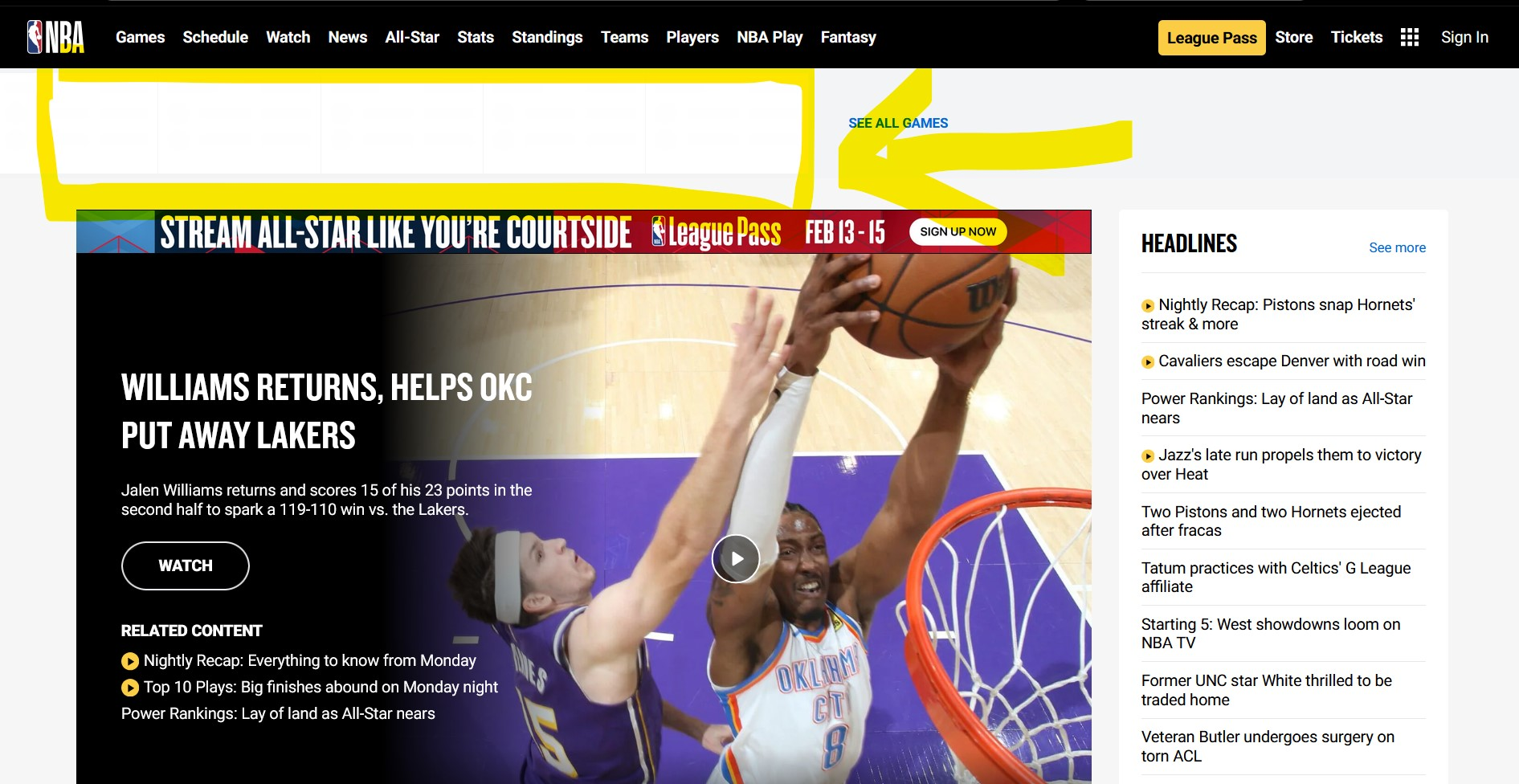
nba.com scoreboard intermittently renders empty after Firefox has been running for some time; issue persists across reloads, new tabs, private windows, containers, and site data clearing, and is resolved only by restarting Firefox. When Firefox has been running for some time, opening nba.com results in the scoreboard section being completely empty. The rest of the page loads normally (layout, navigation, static content), but live game data does not render. This issue does not occur immediately after a browser restart. It appears only after Firefox has been open and used for a while. Once the issue appears, it becomes persistent and cannot be resolved without restarting Firefox.
Ekli ekran görüntüleri

Tüm Yanıtlar (3)

Firefox'ta herhangi bir uzantı kullanıyor musunuz?

Kullanıyorsanız menü > Yardım > Sorun giderme modu'nu seçerek Firefox'u yeniden başlattığınızda sorun devam ediyor mu?

Sorun giderme modunda sorun görülmedi.
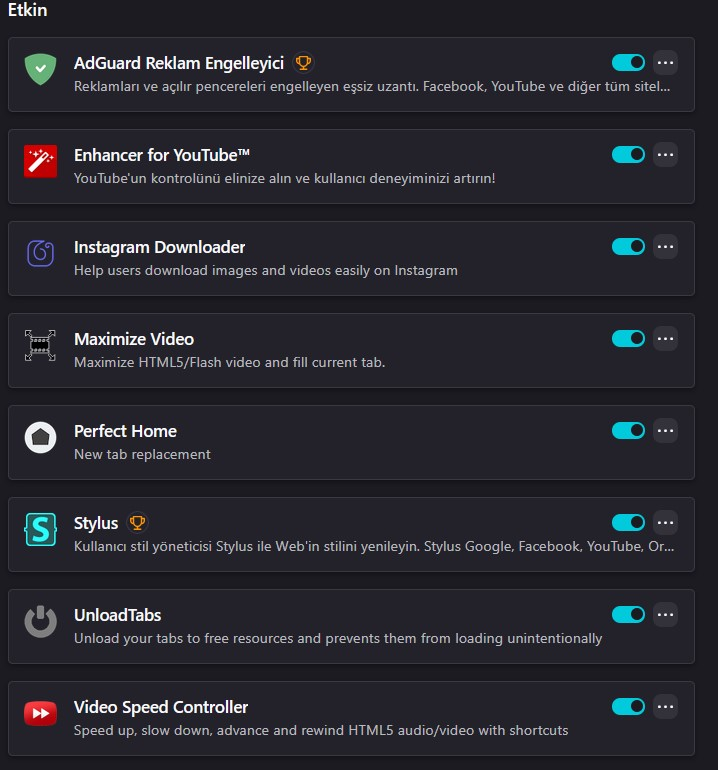
Bu durumda uzantılarınızdan kaynaklanan bir sorun olması muhtemel. Uzantıları tek tek devre dışı bırakarak hangisinin sorun yarattığını tespit etmeye çalışabilirsiniz. Bence öncelikli olarak AdGuard ve Stylus'tan şüphelenmelisiniz.

Soru sorun

Mesajlara yanıt verebilmek için hesabınıza giriş yapmalısınız. Henüz hesabınız yoksa lütfen yeni bir soru sorun.