


cant select OAuth2-option on SMTP-outgoing server

Hi dear Mozilla-Community,
I have run into the issue that is described here: https://www.reddit.com/r/Thunderbird/comments/1fdwv49/what_is_thunderbird_doing_to_fix_this_outlook_in/ and solved here: https://support.mozilla.org/en-US/kb/microsoft-oauth-authentication-and-thunderbird-202
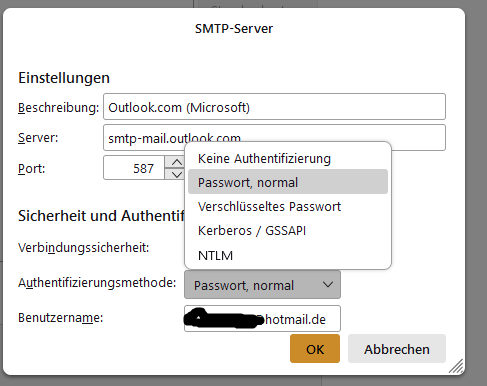
Now, the issue for me is that i cannot select the OAuth2-password option on my outgoing server option because it simply is not there (see screenshot attached - it's in German but you will get the idea). Ingoing has been changed (automatically, I suppose) to OAuth2 and works just fine but the outgoing is broken.
I am on the newest Nebula 128...esr.
What can I do? Thanks a lot in advance!
Best regards, Konrad
Seçilen çözüm
Hmmm... seems like I have solved it myself in the meantime (thanks to chatgpt):
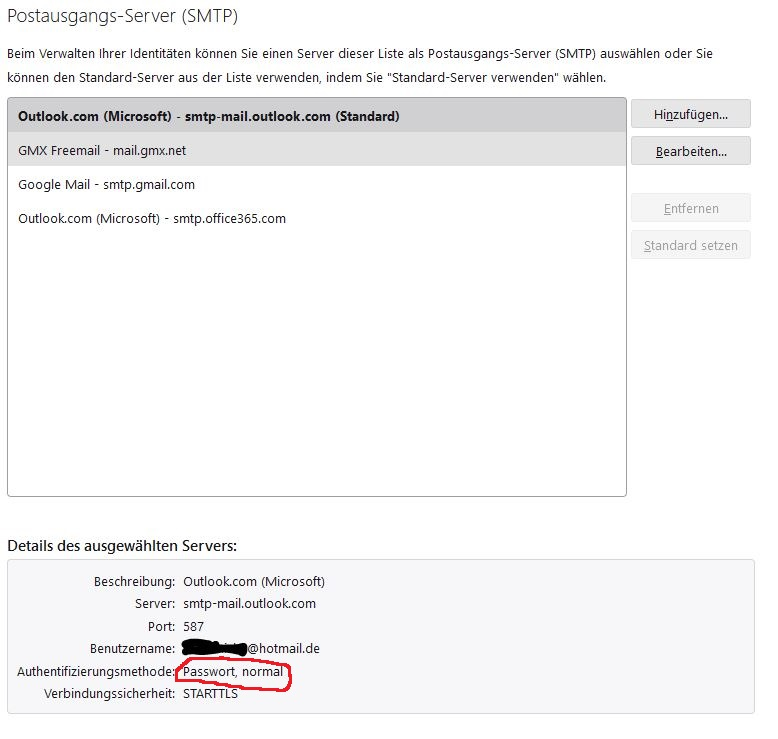
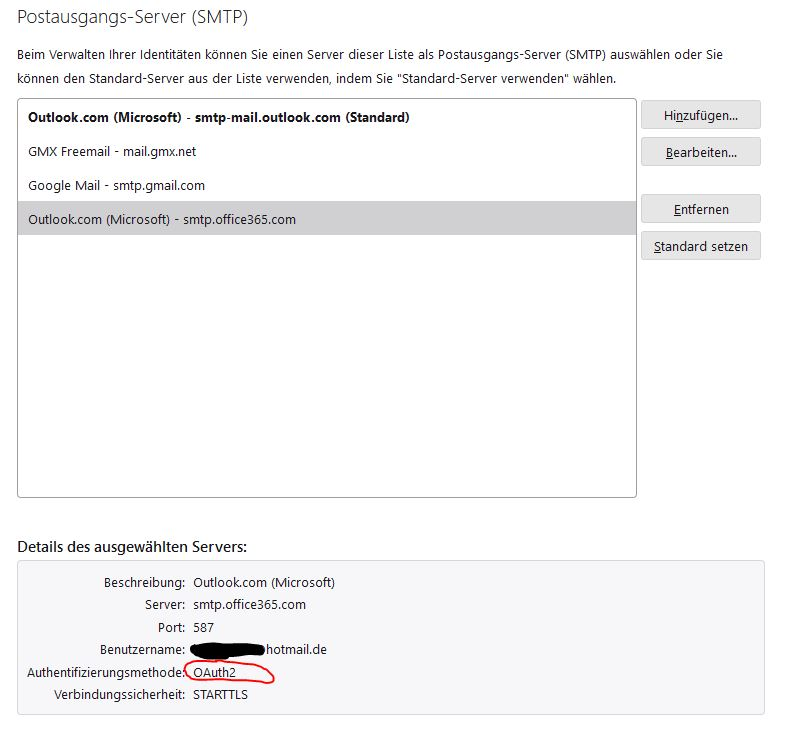
I deleted my hotmail-email account from Thunderbird and then added it again. Now it seems like i have two outgoing servers for Microsoft (see screenshots) and one is still operating on the old (flawed) standards but a new, second one automatically chose the OAuth2-option and I can send emails again.
- -)
Tüm Yanıtlar (1)
Seçilen çözüm
Hmmm... seems like I have solved it myself in the meantime (thanks to chatgpt):
I deleted my hotmail-email account from Thunderbird and then added it again. Now it seems like i have two outgoing servers for Microsoft (see screenshots) and one is still operating on the old (flawed) standards but a new, second one automatically chose the OAuth2-option and I can send emails again.
- -)
Konrad Sternisko tarafından tarihinde düzenlendi