


Thunderbird 115 unified view not showing junk folders from all accounts

Before upgrading to 115 unified folders worked fine. After upgrading it only shows the junk mail folders for 2/6 accounts on both Windows 10 PC and laptop. Looking at properties for the ones that do show and the ones that don't there is no difference. There is no Choose button under the colour icon as suggested in another post. Help greatly appreciated.
Tüm Yanıtlar (4)
Seçilen çözüm
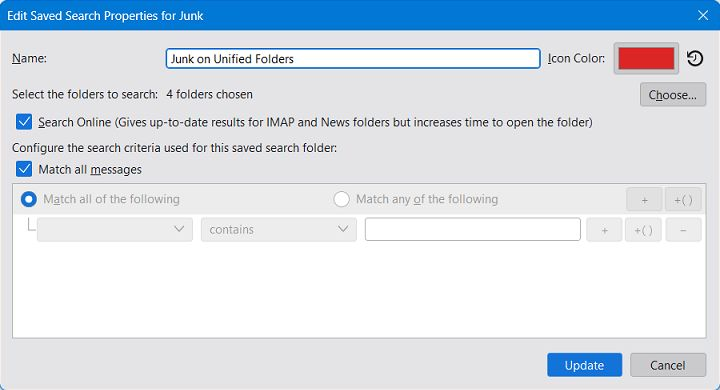
Be sure to highlight the unified JUNK folder, not an individual folder. Then, selecting properties should show the Choose button. What you see should look like the attached screenshot.
Thanks a million

Same problem here but this solution does not work for me on the junk folder - works on the others (inbox, sent, etc.) I get a different pop up than that shown by david which I'll attach.
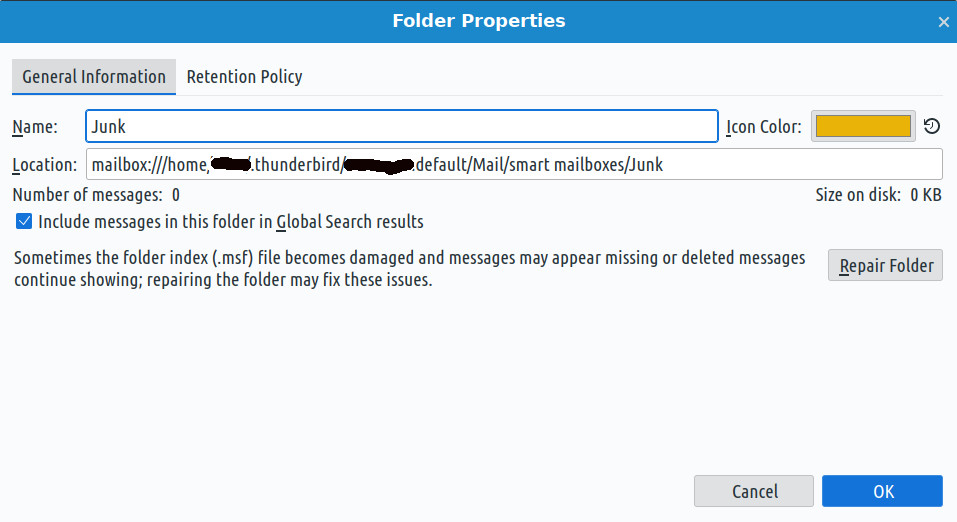
Okay - I fixed it by closing Thunderbird, removing the Junk and Junk.msf files from the 'smart mailboxes' folder - as shown in the screenshot above - and then restarting Thunderbird.
ma5du46b84 tarafından tarihinde düzenlendi