Disable the login prompt for Password

How do I disable the login prompt for Password? I was on the phone troubleshooting a site I was having problems logging into, and the login for Password kept popping up every few seconds. Even after canceling it would pop up again after a few. I did not want to log into Password because the previous saved username/password would mess up the troubleshooting.
Seçilen çözüm
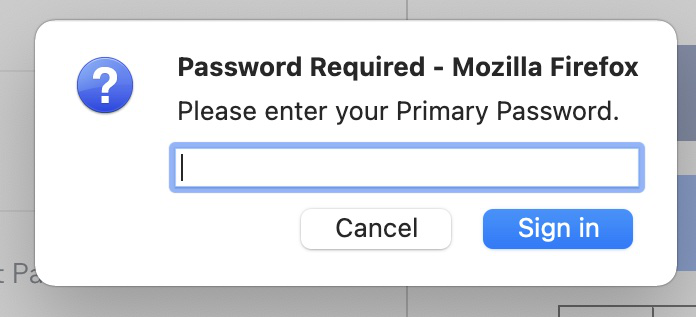
Usually that prompt would appear shortly after startup when Firefox connects to your Firefox Account for Sync. If you cancel the dialog at that point, it will pop up when the cursor enters a login form on a page where you have saved a login.
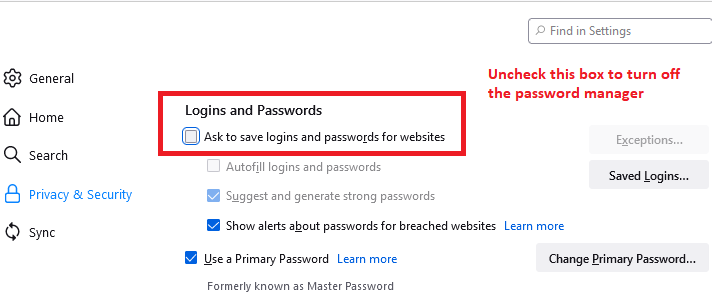
For pages, it's simplest to turn off the password manager on the Settings page, Privacy & Security panel by unchecking the box:

However, triggering a Sync likely will call up the dialog again (but that shouldn't happen very often?).
Bu yanıtı konu içinde okuyun 👍 0Tüm Yanıtlar (1)
Seçilen çözüm
Usually that prompt would appear shortly after startup when Firefox connects to your Firefox Account for Sync. If you cancel the dialog at that point, it will pop up when the cursor enters a login form on a page where you have saved a login.
For pages, it's simplest to turn off the password manager on the Settings page, Privacy & Security panel by unchecking the box:
However, triggering a Sync likely will call up the dialog again (but that shouldn't happen very often?).