Windows 10 reached EOS (end of support) on October 14, 2025. If you are on Windows 10, see this article.

Mozilla Destek’te Ara

Destek dolandırıcılığından kaçının. Mozilla sizden asla bir telefon numarasını aramanızı, mesaj göndermenizi veya kişisel bilgilerinizi paylaşmanızı istemez. Şüpheli durumları “Kötüye kullanım bildir” seçeneğini kullanarak bildirebilirsiniz.

Daha Fazlasını Öğren
Çözüldü Arşivlendi

Downloading files

Iganinja007

I cannot download a file that I know is safe. There are no settings I can adjust to by-pass the automatic scanning and deletion.

I cannot download a file that I know is safe. There are no settings I can adjust to by-pass the automatic scanning and deletion.
Bu yanıtı konu içinde okuyun

Seçilen çözüm

I think it's Windows Defender, but I haven't studied threads like the following in detail:

https://answers.microsoft.com/en-us/windows/forum/all/unable-to-add-exclusion-in-windows-security/4c8462b7-b781-43d2-8e30-ef233d23d76d

Tüm Yanıtlar (6)

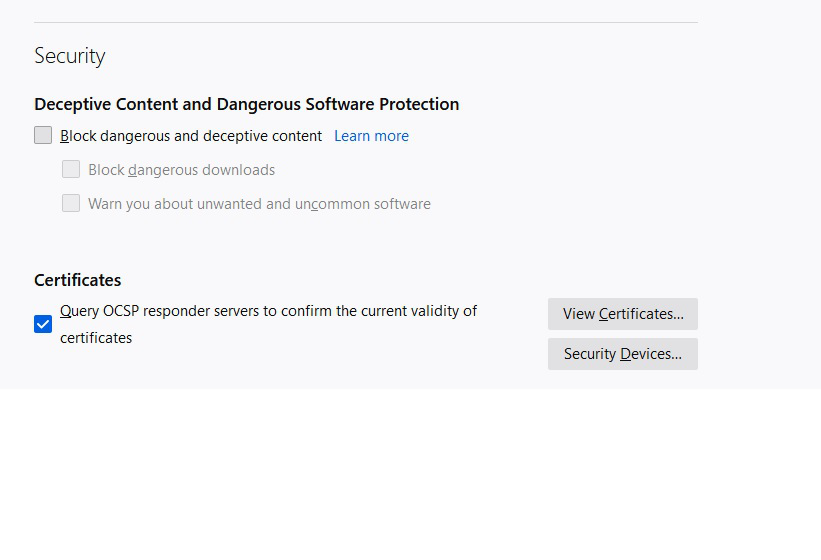
Are you getting a notification from Firefox on the drop-down from the Downloads button? That is from the phishing and malware protection feature. More info in this article if you want to try turning off the "Block dangerous downloads" feature temporarily:

How does built-in Phishing and Malware Protection work?

These were already set (unchecked)

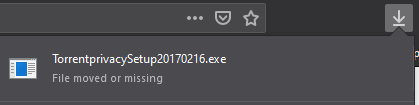
What indication are you receiving that Firefox is blocking the download?

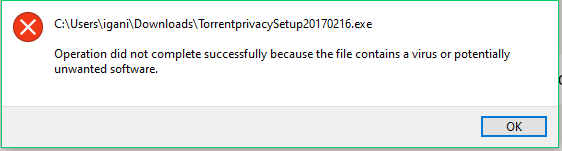
These are the messages I get.
Seçilen çözüm

I think it's Windows Defender, but I haven't studied threads like the following in detail:

https://answers.microsoft.com/en-us/windows/forum/all/unable-to-add-exclusion-in-windows-security/4c8462b7-b781-43d2-8e30-ef233d23d76d

Yep, the Real Time Protection was the culprit. Thanks for your assistance. LLAP