


Gmail not accetping Thunderbird as app
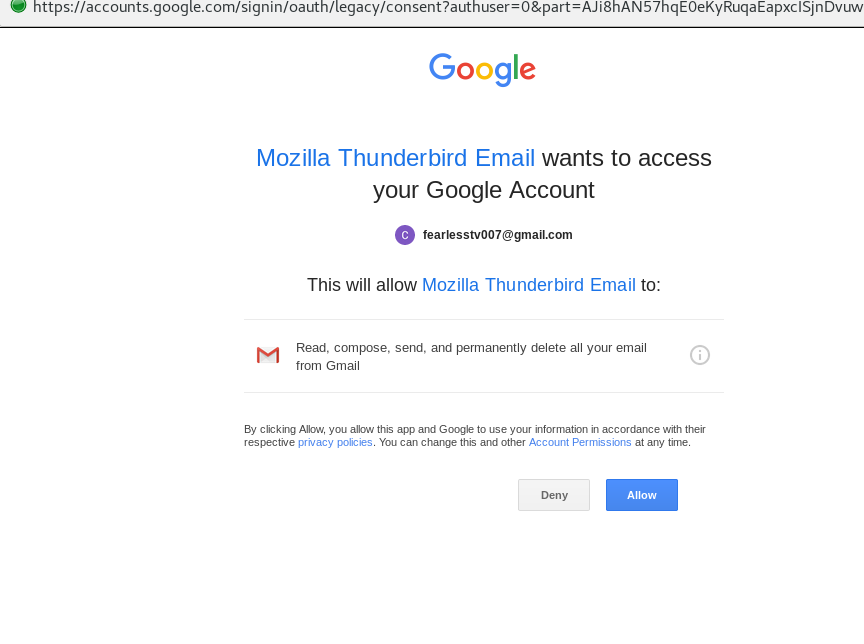
Hello I have using Thunderbird to manage 5 email accounts of which one is from gmail. yesterday, I created a second gmail account, that I am trying to add to Thunderbird. I have the correct gmail config setup for the new account using OAUTH2. I have turned on the Less secure App pref in Gmail. But when thunderbird offers to login to this account, I eventually get to the accept Thunderbird as app gmail page and accept, the connection fails. I do not have this issue with the first gmail account. If I understand correctly, OAUTH2 used a token system to avoid passwords. Is it possible that trying to have 2 OAUTH2 gmail accounts is causing a conflict? Any ideas are most welcome
Seçilen çözüm
Hello The workaround works a treat. Thank you Currently on centos 7 , yum offers 68.2.0 as the latest version, so I will keep as is and use the workaround. Many thanks for solving this
Tüm Yanıtlar (5)

Please post your Troubleshooting Information.
At the top right of the Thunderbird window, click the menu button  , then select Help > Troubleshooting Information.
Press the "Copy text to clipboard button" and paste the information into your reply.
, then select Help > Troubleshooting Information.
Press the "Copy text to clipboard button" and paste the information into your reply.
Application Basics
   Name: Thunderbird
   Version: 68.2.0
   Build ID: 20191029144511
   User Agent: Mozilla/5.0 (X11; Linux x86_64; rv:68.0) Gecko/20100101 Thunderbird/68.2.0
   OS: Linux 3.10.0-1062.4.1.el7.x86_64
   Multiprocess Windows: 0/0
             Disabled
   Remote Processes: 0
   Enterprise Policies: Inactive
   Google Location Service Key: Found
   Google Safebrowsing Key: Found
   Mozilla Location Service Key: Found
   Safe Mode: false
 Mail and News Accounts
   account1:
     INCOMING: account1, , (imap) imap.dumdumfilms.com:143, alwaysSTARTTLS, passwordCleartext
     OUTGOING: , smtp.dumdumfilms.com:587, alwaysSTARTTLS, passwordCleartext, true
   account2:
     INCOMING: account2, , (none) Local Folders, plain, passwordCleartext
   account3:
     INCOMING: account3, , (imap) imap.gmail.com:993, SSL, OAuth2
     OUTGOING: , smtp.gmail.com:465, SSL, OAuth2, true
   account4:
     INCOMING: account4, , (owl) outlook.office365.com:443, SSL, OAuth2
     OUTGOING: , smtp.dumdumfilms.com:587, alwaysSTARTTLS, passwordCleartext, true
   account5:
     INCOMING: account5, , (imap) mail.gandi.net:993, SSL, passwordCleartext
     OUTGOING: , smtp.dumdumfilms.com:587, alwaysSTARTTLS, passwordCleartext, true
   account6:
     INCOMING: account6, , (imap) imap.mail.yahoo.com:993, SSL, OAuth2
     OUTGOING: , smtp.mail.yahoo.com:465, SSL, OAuth2, true
   account7:
     INCOMING: account7, , (imap) imap.gmail.com:993, SSL, OAuth2
     OUTGOING: , smtp.gmail.com:465, SSL, OAuth2, true
Remote Processes
Type: Count
Extensions
     Name
     Version
     Enabled
     ID
       Amazon.co.uk
       1.1
       true
       amazon@search.mozilla.org
       Bing
       1.0
       true
       bing@search.mozilla.org
       DuckDuckGo
       1.0
       true
       ddg@search.mozilla.org
       Google
       1.0
       true
       google@search.mozilla.org
       ImportExportTools NG
       4.0.4
       true
       ImportExportToolsNG@cleidigh.kokkini.net
       Lightning
       68.2.0
       true
       {e2fda1a4-762b-4020-b5ad-a41df1933103}
       Owl for Exchange
       0.7.1.1
       true
       owl@beonex.com
       Twitter
       1.0
       true
       twitter@search.mozilla.org
       Wikipedia (en)
       1.0
       true
       wikipedia@search.mozilla.org
Security Software
Type: Name
     Antivirus:
     Antispyware:
     Firewall:
Graphics
     Features
     Compositing: Basic
     Asynchronous Pan/Zoom: none
Account 7 is the account I cannot make work.
You'll need to upgrade to v68.2.1 at least. That fixes a Google OAuth issue. In the meantime, there is a workaround.
Edit/Preferences/Advanced/General/Config. editor, double-click general.useragent.compatMode.firefox to true.
Note, the current release version is Thunderbird 68.2.2.
Seçilen çözüm
Hello The workaround works a treat. Thank you Currently on centos 7 , yum offers 68.2.0 as the latest version, so I will keep as is and use the workaround. Many thanks for solving this