


Windows 10 reached EOS (end of support) on October 14, 2025. For more information, see this article.

Mozilla Destek’te Ara

Destek dolandırıcılığından kaçının. Mozilla sizden asla bir telefon numarasını aramanızı, mesaj göndermenizi veya kişisel bilgilerinizi paylaşmanızı istemez. Şüpheli durumları “Kötüye kullanım bildir” seçeneğini kullanarak bildirebilirsiniz.

Daha Fazlasını Öğren

I don't know how to install the import/export tool into Thunderbird.

  • 3 yanıt
  • 2 kişi bu sorunu yaşıyor
  • 8 gösterim
  • Son yanıtı yazan: user01229325

diğer seçenekler

I have installed Thunderbird on my Win 7 laptop as I am fed up with Windows Live Mail (ugh) but am having difficulty importing all my messages and contacts. I have read all your instructions and downloaded the import/export tool. Now I am stuck. I am unable to install the tool using the Add-on Manager. Screenshot of Add-On Manager page attached. The tool has been downloaded and is sitting in my Download folder. What do I do next???
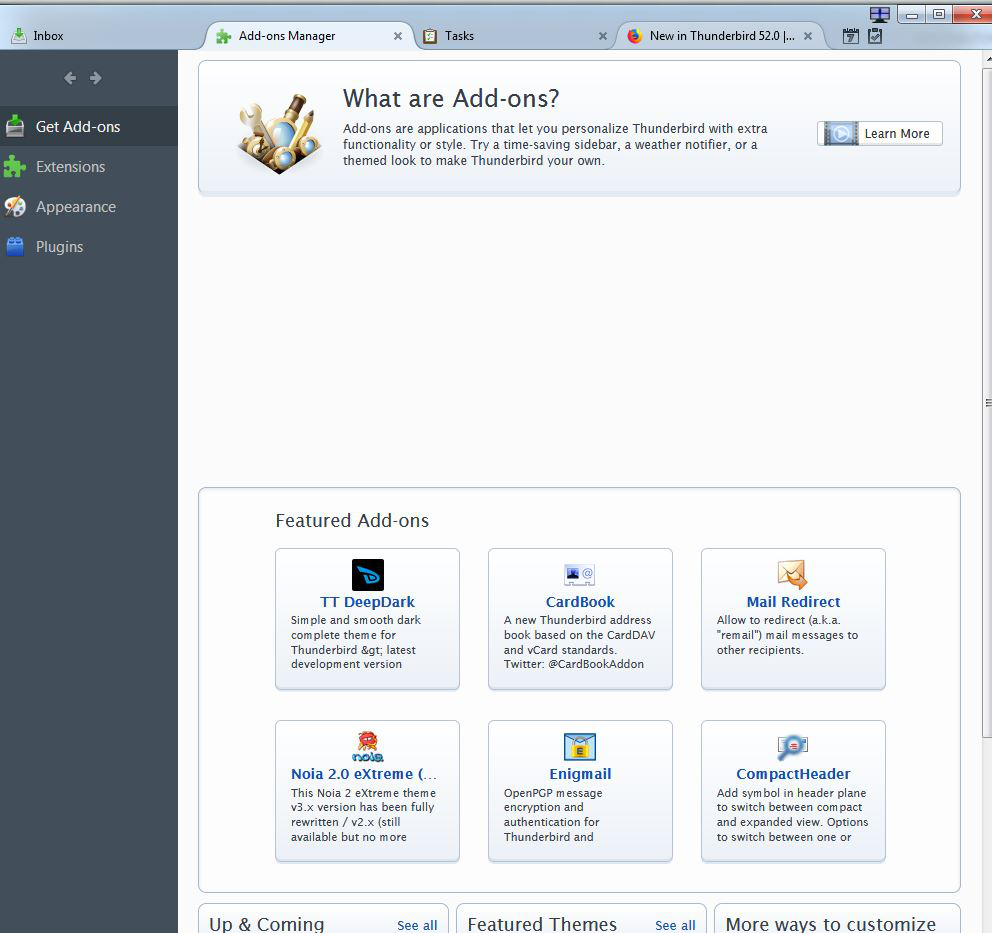
I have installed Thunderbird on my Win 7 laptop as I am fed up with Windows Live Mail (ugh) but am having difficulty importing all my messages and contacts. I have read all your instructions and downloaded the import/export tool. Now I am stuck. I am unable to install the tool using the Add-on Manager. Screenshot of Add-On Manager page attached. The tool has been downloaded and is sitting in my Download folder. What do I do next???
Ekli ekran görüntüleri

Seçilen çözüm

Good to hear. Please mark this solved if your issue is solved.

Bu yanıtı konu içinde okuyun 👍 1

Tüm Yanıtlar (3)

diğer seçenekler

Open the add on tab in Thunderbird Click Extensions Click the icon that looks like a gear. Select Install from file

diğer seçenekler

Thank you, Airmail. I eventually managed to import all my mail and now I will import all my contacts.

diğer seçenekler

Seçilen çözüm

Good to hear. Please mark this solved if your issue is solved.