How do i fix aspect ratio problem when watching a youtube video with firefox?

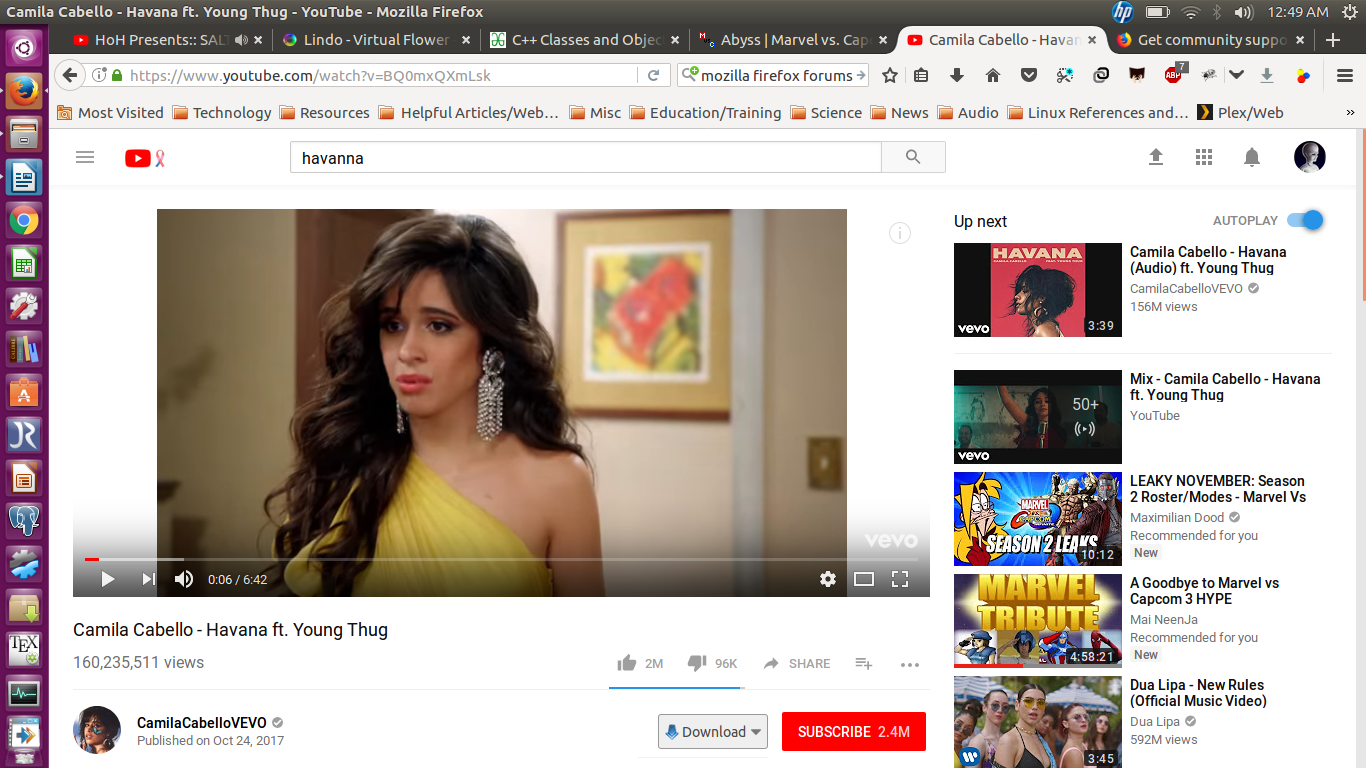
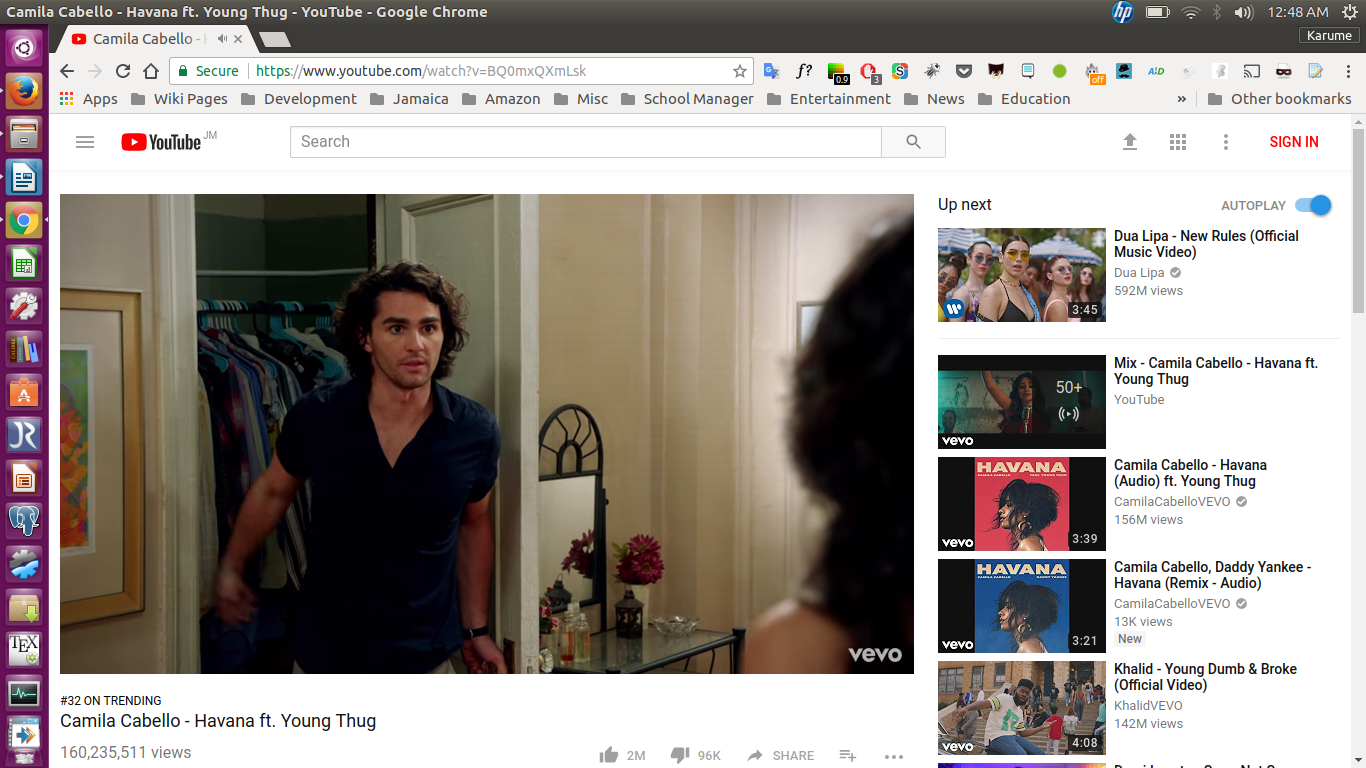
My system is a Linux ubuntu 16.04 64 bit laptop and I have a problem with firefox 56.0 pertaining to youtube video playback. I discovered that something was wrong when i compared the aspect ratio of a youtube video playing in both Google Chrome browser and Firefox. in Firefox(64-bit linux) it looks letterboxed and no matter what i do the aspect ratio/picture size of the video playing remains 4:3 instead of 16:9 as expected in google Chrome which plays it normally filling up the screen. This problem seems recent possibly due to an update You can see the difference as well as the obvious bug by the two pictures attached and I would like to know if there is any solution to the problem. Thank you.
Duvipearson tarafından tarihinde düzenlendi
Tüm Yanıtlar (6)
Here are the two pictures to see the difference in comparison. I could not attach the pictures in my original question due to some buggyness with the interface.
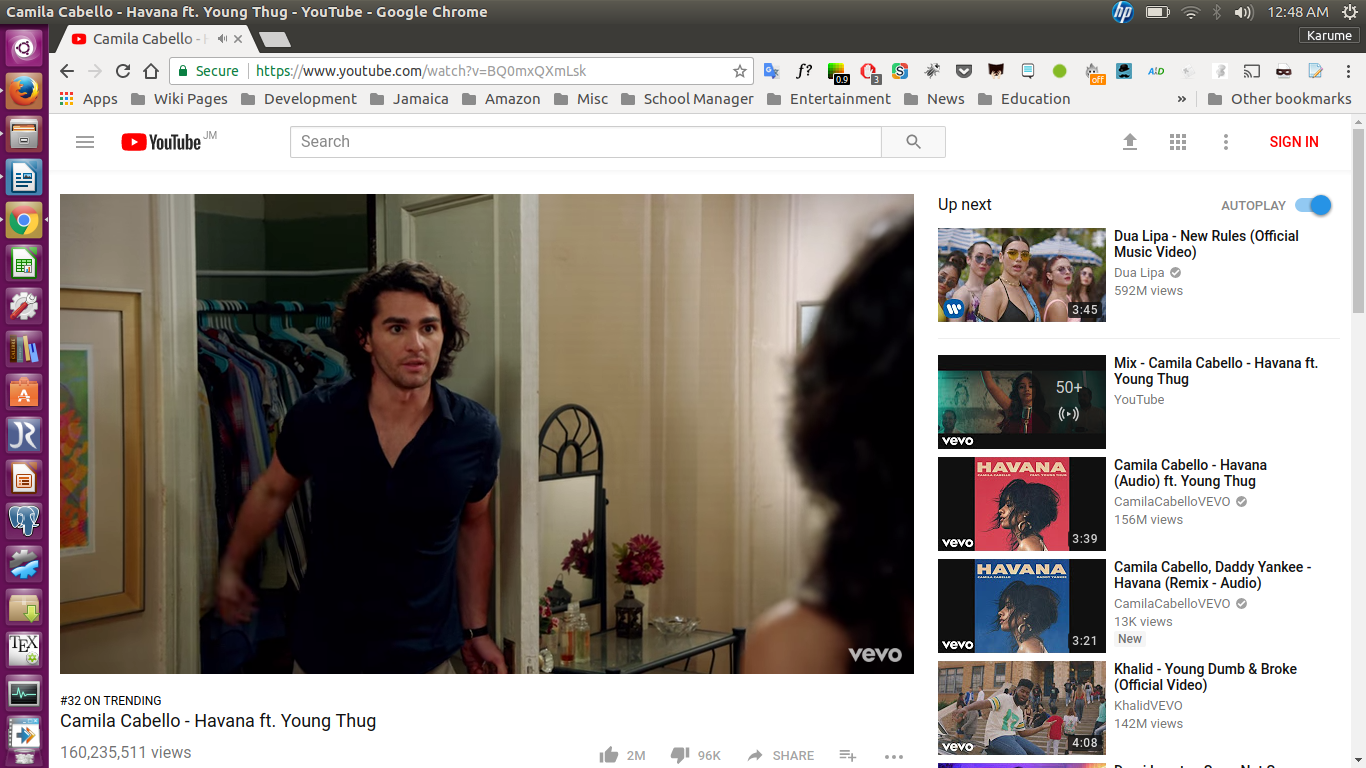
It can be based on size of window and if you have it as default view or theatre view. If you change window size or trying click on the default view or theatre view (the square between the gear and fullscreen) I bet it will fill out the widescreen better as it is not 4:3 video.
Did you click the cogwheel (Settings) icon on the player to see what resolution is selected?
cor-el said
Did you click the cogwheel (Settings) icon on the player to see what resolution is selected?
I did all of these already. Still havent fixed the problem.
James said
It can be based on size of window and if you have it as default view or theatre view. If you change window size or trying click on the default view or theatre view (the square between the gear and fullscreen) I bet it will fill out the widescreen better as it is not 4:3 video.
I have tried that before. That didn't work.
This is not normal behavior no matter how i try to look at it,when compared to viewing the same video in chrome it shows the full size normally. It is on 100% zoom and i don't have to go into theater mode to notice the difference. going into theater mode doesn't resolve the issue either.