


How do I set the option such that Thunderbird always ask me to authenticate prior to sending a message

In my previous versions of Thunderbird I was able to request that each time a message was sent I would be prompted to type in a password. How do I set this option up in version 38.1.0? Many thanks Frank Jackson
Seçilen çözüm
Is this account setup to use authentication or are you using a port on the providers server that does not require it? You can look at the SMTP account settings to verify this.
If it is set to use verification then something is providing those details. Do you have any other password saving software running. Some antivirus suites do that.
Tüm Yanıtlar (4)
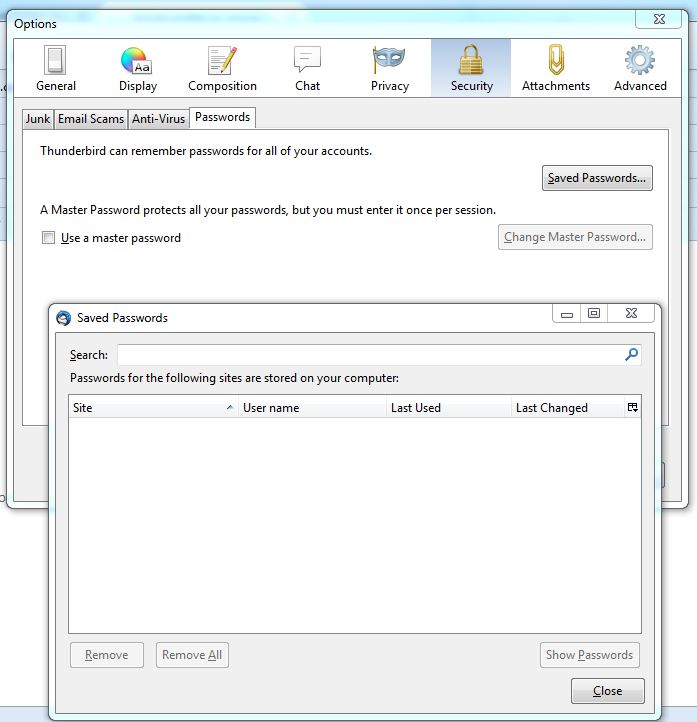
From the Menu Bar select Tools-Options-Security-Passwords-SavedPasswords and remove the passwords you told Thunderbird to remember.
No Menu Bar showing? Press the alt key to make it appear.
There were no saved passwords. See captured screen print. I still do not get an authentication prompt each time I send an Email. Frank Jackson
Seçilen çözüm
Is this account setup to use authentication or are you using a port on the providers server that does not require it? You can look at the SMTP account settings to verify this.
If it is set to use verification then something is providing those details. Do you have any other password saving software running. Some antivirus suites do that.
SMTP port did not need authentication, as you deduced. So I changed the authentication method to "Password, insecurely transmitted" and now I am prompted to authenticate each time I send an email. Thanks