


How to attach a FOLDER to an email.

I need to send FOLDERS on occasion. Email clients generally do not support this. Google Drive will but they indicate that Firefox requires an app. I get the following message using Google Drive to upload a FOLDER -
"Your browser doesn't support the uploading of entire folders.
We recommend that you use the Chrome web browser instead, which supports folder upload.
Alternatively, you can install a Java-based Folder Upload applet in your browser."
I wish to use Firefox. Where can i find the "Java-based Folder Upload applet" referenced?
I appreciate your assistance.
Seçilen çözüm
Try following the directions under "Upload folders through Google Drive (in a browser other than Chrome)" at: https://support.google.com/drive/answ.../2424368
Let us know how it works out.
Tüm Yanıtlar (3)
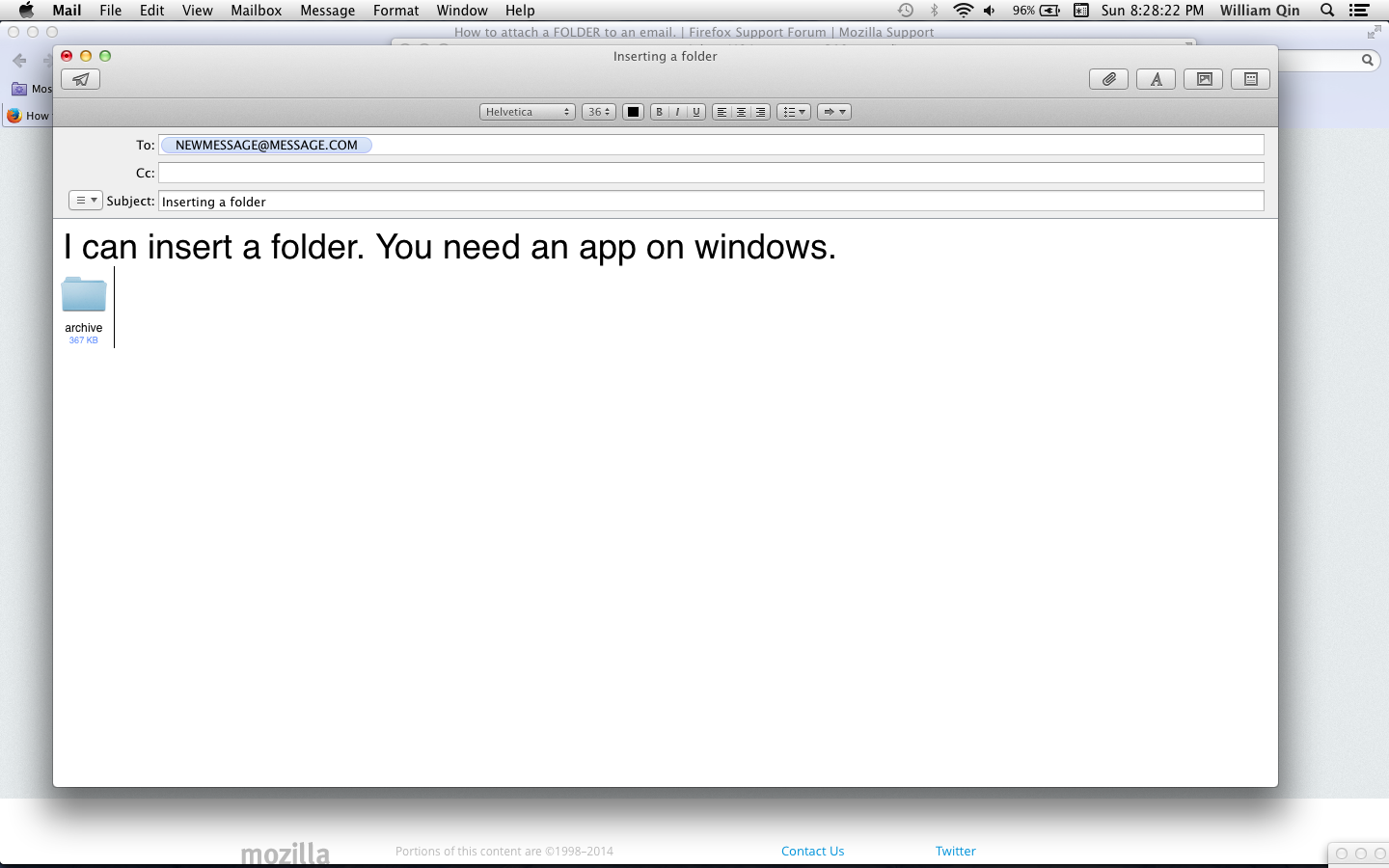
I'm able to do it on a Mac. On Macs you can select a folder in list view.
Since you're using Windows 8.1...
You can right click the folder, then send to archive. It will make a .zip of your folder. Send the ZIP. The ZIP has your folder inside it.
Or you can select all the stuff in the folder and send.
I use Hotmail/Outlook and it lets me send folders on my Mac. But on Windows it doesn't work.
Works for me. I put an attachment so you can see...
Thanks for your reply. Unfortunately the WIN 8 zip and send to tools you refer to disrupt the file which contains scripts for presenting a Web Gallery sheet. The object is to permit attached image file data bases to be displayed in a browser with ability see the thumbnails and pop up previews. It operates much like a web site for images. It appears that an ftp site will be required to make it work unless i can find an app that transports the folders undisturbed.
Seçilen çözüm
Try following the directions under "Upload folders through Google Drive (in a browser other than Chrome)" at: https://support.google.com/drive/answ.../2424368
Let us know how it works out.