


Why do all websites bring up 'insecure connection' page whenever I enable the HotSpot Shield VPN add-on?

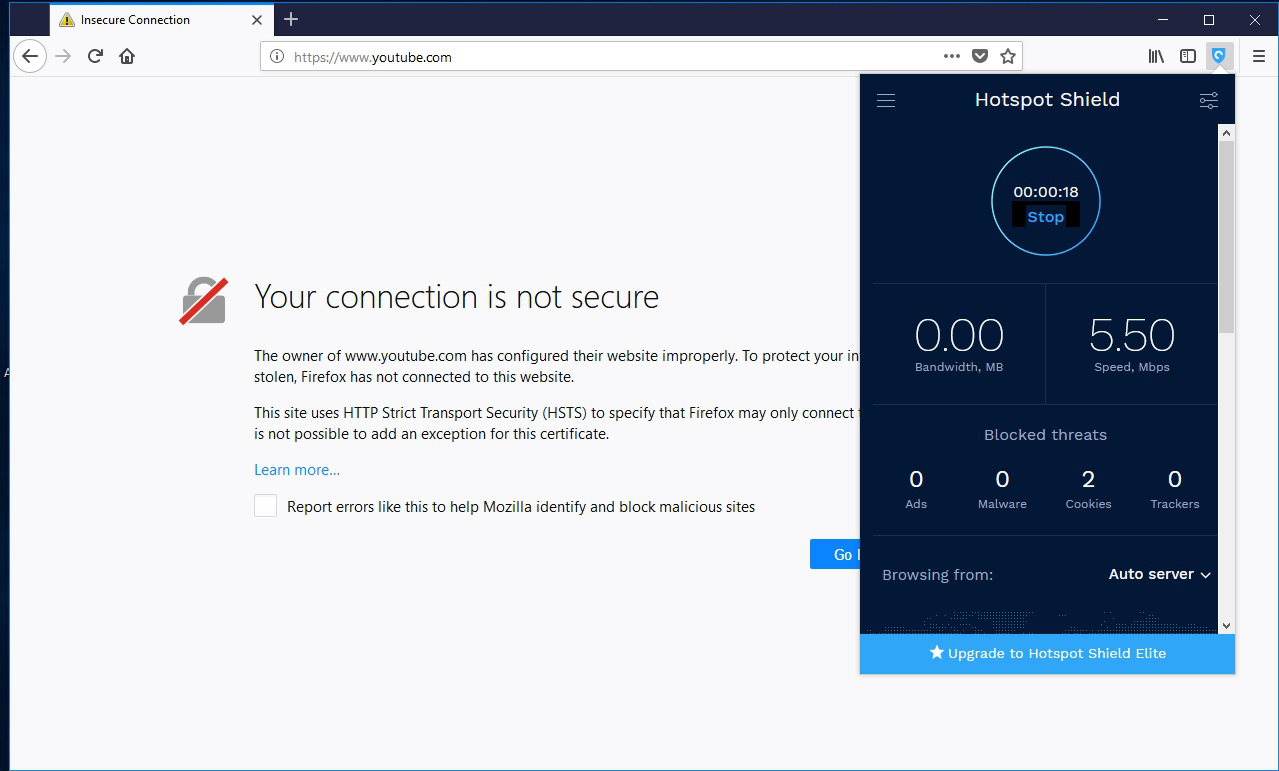
I installed the HotSpot Shield add-on to my Firefox browser and whenever I enable it, every website (even ones I've never been to before) show an 'Insecure Connection' page error. I have Avast Premium, but I tried disabling every feature on it, including manually unchecking the 'Enable HTTPS Scanning' option. Nothing has worked. Also, I don't have Avast's VPN feature. Likewise, whenever I toggle HotSpot Shield off, I can access websites normally.
Please help.
Alla svar (7)
Here is the image

If you didn't have the problem before, you should contact Hotspot Shield support and ask questions. Perhaps one of its settings if off.
This is the first time I've installed Hotspot Shield, I've never used a VPN before
jjones1 said
This is the first time I've installed Hotspot Shield, I've never used a VPN before
Unfortunately FF enduser forum can't provide support for VPN request. If your planning to use such software you should really contact them before using the software if your not familiar with them.
It's a ff add on
Then you should contact its support.
WestEnd, people here are welcome to help people in using Firefox extensions.