


Open
How can i do to have the list of "recent destination" in alphabetic order?

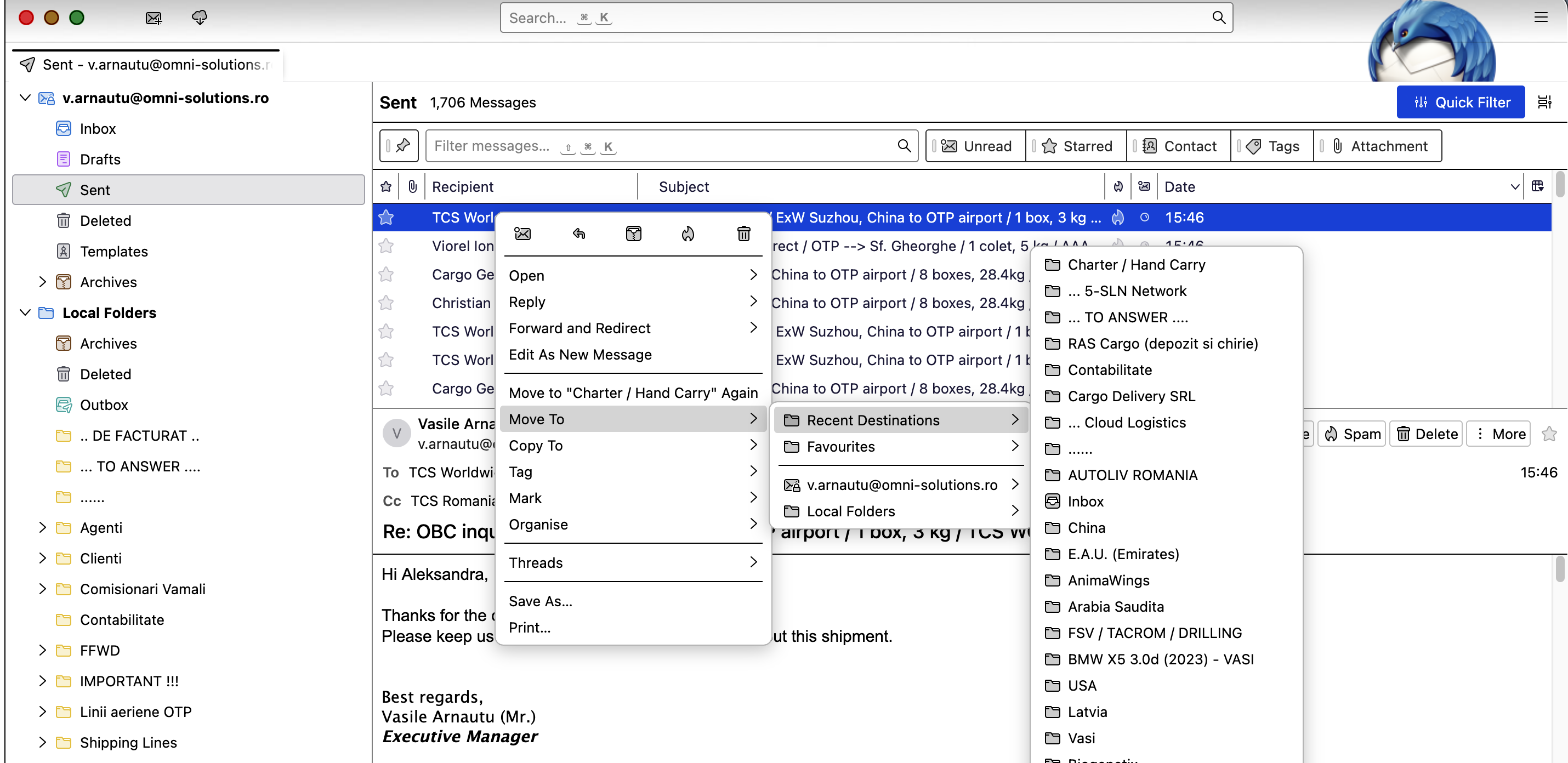
Hi. I have a problem since few months ago about the following fact: when i want to move emails from inbox to a specific folder, i am using "recent destination" option, but the folders doesn't appears anymore in alphabetic order. I have attached a screen shot with "recent destination" list of folders and currently they are not listed in alphabetic order anymore. Can you help me to fix this issue?
Thank you!
Hi. I have a problem since few months ago about the following fact:
when i want to move emails from inbox to a specific folder, i am using "recent destination" option, but the folders doesn't appears anymore in alphabetic order.
I have attached a screen shot with "recent destination" list of folders and currently they are not listed in alphabetic order anymore.
Can you help me to fix this issue?
Thank you!
Сви одговори (1)
Version 150 (in a couple months) will offer you a choice in Settings to change back to alphabetic. The patch is complete and will soon be tested in development.