


Bookmarks
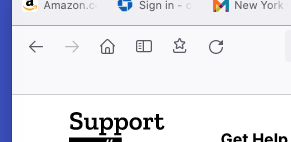
I'm on a Mac desktop. Favorite Bookmarks have stopped displaying in View > Toolbars > Bookmarks Toolbars (set either to Show All or Only Show on New Tab. I have verified the favorites are still there in Bookmarks > Bookmarks Toolbar, but when View > Toolbars > Bookmarks Toolbars is opened it displays an empty bar.
/moved thread from Firefox for iOS (for iPhone/iPad) to Firefox (for desktop) section.
Измењено од стране James
Изабрано решење
I found guidance and answered my own question of 1/15/2022 thanks to this posting: https://support.mozilla.org/en-US/kb/bookmarks-toolbar-display-favorite-websites
The solution. Customize Toolbar by dragging the "[Star] Bookmarks Toolbar" icon up onto the lower toolbar row; the one that displays when set to either: • Only Show on New Tab, or • Always Show.
Прочитајте овај одговор са објашњењем 👍 0Сви одговори (2)
Одабрано решење
I found guidance and answered my own question of 1/15/2022 thanks to this posting: https://support.mozilla.org/en-US/kb/bookmarks-toolbar-display-favorite-websites
The solution. Customize Toolbar by dragging the "[Star] Bookmarks Toolbar" icon up onto the lower toolbar row; the one that displays when set to either: • Only Show on New Tab, or • Always Show.

That was very good work. Well Done.