

Ова тема је архивирана.
Питајте друго питање ако вам је потребна помоћ.

Архивирано
NS_ERROR_DOM_ABORT_ERR loading mail.google.com (FF88.0.1, macOS 11.4)

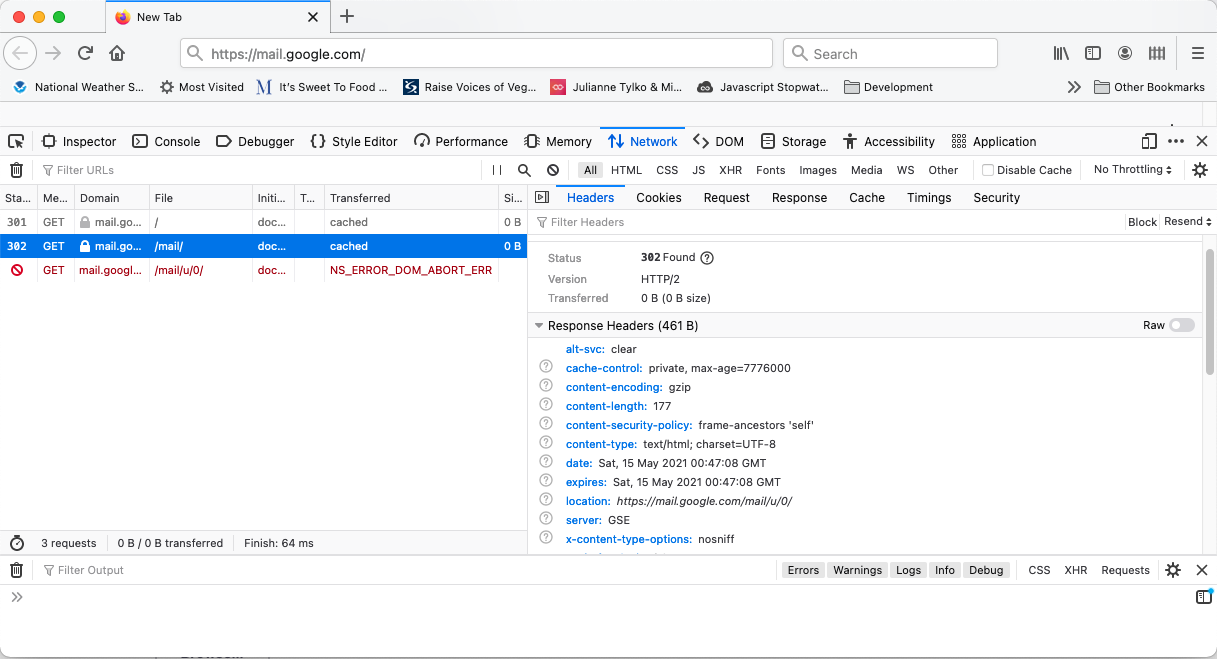
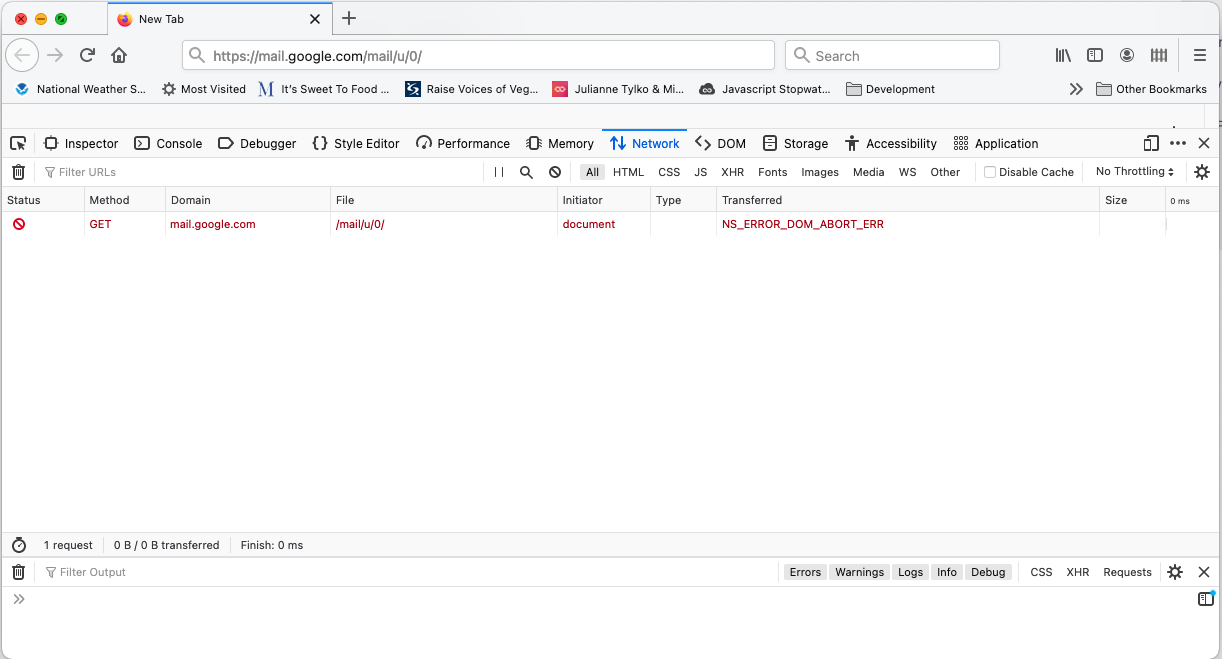
When I navigate to mail.google.com, I get a 301 to /mail/, a 302 to https://mail.google.com/mail/u/0/, and then the error NS_ERROR_DOM_ABORT_ERR. If I navigate directly to https://mail.google.com/mail/u/0/, I immediately get the error NS_ERROR_DOM_ABORT_ERR.
Can I fix this? Thanks!
When I navigate to mail.google.com, I get a 301 to /mail/, a 302 to https://mail.google.com/mail/u/0/, and then the error NS_ERROR_DOM_ABORT_ERR. If I navigate directly to https://mail.google.com/mail/u/0/, I immediately get the error NS_ERROR_DOM_ABORT_ERR.
Can I fix this? Thanks!
Сви одговори (1)
I've found this works private browsing tabs, so there must be something cached. Any way I can clear that?
edit: "Manage Data" is the option I was looking for.
Измењено од стране Don01001100