

Ова тема је архивирана.
Питајте друго питање ако вам је потребна помоћ.

Solved
Архивирано
Wrong time zone in firefox
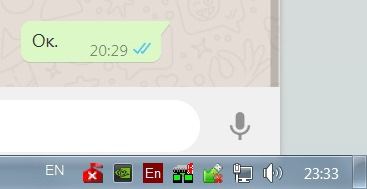
System time zone UTC+3. Firefox show UTC +0 (minus 3 hours). How i can fix it? In IE time zone correct. Message in image send in 23:29.
System time zone UTC+3. Firefox show UTC +0 (minus 3 hours). How i can fix it? In IE time zone correct. Message in image send in 23:29.
Сви одговори (1)
Одабрано решење
This is usually an indication that you have enabled "Resist Fingerprinting".
When Resist Fingerprinting is enabled then some items are spoofed (TimeZone: UTC, UserAgent: Firefox ESR 78 (or 68)).
You can check this pref on the about:config page to see if Resist Fingerprinting is enabled and if this pref is user set (bold) reset to false via the right-click context menu.
- privacy.resistFingerprinting = false
You can open the about:config page via the location/address bar. You can accept the warning and click "I accept the risk!" to continue.