


Locking Preferences
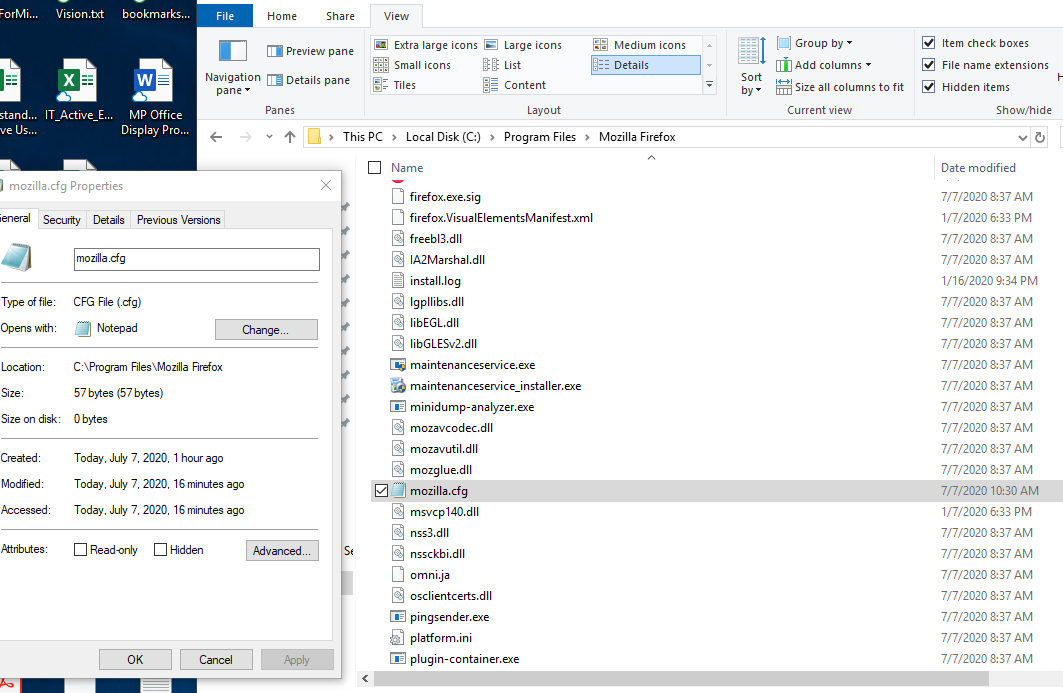
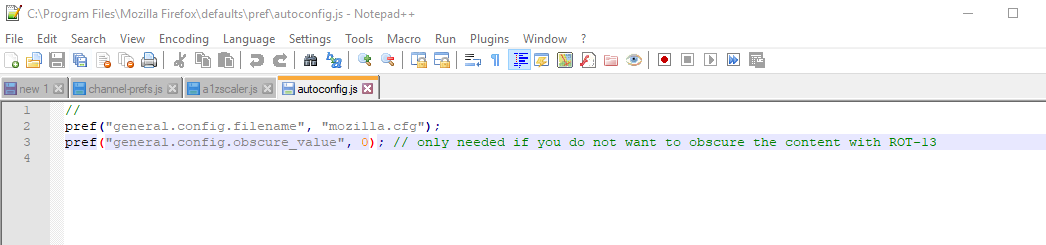
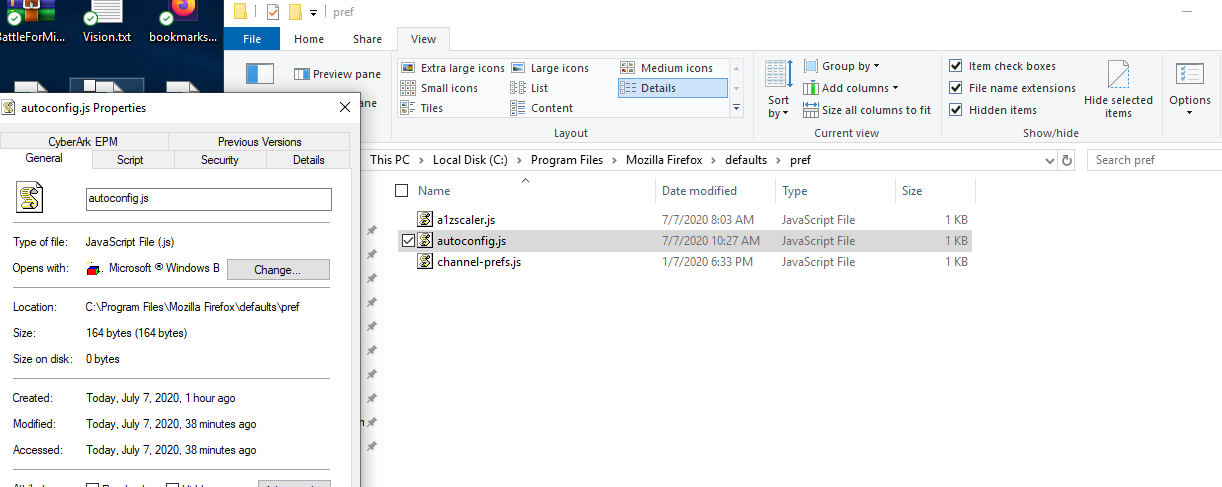
So I'm trying to lock the preferences on the privacy & security options. I currently have a .js file named autoconfig.js in my "C:\Program Files\Mozilla Firefox\defaults\pref" I also have mozilla.cfg in my "C:\Program Files\Mozilla Firefox".
When I go to the about:config however it is not greyed out or locked in anyway. I was wondering if anyone could spot what I'm doing wrong.
Yes my File name extensions is on.
So I'm trying to lock the preferences on the privacy & security options. I currently have a .js file named autoconfig.js in my "C:\Program Files\Mozilla Firefox\defaults\pref" I also have mozilla.cfg in my "C:\Program Files\Mozilla Firefox".
When I go to the about:config however it is not greyed out or locked in anyway. I was wondering if anyone could spot what I'm doing wrong.
Yes my File name extensions is on.

Изабрано решење
For anyone who see this my problem was that an application Zscaler was overriding the general.config.filename property so I could my gfc file was not running.
Прочитајте овај одговор са објашњењем 👍 0Сви одговори (1)
Одабрано решење
For anyone who see this my problem was that an application Zscaler was overriding the general.config.filename property so I could my gfc file was not running.