restore the closed tabs use the middle button of the mouse

I am using firefox 21.0. And I have installed the Tab Mix plus plugin.
So I used to use the middle button of the mouse to restore the closed tabs, like this "http://snag.gy/jIOw8.jpg". I can click(middle button) at the blank of the tabs bar.

However when I open as many tabs like this, then there is no place where I can click to restore the tabs. like this: "http://snag.gy/8rHlP.jpg"

And ideas?
Vsi odgovori (4)
I'm not familiar with this feature of the Tab Mix Plus extension. Is it different than the right-click > Undo Close tab (or Ctrl+Shift+t) feature built in to Firefox? That re-opens the last tab you closed.
Does it work if you middle-click one of the toolbar buttons (new tab or list all tabs) on the tab bar?
It does not work
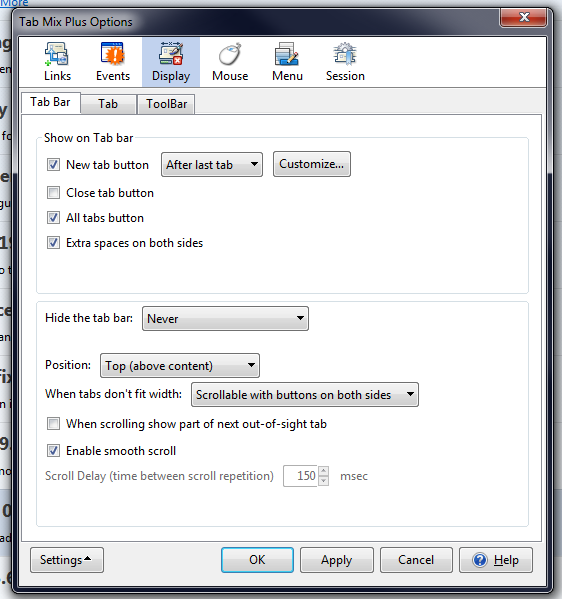
You can install Tab Mix Plus and there is an option call "Extra spaces on both sides" that adds some space at the beginning and at the end of the tab bar and, basically, resolves your issue.